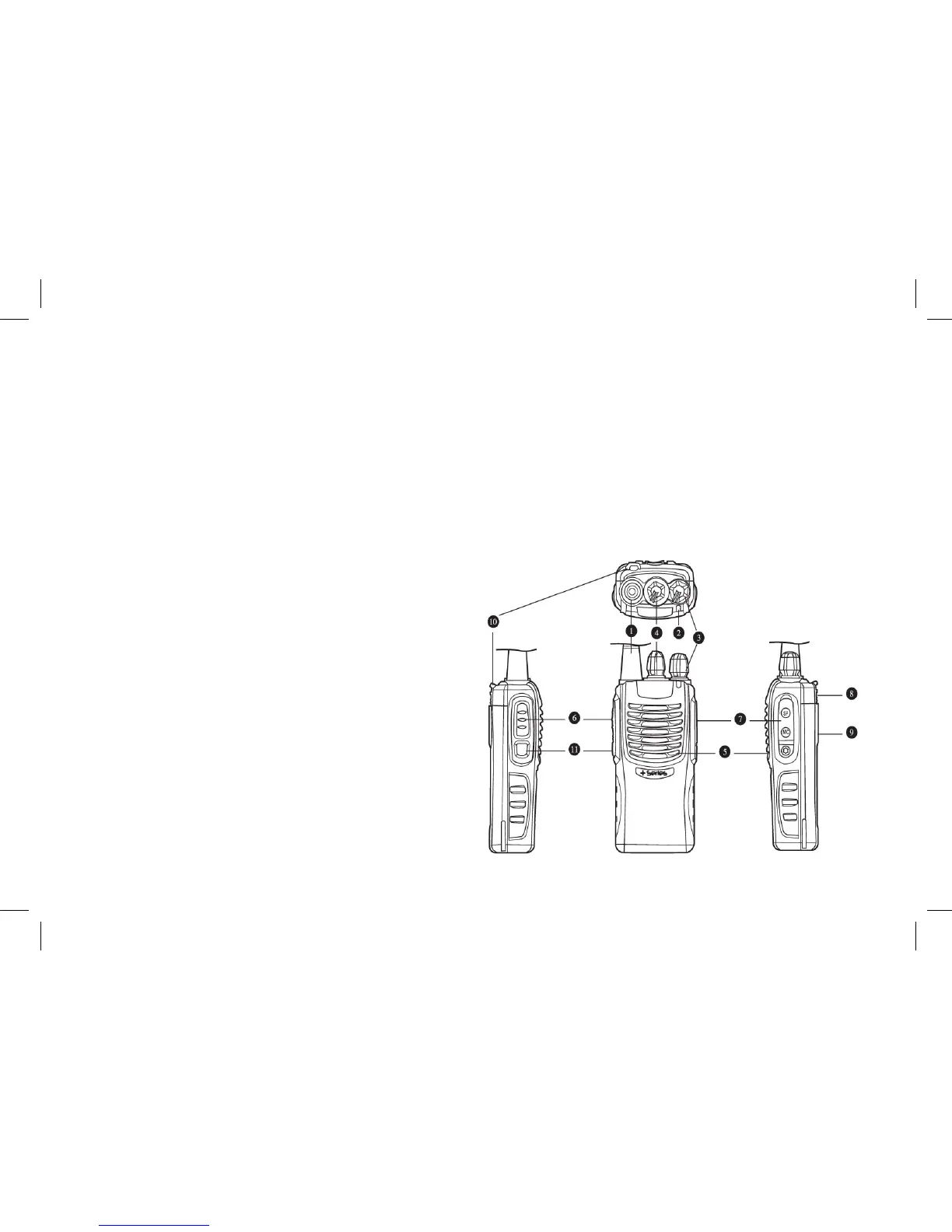
Over View
Antenna
The Indicator
The indicator lights red when transmitting; lights green when receiving; ashes red when the battery power is low;
ashes green when scanning.
Power/Volume Switch
Turn it clockwise to switch on the radio until a click is felt. Rotate it to adjust volume after turn on the radio. Turn it
counter clockwise to switch off the radio until a click is felt.
Channel Selector
Rotate it to select operating channel from 1~15+S. When
changing channel, the radio will announce the selected
channel number if the Channel annunciation is ON.
Speaker
PTT (Push-To-Talk)
Press and hold PTT button to make a call; release it
to receive.
MIC-SP Jack/ Data Port.
To connect the earphone/microphone or data cable
Top Cover
Battery Release Latch
Li-ion Battery
www.blackboxradios.com 7



 To Next Page