Need help?
Do you have a question about the KLIM B4 and is the answer not in the manual?
Ensures proper ventilation, protects against moisture, liquids, and loud sounds to prevent hazards.
Warns about dangerous voltage and Class 1 laser radiation when the CD compartment is open or damaged.
Details safe battery use, avoiding overheating, and mandates repairs by qualified personnel to maintain warranty.
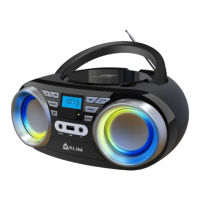
Identifies and explains the function of all physical buttons and knobs on the boombox unit.
Highlights compatibility, playback modes, display, battery, and remote control capabilities.
Guides users through connecting the power cord and turning on the main switch for the first time.
Explains the method to power the device on and off using the primary control knob.
Provides details on battery operation, recharging, and visual cues for charging status.
Step-by-step instructions for playing CDs, including track navigation, repeat, and shuffle.
Details how to pair devices, select Bluetooth mode, and manage playback via Bluetooth.
Instructions for selecting FM/AM bands, extending the antenna, and tuning stations.
Explains the auto-scan feature for saving and selecting favorite radio stations.
Guides users on using the AUX input port to play audio from external sources.
Describes connecting headphones or other devices to the AUX OUT port for audio playback.
Details how to play music from a USB drive, including file formats and navigation.
Explains how to adjust sound equalization and set the automatic sleep timer.
Instructions for inserting AAA batteries and important precautions to follow.
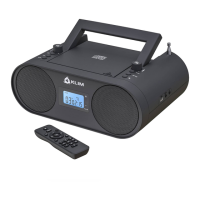
Explains the functions of remote buttons for playback, tuning, and mode selection.
Lists technical specifications and provides contact information for customer support and warranty.
 General
| Brand | KLIM |
|---|---|
| Model | B4 |
| Category | Portable Stereo System |
| Signal-to-Noise Ratio | ≥75dB |
| Battery | Lithium-ion |
| Battery Life | 10 hours |
| Bluetooth Version | 5.0 |
| Bluetooth Range | 10 meters |
| Water Resistance | IPX5 |
| Connectivity | Bluetooth, AUX, USB |

 To Next Page