KLIM Impact User Manual www.klimtechs.com
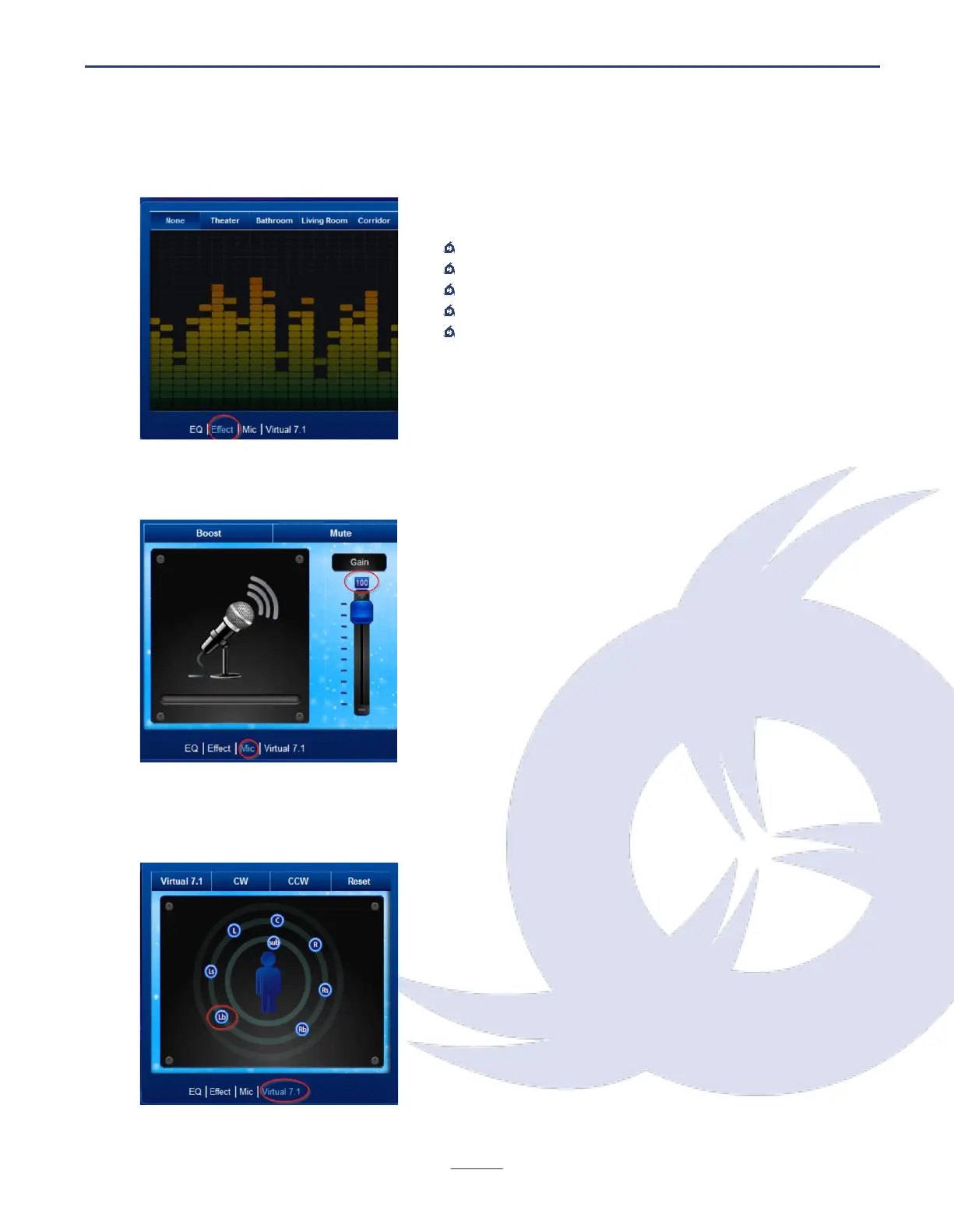
Effect screen
Choose from a set of pre-defined effects:
No effect
Theater
Bathroom
Living Room
Corridor
Mic screen
This screen allows you to set the microphone gain
using the slider on the right side. You can also
activate the Boost feature for even more recording
volume.
Click on Mute to deactivate the microphone (you
may also press the physical button on your inline
controls).
Virtual 7.1 screen
Activate the KLIM Impact's Virtual 7.1 surround
sound by clicking on the Virtual 7.1 button at the top.
Use the CW (clock-wise) and CCW (counter-
clockwise) to test the effects.
You may also move each speaker to place it in a
different position. For example, you can move the
Lb around as indicated on the picture.


 To Next Page