EasyManua.ls Logo

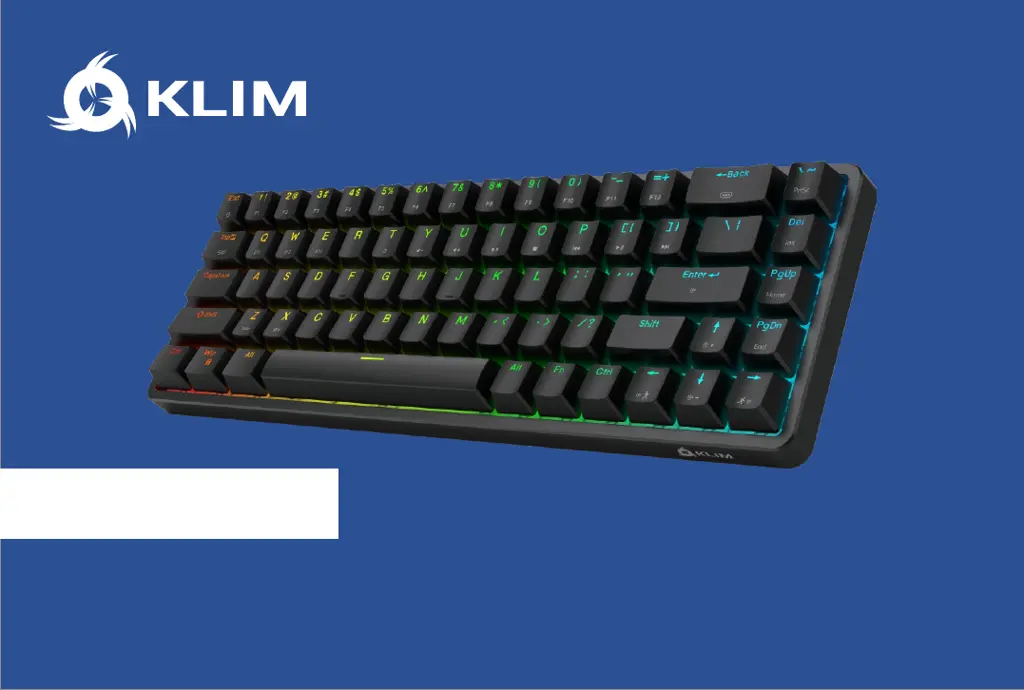
KLIM SHIFT - User Manual

KLIM SHIFT
36 pages
Print Icon
To Next Page IconTo Next Page
Loading...
USER MANUAL
MANUEL D'UTILISATION
BENUTZERHANDBUCH
MANUALE UTENTE
MANUAL DEL USUARIO
SHIFT

Questions and Answers

  • E
    Eric BakerJul 28, 2025
    What to do if my KLIM SHIFT does not work?
    • T
      Troy Lopez MDJul 28, 2025
      If your KLIM Keyboard isn't working, here are a few things to check: * Ensure the ON/OFF switch at the back is in the ON position. * Charge the battery. * Verify the USB plug (wired or wireless) is properly connected. * Confirm the correct mode is selected on the Mode Button underneath the keyboard.
  • D
    Debra FreemanAug 1, 2025
    Why is Bluetooth mode not working on my KLIM SHIFT?
    • B
      bryan88Aug 1, 2025
      If Bluetooth mode isn't functioning on your KLIM Keyboard, consider the following: * Ensure Bluetooth Mode is selected on the Mode Button underneath the keyboard. * Make sure the device you're pairing with is actively searching for devices. * Try selecting a different Bluetooth Device option (3.0 / 5.0) if available. * Confirm you've selected the correct device via the FN+Q/W/E keys.
  • M
    Mr. Joshua JimenezAug 5, 2025
    Why does my KLIM SHIFT Keyboard sometimes stop working in 2.4G Wireless Mode?
    • J
      Jennifer TrujilloAug 5, 2025
      If your KLIM Keyboard occasionally stops working in 2.4G Wireless Mode, here are some possible solutions: * Ensure there are no obstructions between the keyboard and the wireless receiver. * Check the battery charge level. * Make sure you haven't exceeded the maximum usage distance.
  • K
    Kathleen MurphyAug 9, 2025
    What to do if my KLIM SHIFT Keyboard Wireless USB receiver is not detected?
    • B
      brooke51Aug 9, 2025
      If your KLIM Keyboard's wireless USB receiver isn't being detected, try these steps: * Try pairing them again. * Unplug the USB receiver and plug it back in. * Select 2.4G mode via the button under the keyboard.
  • T
    Timothy PinedaAug 14, 2025
    How to fix Ctrl/Alt/Windows keys that don't work properly on my KLIM SHIFT?
    • E
      Erika RuizAug 14, 2025
      If the Ctrl/Alt/Windows keys aren't working correctly on your KLIM Keyboard, check that the keyboard is in the correct OS mode (Windows/Mac) by pressing FN + Z/X.
  • A
    adambarnettAug 18, 2025
    How to enable the Windows key on my KLIM SHIFT?
    • X
      xrubioAug 18, 2025
      If the Windows key isn’t working on your KLIM Keyboard, check that the Windows lock is not activated by pressing FN + WIN key.
  • H
    Heather LiAug 22, 2025
    What to do if my KLIM SHIFT inputs two presses instead of one?
    • R
      Robert BellAug 22, 2025
      If your KLIM Keyboard is inputting two presses instead of one, remove the keycap and firmly press the switch downwards using a thin tool (make sure it’s not sharp!) a few times, then reinstall the keycap and try again.

Summary

Package Contents and Product Diagram

Quick Start Guide

Wired Mode Setup

Instructions for connecting and operating the keyboard in wired mode.

2.4 G Wireless Setup

Instructions for connecting and operating the keyboard using the 2.4G wireless receiver.

Bluetooth Mode Setup

Instructions for connecting and operating the keyboard via Bluetooth.

Charging the Battery

Battery Indicators

Explains the LED indicators for battery status (white, yellow, red).

Power Saving Function

Details the keyboard's automatic sleep and standby modes to conserve battery.

Bluetooth Mode Details

Keyboard Shortcuts and FN Key

FN Key Functionality

Explains how to use the FN key with other keys for special functions and shortcuts.

Shortcut Key Diagram

Illustrates the key combinations for multimedia, function, and other shortcuts.

Backlight Adjustments

Backlight Control Shortcuts

Keyboard shortcuts for adjusting backlight effects, colors, brightness, and speed.

Multimedia and Other Shortcuts

System and Bluetooth Shortcuts

Key combinations for resetting settings, managing Windows lock, and Bluetooth pairing.

Keyboard Customization

Replacing Keycaps

Guide to replacing existing keycaps with the included spare set for a custom look.

Frame;Frameless Mode

Instructions on how to remove and reattach the keyboard's frame.

Replacing Switches

Step-by-step guide for hotswapping keyboard switches without soldering.

Troubleshooting

Keyboard Not Working

Solutions for common issues like the keyboard not responding or working intermittently.

Connectivity Issues

Troubleshooting steps for wireless mode, Bluetooth pairing, and receiver detection problems.

Key Input Problems

Addresses issues like key chattering (double presses) and malfunctioning modifier keys.

Technical Specifications

KLIM SHIFT Specifications

General IconGeneral
BrandKLIM
ModelSHIFT
CategoryKeyboard
LanguageEnglish

Related product manuals