0. INTRODUCTION
On behalf of the entire KLIM Team, thank you for purchasing our KLIM Talk desktop
microphone. We hope it meets your expectations and that you enjoy using this device.
Features
High quality microphone
Background noise reduction filter
Flexible and adjustable neck
Mute button with light indicator
Compatible with PC, Mac, PS3, PS4
I. KLIM TALK MICROPHONE
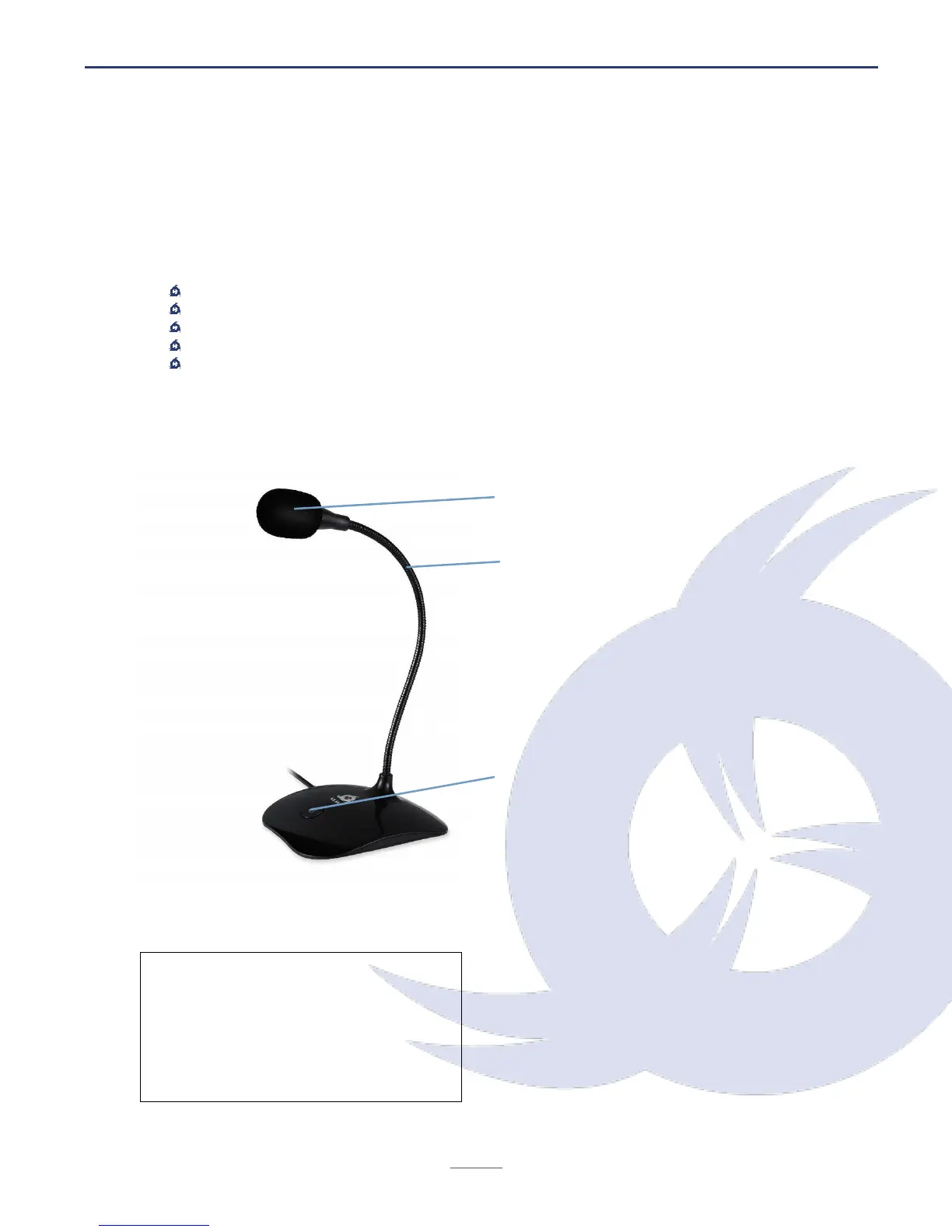
Removable anti-pop filter
Flexible neck
Freely adjust the neck to find the optimal
position for your recordings.
It is recommended to be between 5 and
25 cm from the microphone for optimal
volume and clarity.
Mute button
Push the button to activate or deactivate
the microphone. The red light will be on
when the microphone is active.
Technical specifications


 To Next Page