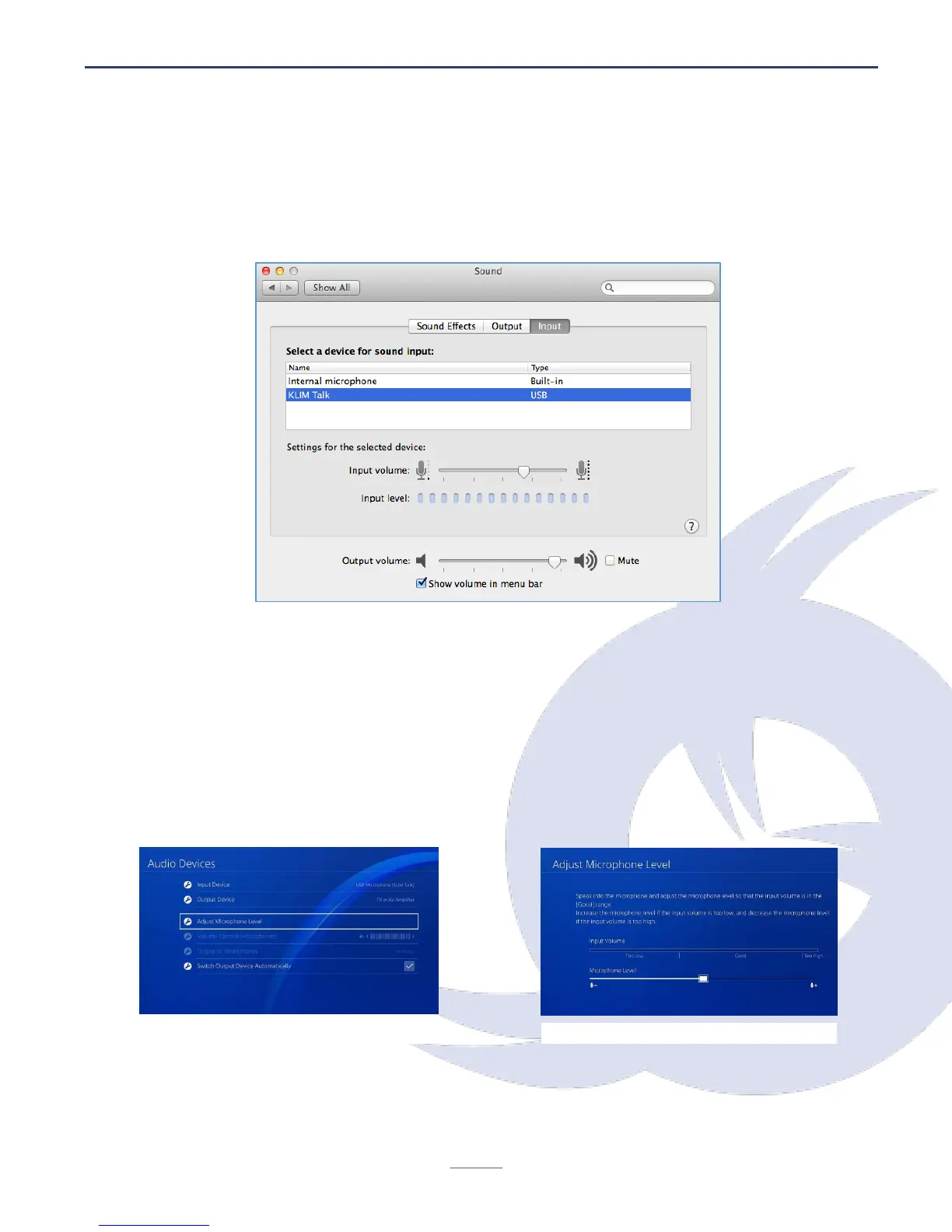
MacOS
1. Access your System Preferences > Sound. Open the Input tab and select KLIM Talk.
2. Adjust the input volume on the lower part of the screen.
PS4
1. With the microphone unplugged, access the Settings screen of the PS4
2. Access Devices > Audio Devices
3. Plug in your microphone to a USB port on your PS4
4. The PS4 should recognize the microphone. If it is not selected automatically, you may
select it under Input device.
5. Enter Adjust Microphone level and choose the volume of your preference.


 To Next Page