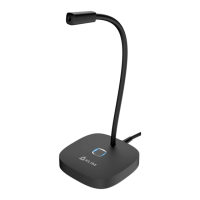
The microphone is missing many words when I use speech recognition software
It can take a while for the software to "get used" to your voice and accent. Make sure you
are speaking clearly into the microphone and that no background noise is present. Also,
some software has utilities to improve the accuracy of speech recognition, or tutorials to
improve these skills.
Sometimes there is a loud crackling noise or intermittent noise
Other devices such as mobile phones or routers may cause interference with the
microphone. Please make sure that it is not positioned next to these devices. You can also
try activating Airplane Mode on your phone.
When I plug in my microphone, it is not recognized
Try plugging it into a different USB port or use it on a different computer. Check the Device
Manager for any error messages and update the drivers manually. If the problem persists,
please contact us at support@klimtechnologies.com.
We thank you again for your purchase and hope that you enjoy using our KLIM Talk
microphone. Do not hesitate to leave a comment on the site you purchased it from, it will
help us tremendously :)
The KLIM team


 To Previous Page