Assembly and installation
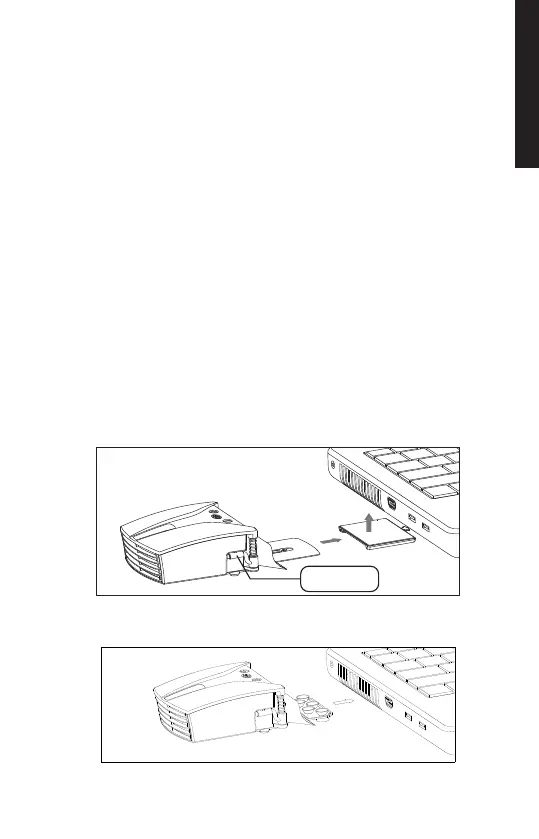
Attach a connecting plate (plastic or metal, according to your
needs) to the main body by inserting the round hole in the
connecting plate lock.
Note: to release the plate, press the lock and slide the plate
towards the back of the main body.
Adjust the metal plate length by pushing the moving part.
Optionally, you can remove the 3M glue tape to fix it in a more
permanent position.
Hint: check that the plate or suction pads aren't blocking any air
exhausts under your computer.
Select a rubber sleeve that fully covers your laptop's exhaust
port and attach the sleeve to the suction port on the KLIM
Tempest.
Place the suction port with the sleeve against your laptop's
exhaust port, ensuring a proper seal.
Turn the clamp arms until they are facing forward and lift them
above the computer to fix the cooler in place. The computer
thickness must be between 13 and 27 mm for this attachment
system to work.
Attachment to exhaust vent
Metal plate connection
Clamp
ENGLISH
2


 To Next Page