EasyManua.ls Logo

Klingenburg CERTO FU 1500 - User Manual

Default Icon
32 pages
Print Icon
To Next Page IconTo Next Page
Loading...
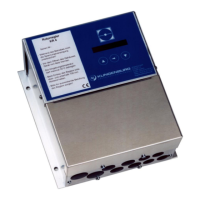
Description of CERTO controller
Standard
ENERGY RECOVERY
1. Functions of the controller
2. Terminal connection
3. Menu structure overview
4. Menu structure
5. Menu navigation
6. Manual mode / external control / humidity control
7. Factory-set default settings on the controller
8. Fault and error messages
9. Operating messages
10. Safety and warning notices
Page 2
Page 4
Page 6
Page 8
Page 9
Page 11
Page 13
Page 22
Page 26
Page 23
Question and Answer IconNeed help?

Do you have a question about the Klingenburg CERTO FU 1500 and is the answer not in the manual?

Summary

Functions of the controller

Terminal connection

Menu structure overview

Menu structure

Menu navigation

Operating Modes: Manual, External, Humidity Control

Manual Operation Mode

Specifies a manual target frequency within a defined range for the control unit.

External Control Mode

Sets the start point for external control signals, suppressing unwanted operations.

Humidity Control Mode

Details settings for humidity control using a Klingenburg humidity sensor.

Factory-set default settings on the controller

Fault and Error Messages

Controller Disabled Error

Message indicating the control unit is externally disabled via terminals 11 and 12.

Line Pressure Fault

Message appears when the line pressure drops below 1.6 bar.

Safety and Warning Notices

Status and Operating Messages

Displaying Status Messages

Displays operating status like motor current, time, date, and operating hours.

Klingenburg CERTO FU 1500 Specifications

General IconGeneral
ModelCERTO FU 1500
Frequency50/60 Hz
Protection ClassIP20
Housing MaterialPlastic
Relative Humiditynon-condensing

Related product manuals