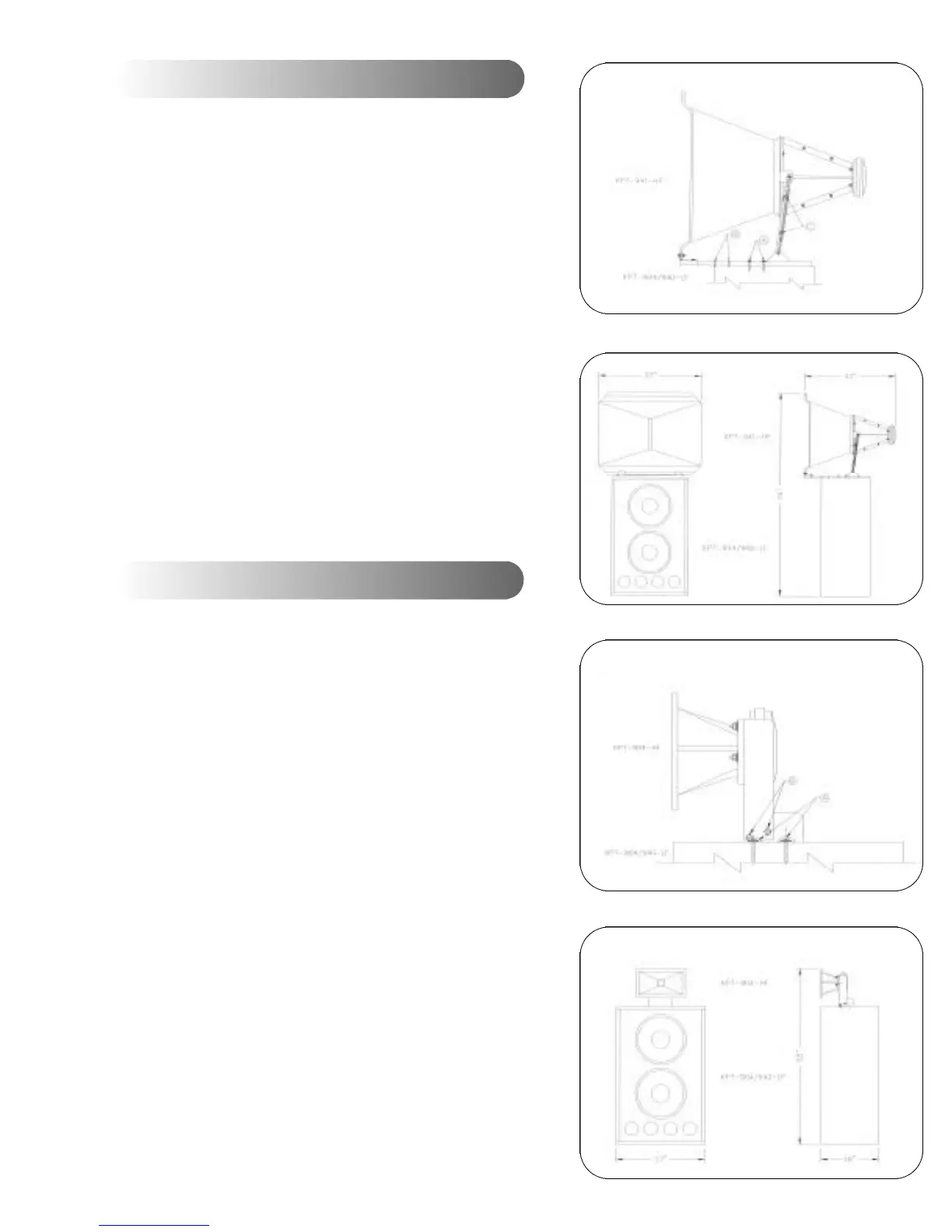
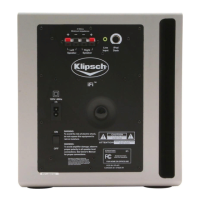
Please refer to the following drawings for assembly details:
Figures 9 and 10.
After unpacking all components, locate the KPT-941 HF
compression driver and horn. Attach the driver to the horn using
supplied hardware.
Locate the two
1
/4"-20 screws on top of the KPT-904/940-LF.
Remove the two screws and washers. Place the KPT-941-HF unit
on top of the KPT-904/940-LF, making sure that the hole/slot as
indicated by "A" in Fig. 9 lines up with the holes in the KPT-
904/940-LF. Reinstall the screws and washers. Adjust the
horizontal angle as desired and tighten the screws.
Locate the
1
/4"-20 nuts as shown at "C" in Fig. 10. To adjust the
vertical angle, loosen the nuts and adjust the horn until the
desired vertical angle is achieved. Tighten the nuts.
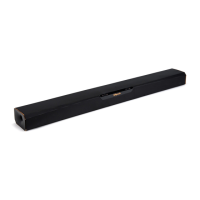
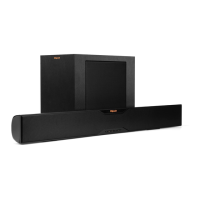
Please refer to the following drawings for assembly details:
Figures 11 and 12:
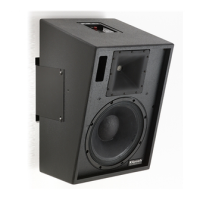
After unpacking all the components, locate the two
1
/4"-20 screws
on top of the KPT-904/940-LF. Remove the two screws and
washers. Place the KPT-904-HF unit on top of the KPT-904/940-
LF, making sure that the hole/slot as indicated by "A" in Fig. 11
lines up with the holes in the KPT-904/940-LF. Reinstall the
screws and washers. Adjust the horizontal angle desired and
tighten the screws.
Locate the
1
/4"-20 bolts and nuts on both sides of the bracket as
shown at "B" in Fig. 11. To adjust the vertical angle, loosen the
bolts and nuts, and adjust the horn until the desired vertical angle
is achieved. Tighten the bolts and nuts.
Mechanical Installation Drawings for KPT-941
Mechanical Installation Drawings for KPT-904
Fig. 9
Fig. 10
Fig. 11
Fig. 12


 To Next Page