Need help?
Do you have a question about the KLS Martin maxium Beamer and is the answer not in the manual?
Procedures for opening the unit and replacing front panel parts.
Steps for replacing key internal electronic boards like Main, Controller, and Power Manager.
Replacing external connectors, sockets, and audio components.
Overview of KLS Martin product compliance and manufacturer details.
Details on standard warranty terms, conditions, and exclusions.
Procedure for checking delivered goods for completeness and transit damage.
Checking the unit for shipping damage and defects upon receipt.
Steps and information required when returning a unit for service.
Introduction to the Service Menu and password entry for restricted access.
Management of device programs including startup, edit, lock, and reset options.
Settings and checks for the MB402 Beamer, requiring gas supply connection.
Background functions like clock, HF voltage limits, and tone settings.
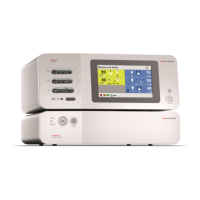
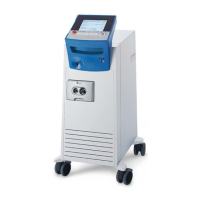
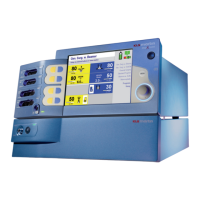
The KLS Martin maxium® with maxium® Beamer is an electrosurgical unit designed for various surgical applications, offering both electrosurgery and argon plasma coagulation capabilities. This device is characterized by its comprehensive feature set, user-friendly interface, and robust design, making it suitable for a range of surgical procedures.
The maxium® is an electrosurgical unit (ESU) that provides high-frequency (HF) current for cutting and coagulation of tissue. It supports both monopolar and bipolar electrosurgery modes, allowing for precise tissue effects tailored to specific surgical needs. The unit is designed to deliver controlled energy output, ensuring effective and safe procedures.
When combined with the maxium® Beamer (MB402), the system extends its capabilities to include argon plasma coagulation (APC). APC is a non-contact technique that uses ionized argon gas to deliver HF current to tissue, resulting in superficial coagulation with minimal tissue damage and smoke production. This makes it particularly useful for diffuse bleeding, surface coagulation, and devitalization of tissue. The Beamer integrates seamlessly with the maxium® ESU, utilizing its HF generator and control system.
The device features a graphical user interface (GUI) with a screen module and protective glass pane, allowing for intuitive program selection and parameter adjustment. Users can select from a variety of pre-set programs or create and customize their own. The unit also includes a rotary switch for axial confirmation of selections and adjustments.
While specific numerical specifications for HF output power (e.g., watts, voltage) are not explicitly detailed in the provided excerpts, the manual indicates that the unit can deliver HF output voltages up to 12 kVpp. It also mentions a 4kVp limitation setting, suggesting a capability to manage and potentially limit high voltages for specific applications. The device's power supply units (PSUs) and HF generator are critical components, with the main board and power manager board handling power distribution and control. The system incorporates capacitors that may remain energized for some time after the unit is turned off, highlighting the importance of safety precautions during servicing.
For the maxium® Beamer, the system monitors the argon gas cylinder's filling level. The pressure reducer's output pressure, which is identical to the Beamer's input pressure, is used to derive the indicated filling level. The system can measure pressures at 100 bar and 30 bar for calibration purposes. The alarm threshold for low gas levels can be adjusted between 30 and 80 bar, with a factory presetting of 30 bar, suitable for a 10-liter gas cylinder.
The unit includes a clock with calendar function, powered by a battery on the controller board, which supports log functions. This clock is set to Central European daylight saving time (CET) ex factory and does not automatically switch to standard time.
The maxium® offers a highly customizable and user-friendly experience:
The service manual provides detailed instructions for maintenance and troubleshooting, emphasizing safety precautions due to high internal voltages.
Overall, the KLS Martin maxium® with maxium® Beamer is a sophisticated electrosurgical system designed for versatility, precision, and ease of maintenance, with a strong emphasis on user safety and operational reliability.
 General
| Brand | KLS Martin |
|---|---|
| Model | maxium Beamer |
| Category | Medical Equipment |
| Language | English |

 To Next Page