PRACTICAL ADVICES
· lling the tank must be carried out on autogas stations
· lling the tank is signalized by characteristic sound of the operating system which protects the
tank from its excessive lling
FILLING THE TANK
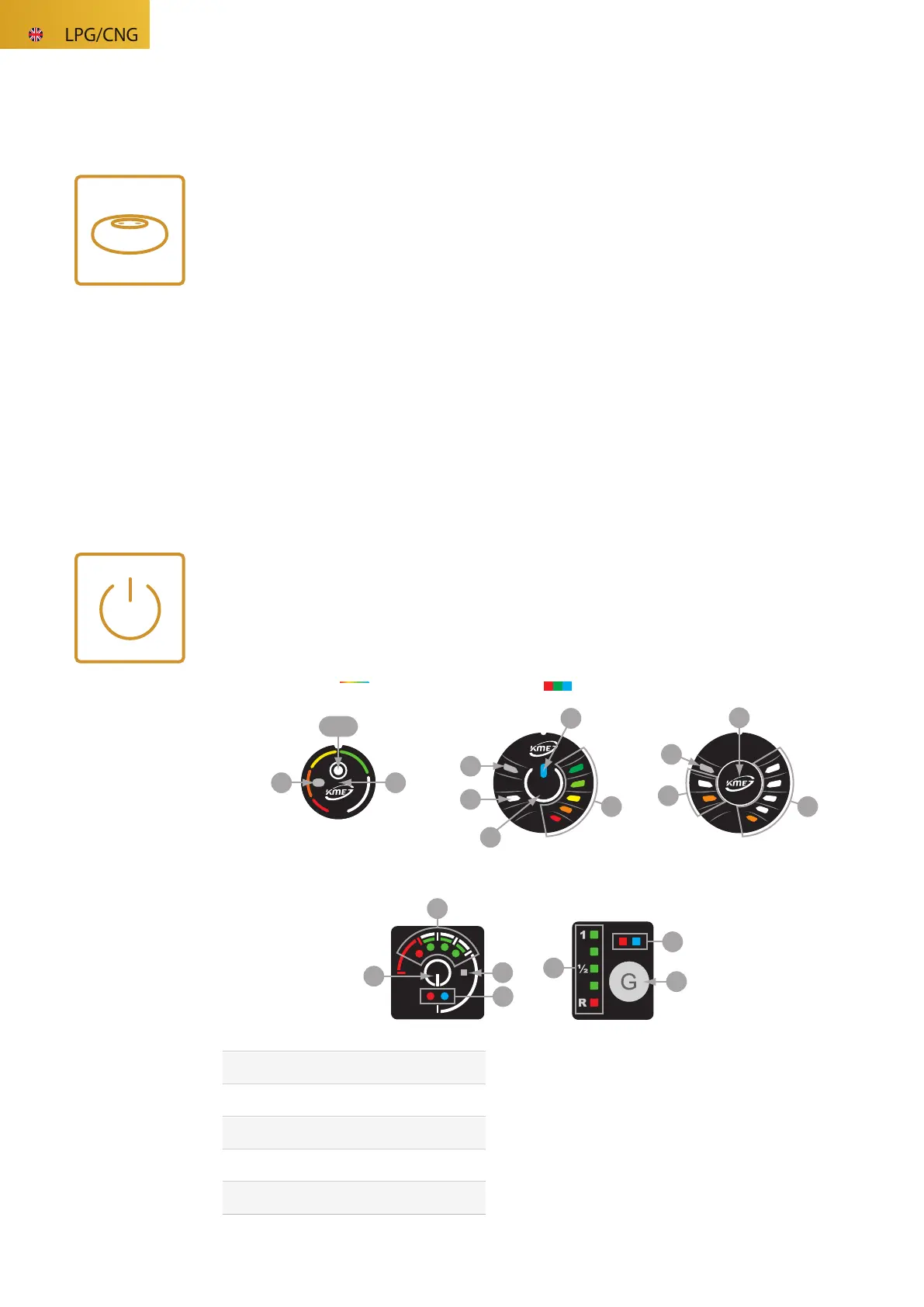
We control the LPG installation using one of the available control panels: DG8 Compact, DG7 RGB, DG5, DG4
[for NEVO-SKY and NEVO family systems] or DIEGO G3 [for DIEGO family systems].
The panel is used for communication between the
controller (NEVO-SKY, NEVO or DIEGO G3) and the
gas computer, performing the following tasks:
1. FUEL TYPE SELECTION – pressing button [B]
causes the transition from one fuel to another
(petrol - gas - petrol)
2. WORKING STATE INDICATION [C]
3. GAS LEVEL INDICATION [A]
3
CONTROL PANEL
LED indicator of actual gas level
in the tank
switch for fuel type selection
status LEDs (working state indication)
light level sensor
backlight LED
A
B
C
D
E
OPERATION OF THE CONTROL PANEL
ELECTRONICS: NEVOSKY / NEVO / DIEGO
D
C
B
DG5
A
B
C
D
DG4
A
B
C
A
DIEGO DG3
D
C
B
E
A
DG7
RGB
A C
D B
DG8
COMPACT



 To Next Page