Overview and Function
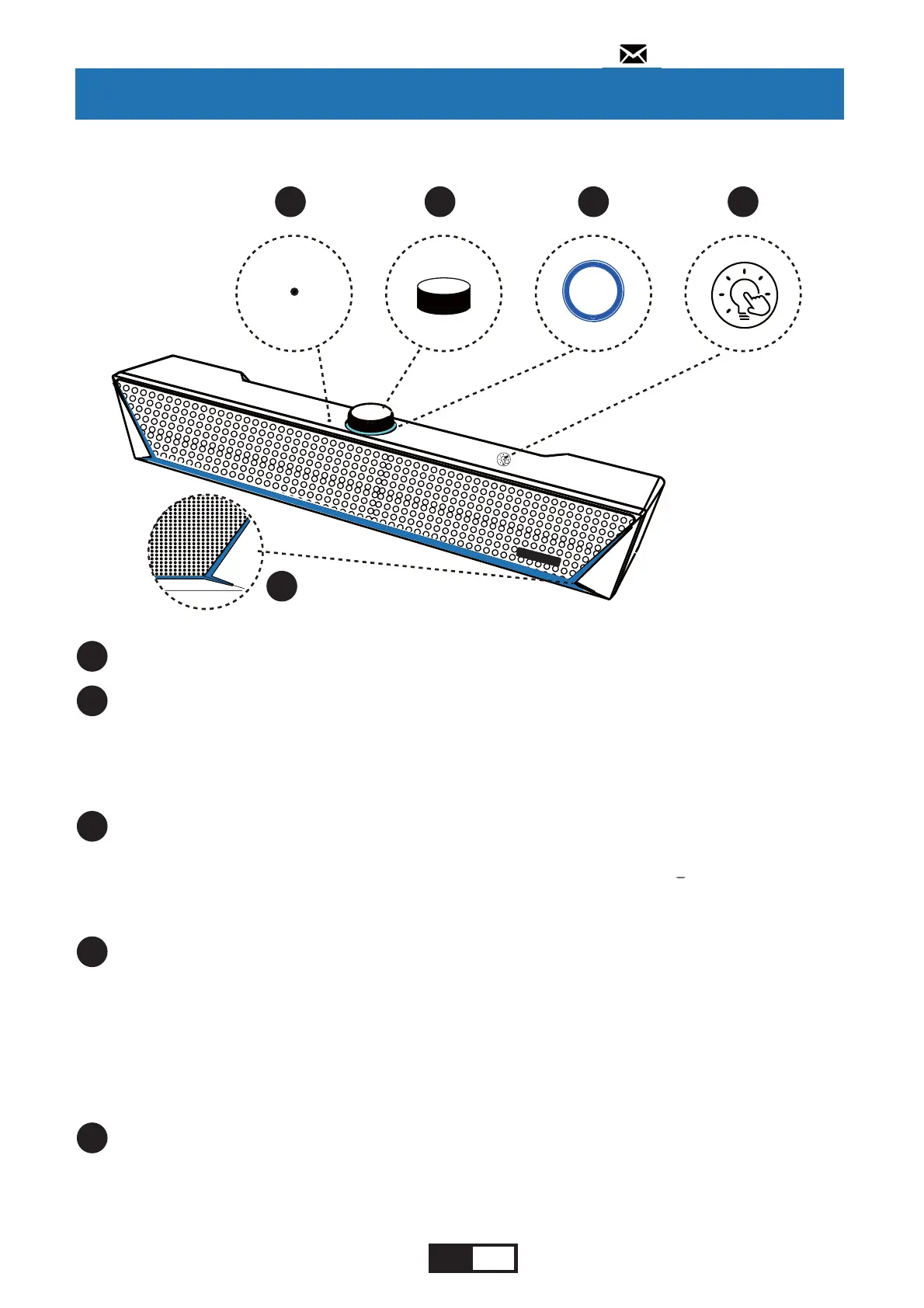
Use to adjust the volume, switch audio input, play/pause
music, and answer hands-free calls under Bluetooth mode.
Overview and Function of the Front / Top Panel
1
1
2 3 4
Mic
Use for voice calls (Bluetooth connection only).
2
Multi-Function Knob
The indicator on the top panel will flash or glow to indicate
the status of the operations and settings.
3
Knob Indicator Light
You can switch the lighting effects of the LED Indicator
Light by press the LED Touch Button once, the switch
order of the lighting effects is: [Fade light] - [Breathing
light] - [Rhythm light]
4
LED Touch Button
Show different lighting effects in the order of [Fade light] -
[Breathing light] - [Rhythm light]
5
LED Indicator Light
5
135;1
EN 05
support@kmouk.com


 To Next Page