ML Accessories Limited
LU5 4LT
www.mlaccessories.co.uk
AKNOV19_V5
4
Auto-learning code set up
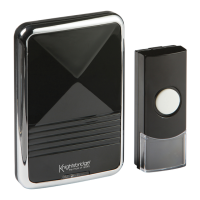
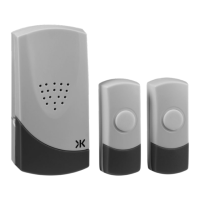
• After battery installation, press the bell push once on the first bell push to generate a new operation code
and hold the melody button on the receiver for 3 seconds. The receiver will sound which indicates that
a new operation code is registered and memorised. You can then assign a melody to this bell push by
pressing the melody selection button positioned on the side of receiver. Press and hold the melody button
for 3 seconds until it beeps, the melody will be set for this bell push
• Repeat this process for second bell push
Melodies for the bell push
There are 36 built-in melodies with the receiver. The receiver will sound different melodies in response to
bell push activation. Two melodies can be set to alert the user to which bell push has been activated.
SPECIFICATION
Bell Push
Power: 3V CR2032 battery (included)
Receiver unit
Power: 230V AC~50Hz
Operating temperature: -30°C to 40°C
Operating range: 100m (dependent on environment)
Selectable tones: 36 melodies available
GENERAL
WARRANTY
This product should be recycled in the correct manner when it reaches the end of its life.
Check local authorities for where facilities exist
The batteries in this product should be recycled in the correct manner when they reach the end of their life.
Check local authorities for where facilities exist
Clean with a soft dry cloth only, do not use aggressive cleaning products or solvents which may damage the
product.
This product has a warranty of 1 year from date of purchase. Failure to install this product in accordance with
the instructions, improper use, or removal of the batch code will invalidate the warranty. If this product should
fail within its warranty period it should be returned to the place of purchase for a free of charge replacement.
ML Accessories does not accept responsibility for any installation costs associated with the replacement
product. Your statutory rights are not affected. ML Accessories reserve the right to alter product specification
without prior notice.


 To Previous Page
 Loading...