
 Need help?
Do you have a question about the Knightsbridge OP6N and is the answer not in the manual?
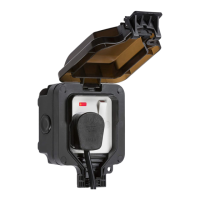
Manual provides instructions for installation and maintenance of OP6N / OP63N products.
Covers installation compliance, isolation, load limits, IP rating, overload, class, and earthing requirements.
Fix unit to a rigid flat surface and provide power to the required point.
Drill fixing holes using the backbox as a template, avoiding pipes and cables.
Drill drain hole in condensation-prone locations; note IP rating impact.
Install IP rated glands or adaptors for cable entries; fit blank plugs to unused entries.
Secure baseplate to surface and feed mains cables, allowing for rotational adjustment.
Replace gasket and wire according to polarity: Live, Earth, Neutral.
Ensure earth connection, secure wiring, and check fuse and operation.
Utilize the security lug for a padlock to prevent tampering.
Do not leave cover open or unlocked to ensure weatherproof operation.
Recycle product responsibly and clean surfaces with mild detergent.
One-year warranty against defects; installation and misuse can invalidate it.
 General
| Brand | Knightsbridge |
|---|---|
| Model | OP6N |
| Category | Switch |
| Language | English |

 To Next Page