EasyManua.ls Logo

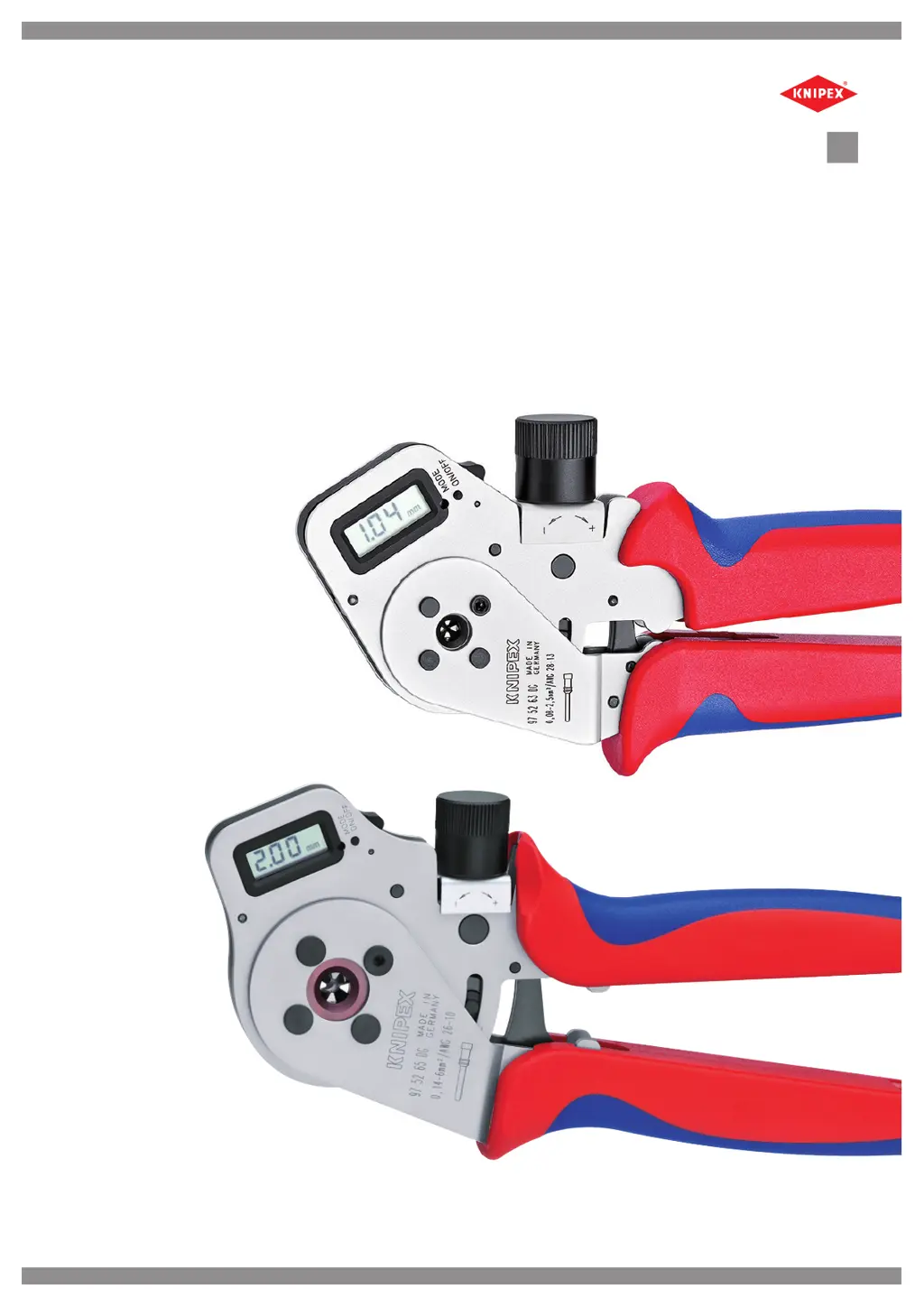
KNIPEX 97 52 63 DG - User Manual

KNIPEX 97 52 63 DG
50 pages
Go to English
Print Icon
To Next Page IconTo Next Page
Loading...
Rev.: 2016-06-10 1 / 10
Vor Beginn aller Arbeiten Bedienungsanleitung lesen!
Bedienungsanleitung
Vierdorncrimpzange DigiCrimp® mit Digitalanzeige und Verschleißüberwachung
DE
Bedienungsanleitung
Vierdorncrimpzange DigiCrimp®
mit Digitalanzeige und Verschleißüberwachung

Table of Contents

Questions and Answers

Summary

General Information

Product Overview

Provides an overview of the four-indent crimping tool with digital display and its features.

Operation

Switching On and Off

Instructions on how to turn the crimper on and off using the designated switch.

Display Selection

How to change display functions using the MODE button for various settings like mm or inches.

Setting Crimping Parameters

Details on adjusting the crimping die setting using the adjustment wheel and locking screw.

Crimping Procedure

Performing a Crimp

Step-by-step guide on how to perform the crimping operation correctly.

Maintenance and Component Replacement

Changing the Contact Bushing

Procedure for removing and refitting the contact bushing using an Allen key.

Replacing the Battery

Guide for replacing the type 2025 battery in the digital display compartment.

Safety and Calibration Testing

Work Process Safety Guidelines

Information on mechanical wear, recalibration triggers (CAL/REC), and wear limits.

Calibrating with Gauge

How to test the crimper's calibration using a specific gauge and identify deviations.

Calibration Procedures

Recalibrating the Crimper (REC)

Steps for recalibrating the crimper when the display shows REC due to wear.

Calibrating After Battery Change (CAL)

Procedure for recalibrating the tool after a battery change, using a reference value.

Troubleshooting

E1 Error Message

Explanation of the E1 error message indicating worn crimp dies and the necessary action.

Wear Monitoring

How to check the crimper's current condition, serial number, and calibration history.

Error Codes and Remedies

Guide for diagnosing and resolving issues like E1 and E2 error messages.

Servicing and Maintenance

Cleaning and Lubrication

Instructions for keeping the crimper clean, lubricated, and properly maintained.

KNIPEX 97 52 63 DG Specifications

General IconGeneral
Length180 mm
REACH compliantYes
RohS compliantYes
HandleMulti-component grips
Blade LengthNot applicable

Related product manuals