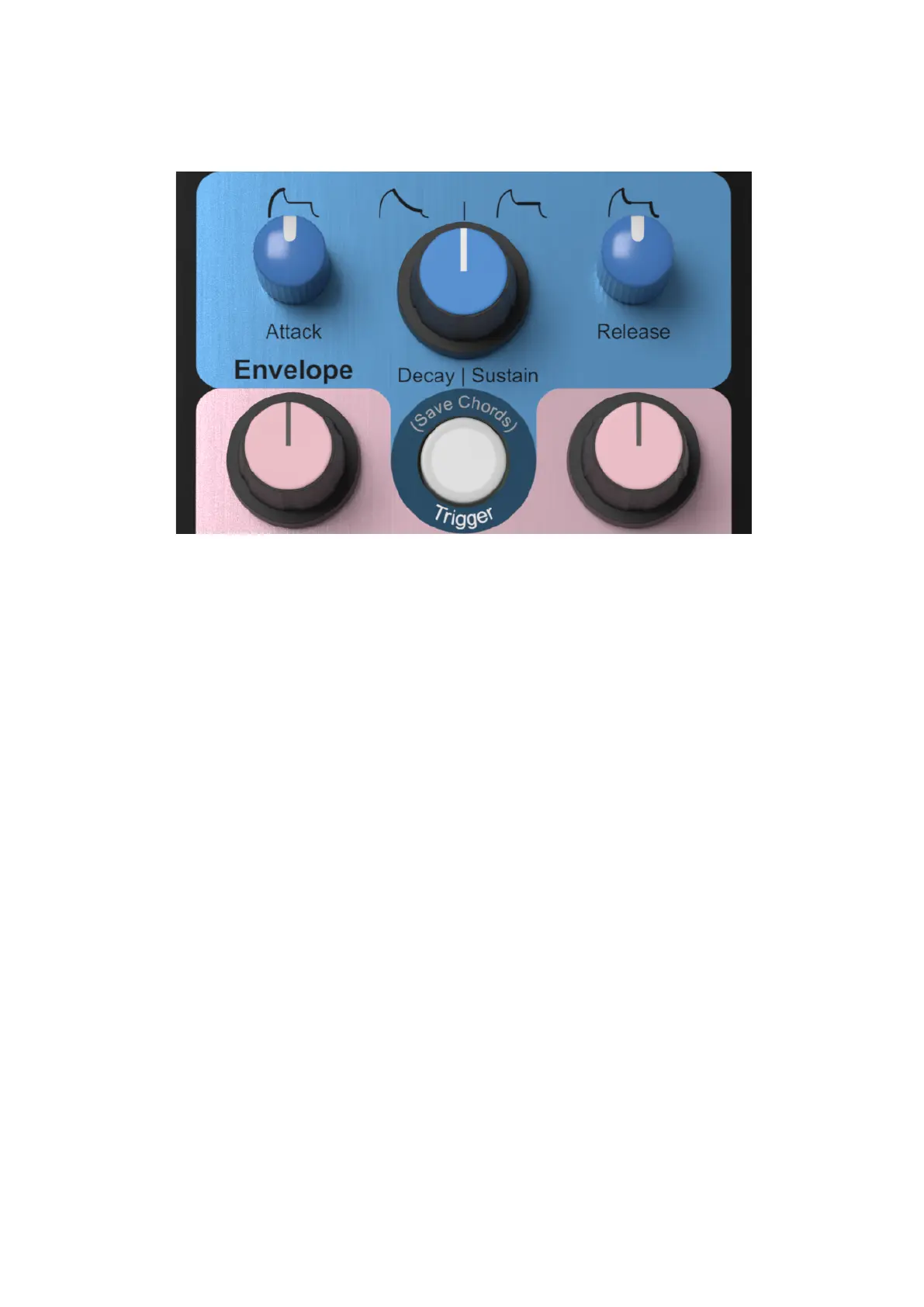
Attack
Controls The time taken for the note to build up to peak volume when a
key is pressed."
Decay | Sustain
Controls the time taken for the envelope level to decrease to zero whilst
the key is pressed. Rotate past the half way point and the decay
becomes infinite (Sustain) and further turning of the control will lower the
sustain level."
Release
This knob controls The portion of the envelope after a key is released.
When in Sustain mode (see above) it also controls the initial decay rate to
the sustain level."
Trigger
Pressing this button will replay the last note or chord that was played into
the midi input. This button will also illuminate whenever a note is being
triggered. Poly Cinematic detects whenever a note or group of notes are
all finally released and then stores these notes, together with velocity
information, into the current chord memory slot. there are 8 chord
memory slots that can be accessed by setting the position of the
modulation wheel (midi) or by setting a voltage at the Chord Select input."
If the unit is factory fresh, or it has just been factory reset, it will still play
a single note even if there is no midi attached so that it can be played
monophonically over CV Gate."
Holding down shift and pressing Trigger will save all the chords into
persistent memory so they can be recalled after a power cycle.


 To Next Page