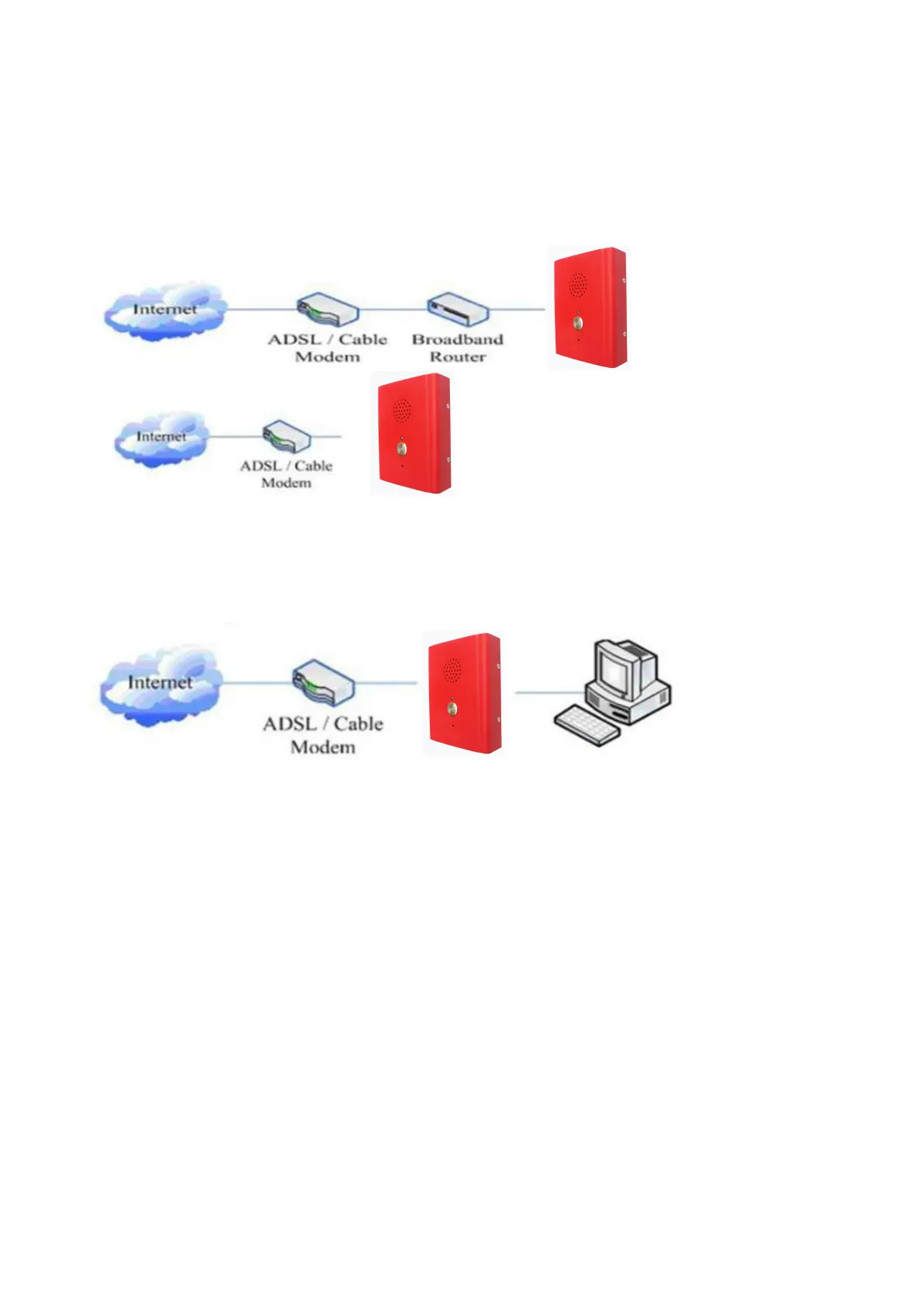
You can do this in one of two ways, depending on how your workspace is set up.
Direct network connection—by this method, you need at least one available Ethernet port in your
workspace. Use the Ethernet cable in the package to connect LAN port on the back of your phone to the
Ethernet port in your workspace. you can make direct network connect. The following two figures are for
your reference.
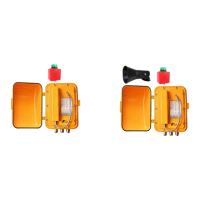
Shared network connection—Use this method if you have a single Ethernet port in your workspace with
your desktop computer already connected to it. First, disconnect the Ethernet cable from the computer
and attach it to the LAN port on the back of your phone. Next, use the Ethernet cable in the package to
connect LAN port on the back of your phone to your desktop computer. Your IP Phone now shares a
network connection with your computer. The following figure is for your reference.
3. Basic Functions
3.1. Accepting a call
Picking up handset or press the button to accept incoming calls. If only on/off button, you can set
auto-answer.
3.2. Making a call
3.2.1 Free dial
Picking up handset or press the button and then press the number, it will dial out.
3.2.2 Hot-line dial
Picking up handset or press the hot-line button, it will dial out directly. Set hot-line in advance.
3.3. Ending a call


 To Next Page