Hang back the handset to end calls.
KNZD-05 KNZD-07A
KNZD-07B KNZD-10
KNZD-27 KNZD-31
KNZD-03 KNZD-06
KNZD-15 KNZD-29
KNZD-63
KNZD-09 KNZD-11
KNZD-13 KNZD-17
KNZD-39 KNZD-36
KNZD-45A KNZD-45
KNZD-63A KNZD-43
Dial 9 * 9 * 200, the phone will broadcast IP address.
Dial 9 * 9 * 100, it will restore the factory setting.
4. Operation
4.1 Setting via Web Browse
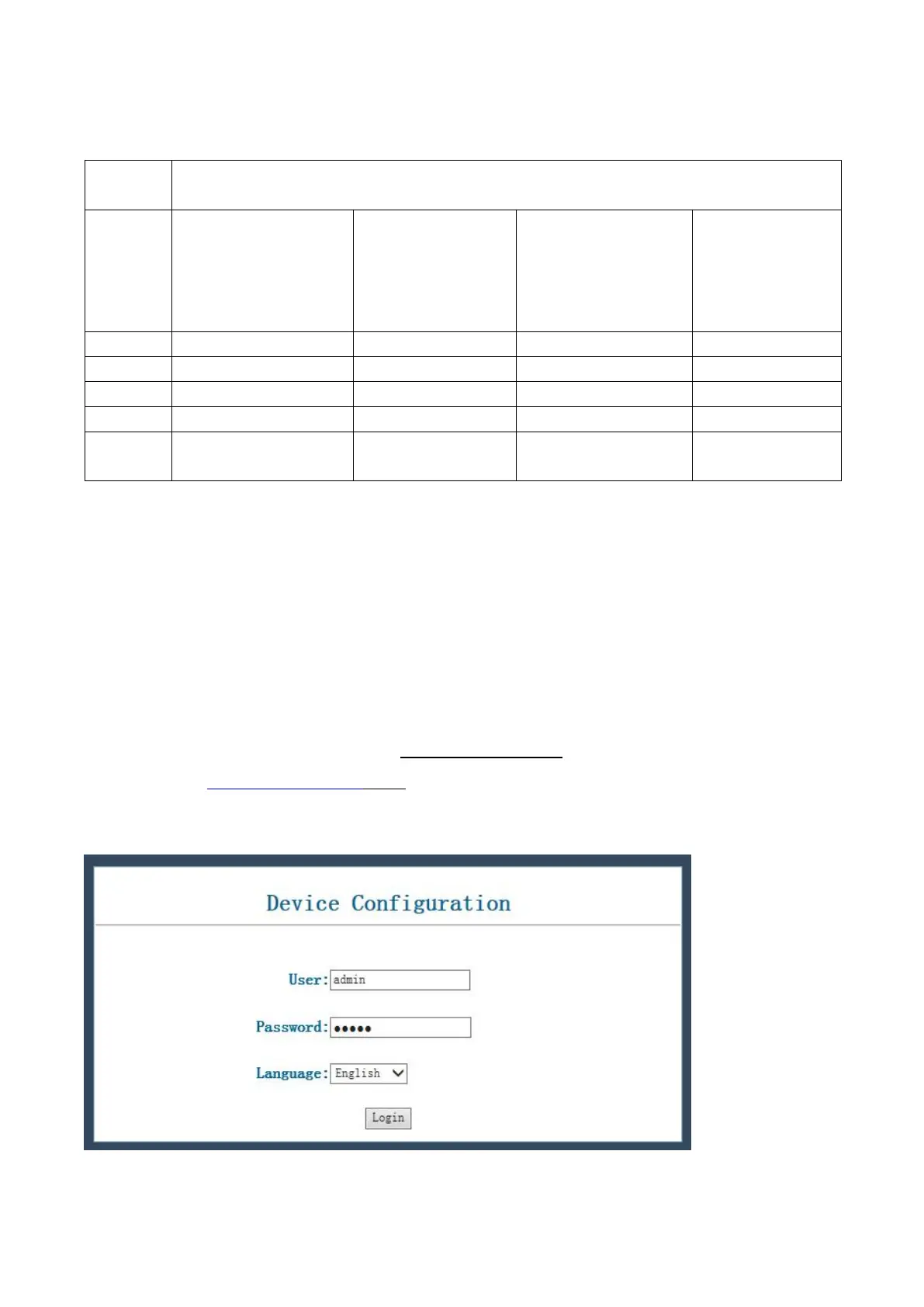
Set the computer and telephone in same LAN network;
When this phone and your PC are connected to network, open the Internet Explorer and then enter the IP
address of the LAN port in this phone (e.g. http://xxx.xxx.xxx.xxx). (If the log port is not standard port 80,
you should input http://xxx.xxx.xxx.xxx:xxxx/) See the following web interface.
User: admin
Password: admin


 To Next Page