EasyManua.ls Logo

Kobalt KID 324B-03 - User Manual

Kobalt KID 324B-03
158 pages
Print Icon
To Next Page IconTo Next Page
Loading...
1
kobalttools.com
AB15826
KOBALT® and the K Design® are registered
trademarks of LF, LLC. All Rights Reserved.
Questions, problems, missing parts? Before returning to your retailer, call our customer
service department at 1-888-3KOBALT (1-888-356-2258), 8 a.m. - 8 p.m., EST,
Monday - Friday.
ATTACH YOUR RECEIPT HERE
Serial Number Purchase Date
ITEM #0672826/0672827/0672823
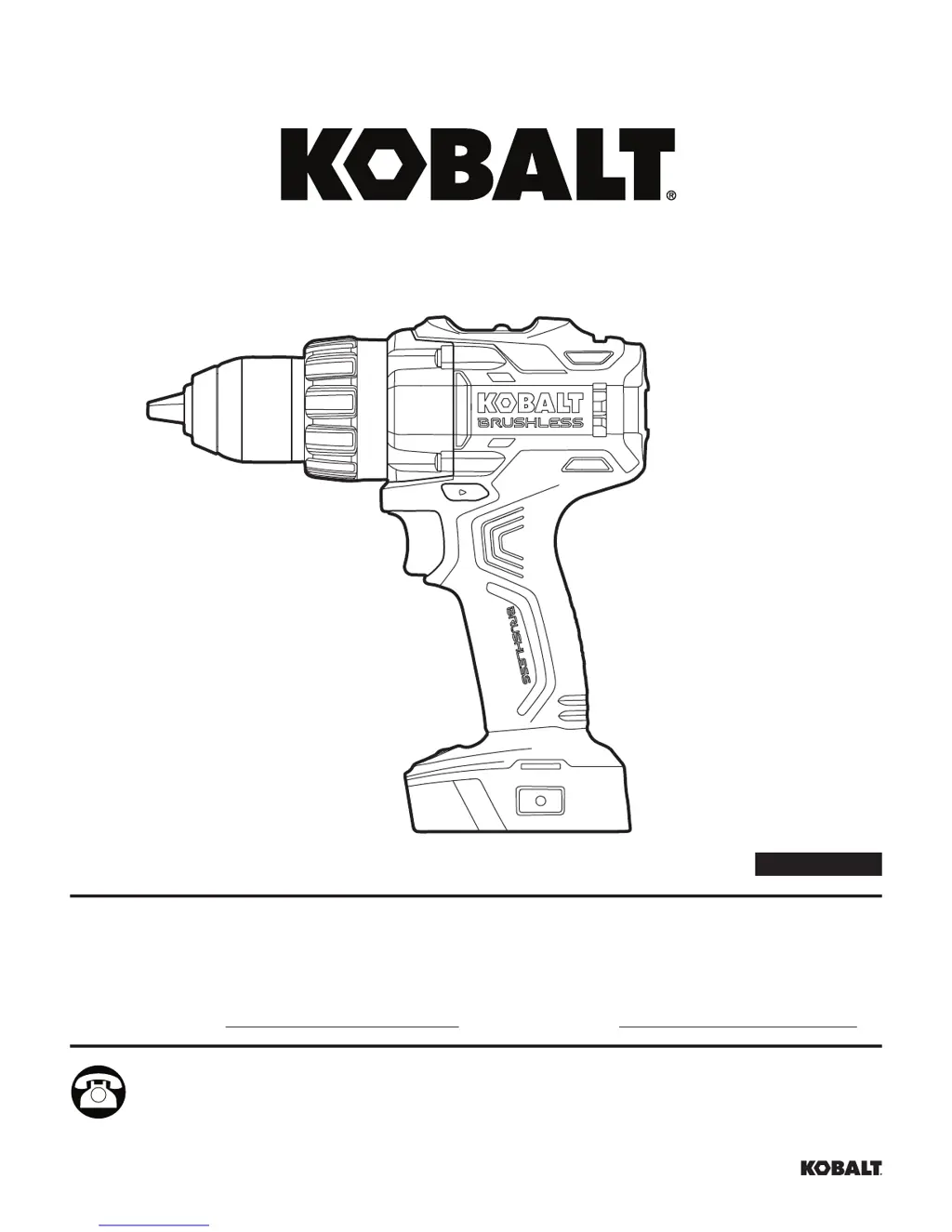
1/2 IN
BRUSHLESS
DRILL/DRIVER
MODEL #KDD 524B-03
Español p. 17

Questions and Answers

  • L
    Leah MccoyAug 3, 2025
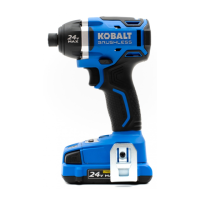
    How to install a socket on my Kobalt Impact Driver if it doesn't fit?
    • M
      Margaret DavisAug 3, 2025
      If you're having trouble installing a socket on your Kobalt Impact Driver because it doesn't fit the sleeve, use a suitable adapter or a socket with the claimed capacity.
  • J
    Jeffery RileyAug 7, 2025
    What to do if the LED worklight blinks rapidly on my Kobalt Impact Driver?
    • A
      Alexander HarrisonAug 7, 2025
      If the LED worklight on your Kobalt Impact Driver blinks rapidly, it means the tool has stopped working to protect its internal circuits. To resolve this, release the trigger switch, wait for the tool to cool down, and then start the tool again.
  • D
    Dennis RobertsAug 11, 2025
    Why is my Kobalt Impact Driver motor overheating?
    • N
      Natalie RivasAug 11, 2025
      If the motor of your Kobalt Impact Driver is overheating, make sure the cooling vents are free of dust and any obstructions. Clean and clear the vents, and avoid covering them with your hand during operation.
  • W
    watsonmichaelAug 15, 2025
    What to do if the LED worklight blinks slowly on my Kobalt Impact Driver?
    • M
      Mark MorrisAug 15, 2025
      If the LED worklight on your Kobalt Impact Driver is blinking slowly, it indicates that the battery charge is very low. Charge the battery to resolve this issue.
  • T
    Tiffany JohnsonAug 20, 2025
    What to do if bit cannot be installed in Kobalt KID 324B-03 Power Tool?
    • J
      Jason FarrellAug 20, 2025
      If you're unable to install a bit in your Kobalt Power Tool, there are a couple of potential reasons: * The chuck may not be released. Make sure to release the chuck. * The bit may not fit the chuck. Use an appropriate bit or a suitable adaptor.
  • Z
    zbrayAug 25, 2025
    What to do if the LED worklight on my Kobalt KID 324B-03 blinks rapidly?
    • S
      Samuel SaundersAug 25, 2025
      If the LED worklight on your Kobalt Power Tool is blinking rapidly, it indicates that the tool has stopped working to protect its internal circuits. To resolve this, release the trigger switch, allow the tool to cool down, and then restart it.
  • C
    Christopher GonzalesAug 29, 2025
    Why is the LED worklight blinking slowly on my Kobalt KID 324B-03?
    • J
      Jose MartinAug 29, 2025
      If the LED worklight on your Kobalt Power Tool is blinking slowly, it means the battery charge is very low. Charge the battery to solve this problem.

Summary

Product Specifications

Package Contents

Safety Information

Drill;Driver Usage Information

Guidance on understanding the tool and reading instructions.

Drill;Driver General Safety Precautions

Covers power tool, work area, electrical, and personal safety.

Drill;Driver Specific Precautions

Warnings for battery use, service, and drill/driver operation.

Preparation

Know Your Drill;Driver

Guidance on familiarizing oneself with the drill/driver.

Operating Instructions

Battery Pack Operation

Instructions on attaching and detaching the battery pack.

Trigger Switch Functionality

Explanation of the trigger's function for speed control.

Operating Instructions

Two-Speed Gear Box Operation

Details on using the two-speed gear selection.

Direction-of-Rotation Selector

How to control the drill's rotation direction.

Operating Instructions

LED Work Light

Information on the integrated LED work light.

Keyless Chuck Usage

How to use the keyless chuck for bit insertion.

Adjustable Torque Clutch

Guidance on setting the torque clutch for driving screws.

Operating Instructions

Accessory Installation and Removal

Instructions for belt clip and bit holder attachment/detachment.

Auxiliary Handle Operation

How to install and use the auxiliary handle.

Operating Instructions

Drill Bit Installation and Removal

Guide for installing and removing drill bits.

Operating Instructions

Drilling Procedures

Detailed steps for drilling operations.

Operating Instructions

Screw Driving Procedures

Instructions for driving screws with the tool.

Care and Maintenance

Tool Cleaning

How to properly clean the tool.

Chuck Removal and Replacement

Steps to remove and replace the chuck.

Troubleshooting

Warranty

Product Specifications

Package Contents

Safety Information

Impact Driver General Safety Precautions

Covers power tool, work area, electrical, and personal safety.

Impact Driver Specific Precautions

Warnings for battery use, service, and impact driver operation.

Preparation

Know Your Impact Driver

Guidance on familiarizing oneself with the impact driver.

Operating Instructions

Impact Driver Battery Pack Operation

Instructions on attaching and detaching the battery pack.

Impact Driver Trigger Switch

Explanation of the trigger's function for speed control.

Operating Instructions

Impact Driver Rotation Selector

How to control the impact driver's rotation direction.

Impact Driver LED Worklight

Information on the integrated LED work light.

Operating Instructions

Impact Driver Speed Selector

Details on selecting the impact driver's speed range.

Impact Driver Finish Mode

How to engage and use the finish mode for controlled driving.

Operating Instructions

Impact Driver Accessory Installation

Instructions for belt clip and bit holder attachment/detachment.

Operating Instructions

Impact Driver Bit Handling

Guide for installing and removing impact driver bits.

Screw and Nut Driving

Steps for driving screws and nuts with the impact driver.

Care and Maintenance

Impact Driver Cleaning

How to properly clean the impact driver.

Troubleshooting

Product Specifications

Package Contents

Safety Information

Battery Safety Warnings

Covers general battery hazards, charging, and handling.

Battery Handling and Care

Guidance on battery use, modification, and storage.

Preparation

Operating Instructions

Battery Power Indicator

How to check the battery charge status using the indicator.

Operating Instructions

Low Capacity Warning

Indicates when the battery charge is below 20%.

Battery Protection Features

Explains the battery's internal protection features.

Operating Instructions

Cold Weather Battery Operation

Performance and usage advice for cold temperatures.

Battery Charging Procedure

Instructions for charging the lithium-ion battery pack.

Care and Maintenance

Battery Cleaning

How to properly clean the battery pack.

3-YEAR HASSLE-FREE WARRANTY

Product Specifications

Package Contents

Safety Information

Charger Safety Warnings

Specific instructions for safe charger operation and handling.

General Charger Precautions

Covers electrical safety, cord use, and material compatibility.

FCC Compliance Information

Information regarding regulatory compliance with FCC rules.

Preparation

Operating Instructions

Battery Charging Procedure

Instructions for charging the battery pack.

Operating Instructions

Charger Display Indicators

Explanation of the charger's LED indicators and their meanings.

Operating Instructions

Wall-mount Holes for Charger

Instructions for mounting the charger on a wall.

Care and Maintenance

Charger Cleaning

How to properly clean the charger.

3-YEAR HASSLE-FREE WARRANTY

Kobalt KID 324B-03 Specifications

General IconGeneral
BrandKobalt
ModelKID 324B-03
CategoryPower Tool
LanguageEnglish

Related product manuals