This manual is based on the date as shown in the right and specifications are subject to change without notice for quality improvement
www.kocom.com E-mail : export@kocom.co.kr
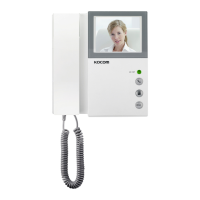
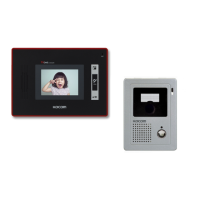
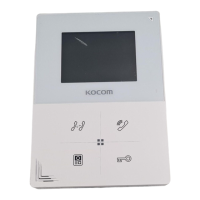
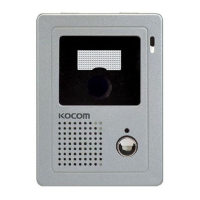
KCV-340/D340
11.07.01
KCV-340 / KCV-D340 MANUAL
■ PABX connection
- PABX is Working even without Power
■ 4" color LCD
■ Communication with door and door
monitoring
■ Door open during communication
■ Surface mount type installation
■ Connection with up to 2 door cameras
■ 5 Melody selection
[ Operating Installation Manual ]
SINCE 1976
▶ KOCOM Warranties the original purchaser of this product as follows.
■ Warranty Card
PRODUCT
MODEL
DATE PURCHASED
WARRANTY PERIOD
AGENCY ADDRESS
1.This product is produced under strict quality control and inspection procedures.
2.If this product breaks down during proper use as a result of product defect, KOCOM will repair it within one year from date of purchase free of charge.
3.The following cases will be subject to charge, even during warranty period:
a.Breakdown during transport, or through careless treatment, by consumer.
b.Breakdown cause by unauthorized repair, or system modification.
c.Breakdown caused by natural disaster or power disorder.
▶
For after-Sale service, have the following ready when you contact our branches.
1. Name of the product.
2. Model number of the product.
3. The area of problem.
4. Phone number and address at which you can be contacted.
For safe use, please stick to the following cautions.
·Please, save this manual after reading these instructions carefully. ·Read and understand all instructions to set up rightly.
·This Cautions for Safety may include items that are not contained in specifications of the product that consumer purchases.
·If you need assistance with the set-up or operation, please contact with A/S center.
To help our customers to understand this manual, to prevent any personal injury or property damage, some marks are used in the manual.
The marks and the drawing signs are below. Please, understand the marks before reading the manual.
Cautions for set-up
The important marks in the manual.
The meaning of the drawing signs.
Sign to show what not to do Mishandling the device with ignoring this sign may result in serious injury or death.
Mishandling the device with ignoring this sign may result physical injury or material damage.
Sign to tell you that you should follow the instructions. Sing to tell you that you need more attention including high voltages, electric shock, danger, warning)
Sign to tell you that you can't disassemble this unit. Sign to tell you that you must unplug the unit.
·The law limits distributing the power lines to an authorized person from government. The work from an unaurhtorized person cause fire or electric shock.
·Place this unit securely on a stable surface. Serious damafe and/or injury may result if the unit falls.
·Do not set up this unit near the leaking place because it may expose you to dangerous voltages or other risks.
·Even if your product is water proof, do not install it slanted place of water leakage, which can a short circuit.
·The work of distributing wires needs skills and experiences. So please, for assistance, contact your dealer or call service center.
·The communication lines should be built in being distant from the power source. This may result in the risk of fire, electric shock and communication disorder.
·Setting the communication lines in a high humid place such as outside without any protection from rain causes the communication disorder.
·Keep the hook at the wall-mounted device safe. The hook may cause the physical injury.
·Think about the thickness and quality of wall material. The unqualified material may make the device fall.
Warnings for Usage
·Do not install this unit near the water and dust, for example, in a bathroom or near the washing machine. It caused fire and electric shock.
·Do not install this unit near the fire, for example, near kitchen sink, heater or the like.
·Do not install near the noxious gar such as Hydrogen Sulfide, metal power and the like.
·Do not install near the water and chemicals.
·Do not give any damage, break and modify the plug. Overloading, heating, pulling causes the damage.
·Do not place the plug near the heater. The damaged code causes fire and electric shock. Do not pull the power code when unplugging.
·The damaged code causes fire and eclectic shock. Must pull with plug. Do not touch with wet hands. It causes the electric shock.
·Do not use any other voltage, except the marked regular voltage.
·Do not use the power terminal at the units to other electric device except the designed device.
·Do not install the units at the leaking place if it doesn’t have any waterproof mark. Do not install the unit when the power is on.
·Install the circuit breaker after checking the safety such as electric shock and leakage. Turn off the power before you install or A/S
·Check the suitability of the lines for installing when you use the exiting lines.
·Do the wiring work by using the designed material.
·Connect the electric wire with the designed ways and ground.
·Do not connect with any other devices except the designed devices to compose the system.
·Unplug electric wire and communication lines from the units before moving to another place.
·Unplug this device when you want to check the inside. If there is no plug, please, turn off the circuit breaker.
·Unplug this device when you try to move it to another place. If the electric line is connected inside of the unit, please contact your dealer or service center.
·Do not use liquid or aerosol cleaners. Use a damp cloth for cleaning
Cautions for Repairs and Maintenance
·Keep the inside of the device clean. Having the dust inside without any cleaning for a long time causes the fire. If necessary, contact your dealer or service center to get cleaning service.
·Set the device of the wall-mounted type not to fall. Falling from an earthquake causes personal injury.
·Change the damaged electric code.
·Unplug this unit from plug socket and refer servicing to an authorized service center when the following conditions occur:
·If liquid has been spilled into the unit. 쪾·If the unit does not work normally by following the operating instructions.
·If the unit exhibits a distinct change in performance. 쪾·If the unit has been dropped or physically damaged.
·Do not disassemble this unit at will as this device is composed by precision parts. 쪾·Install the unit by following the set-up instructions of Kocom.
·Do not touch or insert any foreign substances, for example, sticker, magnetic, opener and the like
·Make U-type at the end of wires as the rain can effect on the system by following the wires during the rainy season.
Cautions for Use
Cautions for Abnormality
Safety Instructions, Warnings and Cautions of Each System
·This unit is not designed for security purpose. 쪾·Do not handle the unit with the wet hands.
·Do not place a pot with water or a small metal material on the Units.
·Do not cover the ventilating opening or put any metal material in the units. 쪾
·During thunderstorms, avoid using this unit. 쪾There may be a remote risk of an electric shock from lighting.
·Do not modify the unit. ·Open the main gate after checking ID if the image and sound system do not work. Call A/S
·Do not disassemble the back and cabinet cover.
·Separate the AC/DC lines with the hook of the wall-mounted type when installing. 쪾·Connect the lines after peeling the wires properly
·Do not distribute signal line with AC line. 쪾·Use the designed driver to connect the lines to terminal
·Do not clean the LCD with the damp cloth for cleaning. Use the only dry and soft cloth. 쪾·Do not install the main gate monitor at the leaking place.
Videophone
·This product is designed as a home videophone and cannot use continuously like monitor camera.
·If there is temperature difference between inner part of camera and surrounding, dew condensation occurs on camera lens and may disturb image.
If dew condensation is removed from camera lens, image quality recovers.
·White LED light examination range is narrower than camera shot range at night, so there is less amount of light at night than day.
So it is difficult to see the face in low illumination condition due to noise increase on screen, but it is not from defect.
·Monitor screen (liquid crystal panel) is not in defect when some pixels always light or black out.
·Please install monitor and camera over 5cm away. Also, avoid installing at a place with too much noise, because too much noise around camera causes phone call inferiority.
·Do not place an object within 20cm in front of monitor. It causes phone call inferiority, especially because microphone is installed at the top of monitor.
·If strong light such as sunlight flows into camera module, screen saturation (or strange mark) and image shaking might occur.
·This is not a defect, so please do not install camera where a direct ray of light do not flow if possible.
Things You Need to Know
·In some cases there is occurrence of product destruction, malfunction, noise mixing and picture quality deterioration due to mixing of other tool’s induced
voltage or thunder with communication wiring of monitor/camera, monitor/extended monitor.
Do not wire with power line such as outdoor wiring or AC power, or phones and other tools.
·You cannot use it if you incorrectly wire the AC voltage between monitor/camera, monitor/extended monitor. Call the store or agency where you purchased
this product and consult to solve the problem.
Beware that unfixable damage might be caused due to authorizing AC voltage on communication wiring of monitor/camera, monitor/extended monitor.
·Do not ever disjoint this product. It may cause electrocution accident when touching high-voltage circuit inside this product.
·Outside power authorizing this product must be confirmed of product description and use rated voltage. Beware that if higher voltage is authorized, unfixable
damage might be caused due to product destruction.
·Power must be connected to domestic voltage (product rated voltage) consent or interior wiring.
If connected to other motive power or inverter-type power, product destruction, noise mixing, and picture distortion may occur.
·Do not drop this product. Glass is used for monitor and might break, or cause other circuit inferiority.
In such case, immediately turn down the power switch, and call to consult agency or store in which this product was purchased.
·If installed near transmission antenna such as broadcasting station, electric wave may mix and cause picture distortion or voice mixing.
·Avoid installing near tools with strong electromagnetic waves such as microwaves and cell phones, or it may cause picture distortion.
·Do not install monitor in following places.
① Above or around water heater, rice-cooker, heater ② Place exposed to direct rays of the sun ③ Place with temperature below 0'C such as cold store
④ Place with high humidity such as bathroom, washroom, heated room
⑤ Place with a lot of gas, dust, smoke ⑥ Dangerous place with sprays of water or chemicals
·Do not wipe with insecticide, drugs or chemicals such as thinner and alcohol, or it may damage
the surface of this product.
·Beware of occurrence of image quality deterioration or malfunction from cause of humidity due to
penetration of chemicals or water into camera’s urea resins.
·As in the picture, it prevents temperature difference of camera (outside) and monitor (inside), and
removes dew condensation caused by humidity of camera window.
·Camera must be installed when wall cement is completely dry.
·When product is installed in winter below -5'C, wait for approximately 2 hours to connect. Dew formation
in monitor and camera due to temperature difference inside and outside may cause product defect.
·Avoid installing monitor and camera in place directly exposed to heat or where gas noxiousness is
highly occurring.
Cautions
Stop up P.V.C pipe using
adiabatic substances, to
prevent air circulation
Tubing Box Monitor
Pipe
Camera
(Outdoor, Door)
Installation location
■ Monitor installation location
■ Caution of camera installation
∙Standard monitor installation height
is about 1,500mm where screen
center is at eye level.
In this case, wall-hanging metal
center (center of piping) is 1,450mm
above ground level.
∙Standard installation height
■ Camera installation location
∙Camera installation in height Standard
camera installation height is when
lens is about 1,400mm above the floor.
In this case, camera stack center
(piping box) is above 1,390mm above
ground level.
∙Standard installation in height
∙Avoid installing camera exposed to direct ray of light (and sun).
∙Beware backlight and darkness of visitor’s face, which makes identification difficult.
∙Avoid installing camera in places such as the following picture.
(1) Place illuminating sky as background
(2) Place with white wall reflecting direct ray of light
(3) Place with direct ray of light
1) Remove wall-hanger bracket metal behind monitor.
2) Install wall-hanger bracket metal on 1 type box or wall with attached Vis.
3) Connect wiring to monitor back terminal referring to product connection diagram.
4) Hang monitor on wall-hanging metal, and fix monitor on wall- hanger bracket metal
using attached Vis.
5) Plug monitor’s power plug into consent and check to see if the power switch is [ON]
on the left side of monitor.
■ Directly connecting cut-off power cord with power wire
1) Do not do such electric work on your own. Installing product in this way
requires reliance on electric installation man with electric work license.
2) Insulate with insulating tape while cutting off power cord and connecting with power
wire so electric wire metal does not expose. Contact between exposed electric wires
cause fire or electric shock accident.
3) Such electric work requires connection after interception of supplied power.
■Monitor installation
■Door camera installation
KC-MC30
Wall
4X25mm
Screw
4X8mm
Screw
Wrench
Name plate
After fix the rear bracket with 4 screw, put the Door Camera into the grooves of rear bracket,
and then fix it with hexagon screws and stick the finishing materials.
Rear Bracket
Standard wire strip specification : 6~7mm
Standard wire (AWG) : 16~24(0.5mm~1.2mm)
Camera Terminal Block
KC-C60
KC-MC20
Wall
Screw(4X10mm)
Screw(2.6X6mm)
baby support
Upward support
Camera
front
KC-MC24
Screw
(4X10mm)
Screw
(4X16mm)
Wall
Wall
Camera
front
Camera front
Screw
(3X5mm)
Screw
(2X8mm)
Main body
supporter
KC-C60KC-MC24 KC-MC20 KC-MC30

 Need help?
 General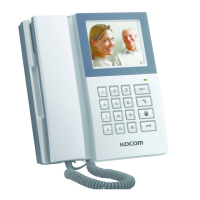

 To Next Page