EasyManua.ls Logo

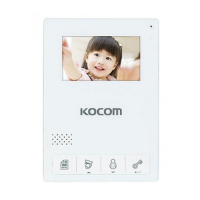
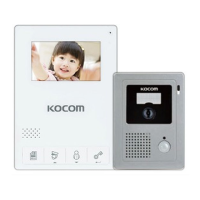
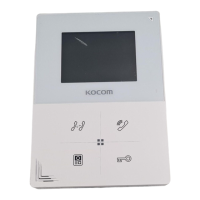
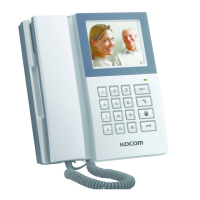
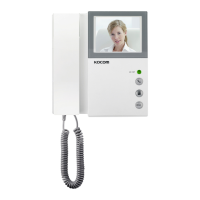
KOCOM KCV-434SD - User Manual

KOCOM KCV-434SD
14 pages
Print Icon
To Next Page IconTo Next Page
Loading...
KCV-434SD / KCV-D434SD
MANUAL
www.kocom.co.kr
SD Card Memory
COLOR HANDSFREE
[ Operating Installation Manual ]
■4.3" Digital Color LCD Monitor
■Slim, Compact & Luxury Design
■Easy to operate using OSD menu & Touch key
■Digital Photo Album
■Digital Video Recorder
·Motion Detection
·Memory Size : up to 32GB(SD Card interface)
·Video Format : Moving picture(MPEG-4), Still cut : JPEG
■Multiple language support
·English, Spanish, French and Russian
■Connection up to 2 Door cameras
■Guard Phone, Lobby Phone Operating
■Call & Communication with visitor & Door open function
■Door opener connectable from camera
KCV-434SD / KCV-D434SD
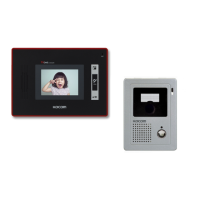
Connection door Camera
KC-MC24
KC-MC20 KC-C60 KC-MC30 KLP-C420
White Black
Monitor color
Question and Answer IconNeed help?

Do you have a question about the KOCOM KCV-434SD and is the answer not in the manual?

Summary

Product Introduction and Features

Safety and Warning Instructions

General Safety Cautions

General safety rules, warning signs, and usage precautions for the device.

Installation and Maintenance Safety

Safety guidelines for setting up, wiring, and maintaining the product.

Usage Guidelines and Precautions

Product Use and Malfunction Warnings

Cautions for proper product operation and warnings about potential malfunctions.

System and Environmental Cautions

Specific safety advice for videophone systems, cameras, and environmental factors.

Installation Procedures

Location Planning and Camera Mounting

Guidance on selecting installation locations and mounting the camera.

Door Camera Installation Steps

Step-by-step instructions for installing various door camera models.

Product Components and Specifications

Included Components Overview

List of all parts included with the monitor and door camera systems.

Technical Specifications Details

Detailed technical data for the monitor and door camera units.

Part Identification and Functions

Monitor Component Identification

Identification and functions of monitor parts: front, sides, and back views.

Door Camera Component Identification

Identification and functions of door camera parts: front and back views.

System Connection Diagrams

Camera Mode System Configurations

Diagrams showing system setup for camera-only configurations.

Guard Mode System Configurations

Diagrams showing system setup for guard and lobby phone integrations.

Wiring and Cable Requirements

Connection Ports and Wiring Details

Explanation of connection ports and camera wiring specifications.

Cable Requirements by Distance

Guidelines on cable types and requirements based on distance.

Operating Instructions

Communication and Monitoring Operations

How to communicate with visitors and monitor camera feeds.

Function Adjustments and Mute

Adjusting sound, brightness, and muting call sounds.

Advanced Operations and Specifications

Lobby and Guard Call Management

Instructions for handling calls from lobby or guard units.

SD Card and Video Storage Specs

Details on compatible SD cards and video storage formats.

Recording and System Setup

Recording Mode Configuration

Setting up absence recording, motion detection, and general recording options.

System Time and Digital Frame Setup

Configuring system time and the digital frame (album) function.

Menu Settings and System Configuration

Absence, Playback, and Recording Settings

Configuring absence, playback folders, and recording modes via the menu.

System, Language, and Default Settings

Adjusting system time, camera settings, language, and factory defaults.

Warranty and Service Information

Product Warranty Terms and Conditions

Details on product warranty period, coverage, and repair policies.

Summary

Product Introduction and Features

Safety and Warning Instructions

General Safety Cautions

General safety rules, warning signs, and usage precautions for the device.

Installation and Maintenance Safety

Safety guidelines for setting up, wiring, and maintaining the product.

Usage Guidelines and Precautions

Product Use and Malfunction Warnings

Cautions for proper product operation and warnings about potential malfunctions.

System and Environmental Cautions

Specific safety advice for videophone systems, cameras, and environmental factors.

Installation Procedures

Location Planning and Camera Mounting

Guidance on selecting installation locations and mounting the camera.

Door Camera Installation Steps

Step-by-step instructions for installing various door camera models.

Product Components and Specifications

Included Components Overview

List of all parts included with the monitor and door camera systems.

Technical Specifications Details

Detailed technical data for the monitor and door camera units.

Part Identification and Functions

Monitor Component Identification

Identification and functions of monitor parts: front, sides, and back views.

Door Camera Component Identification

Identification and functions of door camera parts: front and back views.

System Connection Diagrams

Camera Mode System Configurations

Diagrams showing system setup for camera-only configurations.

Guard Mode System Configurations

Diagrams showing system setup for guard and lobby phone integrations.

Wiring and Cable Requirements

Connection Ports and Wiring Details

Explanation of connection ports and camera wiring specifications.

Cable Requirements by Distance

Guidelines on cable types and requirements based on distance.

Operating Instructions

Communication and Monitoring Operations

How to communicate with visitors and monitor camera feeds.

Function Adjustments and Mute

Adjusting sound, brightness, and muting call sounds.

Advanced Operations and Specifications

Lobby and Guard Call Management

Instructions for handling calls from lobby or guard units.

SD Card and Video Storage Specs

Details on compatible SD cards and video storage formats.

Recording and System Setup

Recording Mode Configuration

Setting up absence recording, motion detection, and general recording options.

System Time and Digital Frame Setup

Configuring system time and the digital frame (album) function.

Menu Settings and System Configuration

Absence, Playback, and Recording Settings

Configuring absence, playback folders, and recording modes via the menu.

System, Language, and Default Settings

Adjusting system time, camera settings, language, and factory defaults.

Warranty and Service Information

Product Warranty Terms and Conditions

Details on product warranty period, coverage, and repair policies.

KOCOM KCV-434SD Specifications

General IconGeneral
Display4.3 inch TFT LCD
Resolution480 x 272
CommunicationHands-free
Operating Temperature-10°C to 50°C
Weight500g
Mount TypeSurface mount
TypeVideo Doorphone
SD CardSupport
Wiring4 wires

Related product manuals