Reviewing and editing
www.kodak.com/go/support
19
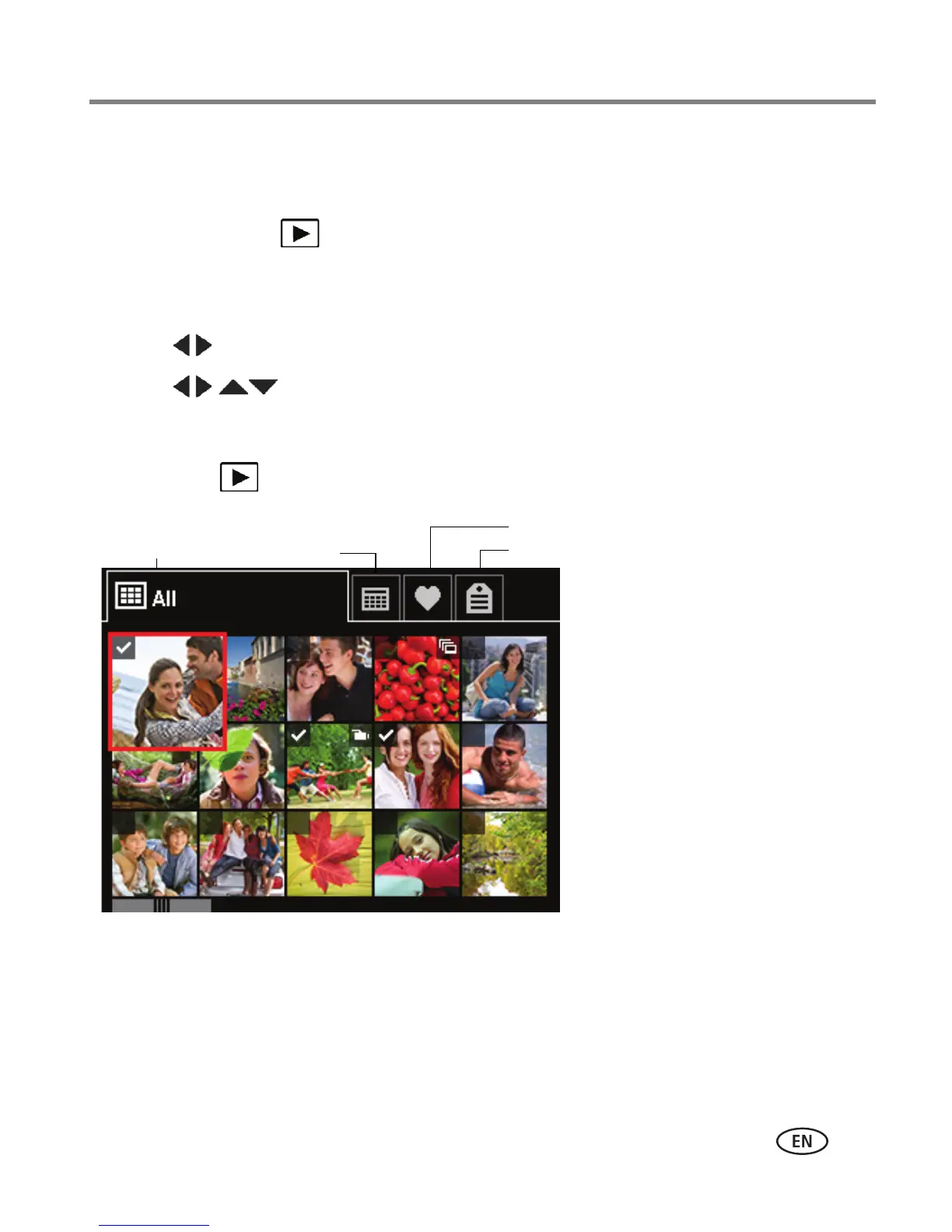
A smarter way to find and enjoy your pictures
Tag pictures with a keyword (page 14) to make them easy to find, later.
1 Press the Review button.
2 Press the Wide Angle (W) button to view pictures by thumbnail (or choose View
Thumbnails shortcut).
3 Press to choose the All, Date, Favorite, or Keyword tab.
4 Press to choose a picture or picture stack, then press OK.
Press Telephoto (T) see pictures in a stack or to see an individual picture. Press Wide
Angle (W) to see thumbnails or picture stacks. To return to picture-taking mode, press
the Review button.














 To Next Page