EasyManua.ls Logo

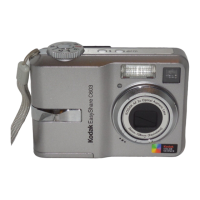
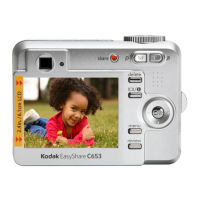
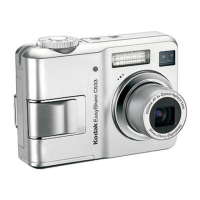
Kodak EasyShare C633 - User Manual

Kodak EasyShare C633
69 pages
Print Icon
To Next Page IconTo Next Page
Loading...
Kodak EasyShare C633
zoom digital camera
User’s guide
www.kodak.com
For interactive tutorials, www.kodak.com/go/howto
For help with your camera, www.kodak.com/go/c633support

Table of Contents

Other manuals for Kodak EasyShare C633

Questions and Answers

  • M
    marcus82Jul 30, 2025
    What to do if my Kodak EasyShare C633 won't turn on?
    • M
      Melanie JenkinsJul 30, 2025
      If your Kodak Digital Camera does not turn on, try these steps: Install new batteries, charge rechargeable batteries, or remove and then reinsert or replace the battery.
  • M
    Michelle JohnsonAug 6, 2025
    Why does my Kodak EasyShare C633 Digital Camera battery die so fast?
    • J
      Jeffery KrauseAug 6, 2025
      If you are experiencing short battery life with your Kodak Ni-MH rechargeable digital camera batteries, try the following: Wipe the contacts with a clean, dry cloth before loading batteries in the camera. Limit activities that quickly deplete battery power, such as reviewing pictures/videos on the LCD, using the LCD as a viewfinder, and excessive use of the flash. You can also use the Refresh feature on your camera dock series 3 or printer dock series 3.
  • M
    Mariah HuntAug 13, 2025
    What to do if stored pictures are corrupted on Kodak EasyShare C633?
    • L
      Lisa AndrewsAug 13, 2025
      If stored pictures are corrupted on your Kodak Digital Camera, try the following: Retake the picture, avoid removing the card while the Ready light is blinking, and keep rechargeable batteries charged.
  • S
    susan37Aug 20, 2025
    Why doesn't the picture count go down on my Kodak EasyShare C633 Digital Camera?
    • F
      Frederick JohnsonAug 21, 2025
      If the pictures remaining number does not decrease after taking a picture on your Kodak Digital Camera, the camera is operating normally. You can continue taking pictures.

Summary

Setting up your camera

Camera Setup Basics

Covers attaching the strap and loading the battery.

Initial Configuration

Covers turning on the camera and setting language/date/time.

Storing Pictures

Explains storing pictures on an SD or MMC card.

Taking Pictures and Videos

Capturing Images and Videos

Details on taking a picture and recording a video.

Using the Flash

Guide on using the camera's flash effectively.

Reviewing Captured Media

How to review pictures and videos on the camera.

Transferring and Printing Pictures

Software Installation

Instructions for installing the EasyShare software.

Transferring Pictures

Steps for transferring pictures using a USB cable.

Printing Options

Information on various printing methods available.

Doing More with Your Camera

Zoom and Picture Modes

Covers optical zoom and various picture-taking/scene modes.

Settings and Timer

Details exposure compensation, self-timer, settings changes, and customization.

Media Management and Sharing

Covers slide shows, cropping, copying, and tagging/sharing.

Troubleshooting

Camera Problems and Solutions

Addresses common camera issues and provides solutions.

LCD Screen Messages

Explains various error messages shown on the LCD.

Getting Help

Helpful Links and Support

Provides resources for customer support and product information.

Important Safety Instructions

Product Safety Precautions

Guidelines for safe handling and use of the camera.

Battery Safety and Handling

Precautions for safe battery handling and usage.

Appendix

Camera Specifications

Detailed technical specifications of the camera.

Storage Capacities

Information on storage limits for pictures and videos.

Battery Life

Expected battery life for different battery types.

Kodak EasyShare C633 Specifications

General IconGeneral
BrandKodak
ModelEasyShare C633
CategoryDigital Camera
LanguageEnglish

Related product manuals