EasyManua.ls Logo

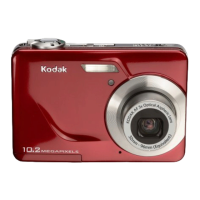
Kodak EasyShare C663 - User Manual

Kodak EasyShare C663
74 pages
Print Icon
To Next Page IconTo Next Page
Loading...
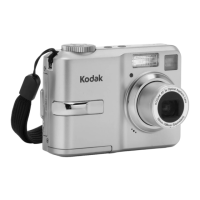
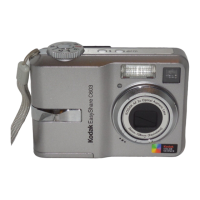
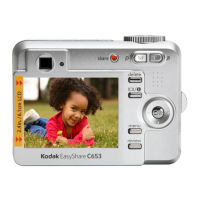
Kodak EasyShare C663
zoom digital camera
User’s guide
www.kodak.com
For interactive tutorials, www.kodak.com/go/howto
For help with your camera, www.kodak.com/go/C663support

Table of Contents

Questions and Answers

  • C
    chad18Jul 29, 2025
    Why flash does not fire on my Kodak Digital Camera?
    • T
      tjohnsonJul 29, 2025
      If the flash on your Kodak Digital Camera isn't firing, check the flash setting and change it as needed. Keep in mind that the flash does not fire in all modes.
  • J
    Jeff BaileyAug 13, 2025
    What to do if the picture number does not decrease on Kodak EasyShare C663?
    • T
      Tracy PottsAug 13, 2025
      Continue taking pictures. The camera is operating normally. The Kodak Digital Camera estimates the number of pictures remaining after each picture is taken, based on picture size and content.

Summary

Setting Up Your Camera

Installing the Software

Instructions for installing the EasyShare software before connecting the camera.

Attaching the Strap

How to attach the camera strap for secure handling and carrying.

Loading the Battery

Steps for charging and inserting the camera's rechargeable battery.

Installing Camera Batteries (No Dock;Charger)

How to install AA or CRV3 batteries if no charger is provided.

Turning on the Camera

Steps to power on the digital camera for the first time.

Taking Pictures and Videos

Taking a Picture

Step-by-step instructions for capturing still photographs with the camera.

Taking a Video

Guide on how to record videos with sound using the digital camera.

Transferring and Printing Pictures

Installing the Software

Guide to installing the Kodak EasyShare software on your computer.

Transferring Pictures

How to move pictures from the camera to a computer or dock.

Printing Pictures

Methods for printing photos from the camera, via dock or direct connection.

Printing with PictBridge Printer

Instructions for direct printing to PictBridge compatible printers.

Doing More With Your Camera

Picture-Taking Modes

Overview of different shooting modes like Auto, Landscape, Close-up, P/M, and Video.

Troubleshooting

Camera Problems

Solutions for common issues like the camera not turning on or buttons not working.

Computer;Connectivity Problems

Solutions for issues with connecting the camera to a computer or transferring files.

Picture Quality Problems

Troubleshooting tips for unclear or improperly exposed pictures.

Getting Help

Telephone Customer Support

Contact information for Kodak customer support representatives worldwide.

Appendix

Important Safety Instructions

Essential safety precautions for using the camera and its accessories.

Battery Safety and Handling

Guidelines for safe handling and maintenance of camera batteries.

Kodak EasyShare C663 Specifications

General IconGeneral
Image Sensor6.1 MP
Camera TypeCompact
Sensor TypeCCD
Optical Zoom3x
Digital Zoom5x
Screen Size2.5 inches
StorageSD/MMC card
Image StabilizerNo
Battery TypeAA
Video RecordingYes (640x480, 30fps)

Related product manuals