EasyManua.ls Logo

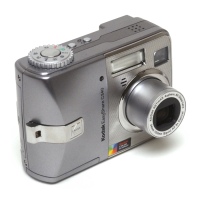
Kodak EasyShare C643 - User Manual

Kodak EasyShare C643
72 pages
Print Icon
To Next Page IconTo Next Page
Loading...
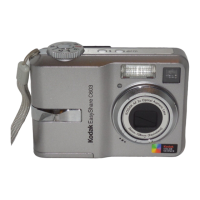
Kodak EasyShare C643/C603
zoom digital camera
User’s guide
www.kodak.com
For interactive tutorials, www.kodak.com/go/howto
For help with your camera, www.kodak.com/go/c643support or
www.kodak.com/go/c603support
Downloaded From camera-usermanual.com Kodak Manuals

Table of Contents

Other manuals for Kodak EasyShare C643

Questions and Answers

  • D
    Dawn OwensSep 8, 2025
    How to troubleshoot self-timer LED if it does not operate correctly on Kodak EasyShare C643 Digital Camera?
    • R
      Reginald RodriguezSep 8, 2025
      If the self-timer LED on your Kodak Digital Camera is not working correctly, check the connection of the red and black wires from the self-timer LED to the MCU board/lens AY.
  • L
    Lindsay PerkinsAug 25, 2025
    How to connect Kodak EasyShare C643 Digital Camera to computer?
    • S
      scrawfordAug 25, 2025
      To establish communication between your Kodak Digital Camera and the computer, first turn on the camera. Then, install new batteries or charge rechargeable batteries. Connect the cable to both the camera and the computer port. Install or re-install the software. Also, try disconnecting the USB cable, closing all open applications, disconnecting the camera from the computer, and then reconnecting it.
  • T
    Tasha SantosAug 25, 2025
    What does it mean when Kodak Digital Camera says memory card requires formatting?
    • D
      dannyhoffmanAug 26, 2025
      If your Kodak Digital Camera indicates that the memory card requires formatting, you can insert a new card or format the card.
  • M
    maryjacksonSep 18, 2025
    What to do if Kodak EasyShare C643 shows high temperature warning?
    • T
      traviswestSep 18, 2025
      If your Kodak Digital Camera displays a high temperature warning and is about to turn off, leave the camera off until it’s cool to the touch, then turn it back on.
  • S
    sharon87Sep 8, 2025
    Why is the red viewfinder LED blinking on my Kodak EasyShare C643 Digital Camera?
    • J
      Jessica Coleman DDSSep 9, 2025
      If the red viewfinder LED on your Kodak Digital Camera is blinking, install a new battery, check the battery contacts, and install a new battery door AY.
  • B
    Brad NguyenSep 13, 2025
    What to do if Kodak EasyShare C643 Digital Camera says memory card is locked?
    • R
      Ryan PierceSep 13, 2025
      If your Kodak Digital Camera indicates that the memory card is locked, insert a new card, move the switch on the card to unlock it, or change the image storage location to internal memory.
  • J
    Jay DeanSep 3, 2025
    What to do if the images are too light on Kodak Digital Camera?
    • M
      Michael NicholsSep 3, 2025
      If the images captured by your Kodak Digital Camera are too light, you should install a new MCU board/lens AY.
  • J
    Jessica JonesSep 4, 2025
    What to do if the color of the image is not correct on Kodak Digital Camera?
    • I
      ijonesSep 4, 2025
      If the color of the image on your Kodak Digital Camera is not correct, you should install a new MCU board/lens AY.
  • B
    boydcodySep 23, 2025
    Why Kodak EasyShare C643 says no memory card?
    • K
      Kevin LeSep 23, 2025
      If your Kodak Digital Camera displays 'no memory card', insert a card.
  • C
    Clifford WilliamsAug 29, 2025
    How to fix a picture that is too light on Kodak Digital Camera?
    • B
      Betty EvansAug 29, 2025
      If your picture is too light, make sure there is at least 24 in. (0.6 m) between the camera and the subject. You can also decrease Exposure Compensation.

Summary

Setting up your camera

Initial Setup Procedures

Steps for attaching strap, loading battery, powering on, and setting language/date/time.

Taking pictures and videos

Capturing Photos and Videos

Guide on how to take still pictures and record videos using the camera's functions.

Reviewing and Managing Media

Procedures for reviewing captured media, deleting, protecting, and using the flash.

Reviewing Pictures and Videos

How to navigate and view captured media, including playback and magnification.

Transferring and printing pictures

Doing more with your camera

Troubleshooting

Camera and System Issues

Solutions for common camera problems, card errors, and communication failures.

Appendix

Safety, Battery, and Warranty

Important safety instructions, battery life information, warranty coverage, and regulatory compliance.

Kodak EasyShare C643 Specifications

General IconGeneral
BrandKodak
ModelEasyShare C643
CategoryDigital Camera
LanguageEnglish

Related product manuals