EasyManua.ls Logo

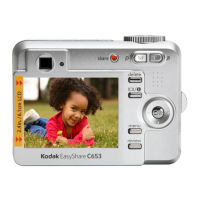
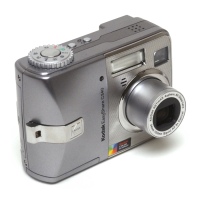
Kodak EasyShare C643 - User Manual

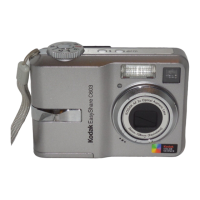
Kodak EasyShare C643
72 pages
Print Icon
To Next Page IconTo Next Page
Loading...
Kodak EasyShare C643/C603
zoom digital camera
User’s guide
www.kodak.com
For interactive tutorials, www.kodak.com/go/howto
For help with your camera, www.kodak.com/go/c643support or
www.kodak.com/go/c603support
Downloaded From camera-usermanual.com Kodak Manuals

Table of Contents

Other manuals for Kodak EasyShare C643

Questions and Answers

  • G
    Gina NunezAug 30, 2025
    How to fix the shutter button if it does not operate correctly on Kodak EasyShare C643 Digital Camera?
    • C
      Cynthia GallegosAug 30, 2025
      If the shutter button on your Kodak Digital Camera is not working correctly, first check the connection of the shutter board to the MCU board/lens AY. If the connection is good, you may need to install a new shutter board or a new MCU board/lens AY.
  • D
    Dawn OwensSep 8, 2025
    How to troubleshoot self-timer LED if it does not operate correctly on Kodak EasyShare C643 Digital Camera?
    • R
      Reginald RodriguezSep 8, 2025
      If the self-timer LED on your Kodak Digital Camera is not working correctly, check the connection of the red and black wires from the self-timer LED to the MCU board/lens AY.
  • C
    Clifford WilliamsAug 29, 2025
    How to fix a picture that is too light on Kodak Digital Camera?
    • B
      Betty EvansAug 29, 2025
      If your picture is too light, make sure there is at least 24 in. (0.6 m) between the camera and the subject. You can also decrease Exposure Compensation.
  • M
    mcfarlandmariaSep 22, 2025
    What does 'Only one USB connection allowed' mean on Kodak Digital Camera?
    • O
      Olivia BishopSep 22, 2025
      If your Kodak Digital Camera displays 'Only one USB connection allowed', unplug the USB cable from the camera.
  • T
    Tracey DuffySep 9, 2025
    What to check if strobe operates in the “Fill Flash” mode, but does not operate in the “Auto Flash” mode on Kodak EasyShare C643?
    • M
      Michael HoustonSep 9, 2025
      If the strobe on your Kodak Digital Camera operates in the “Fill Flash” mode but not in the “Auto Flash” mode, check the brightness of the environment.
  • B
    Brad NguyenSep 13, 2025
    What to do if Kodak EasyShare C643 Digital Camera says memory card is locked?
    • R
      Ryan PierceSep 13, 2025
      If your Kodak Digital Camera indicates that the memory card is locked, insert a new card, move the switch on the card to unlock it, or change the image storage location to internal memory.
  • M
    maryjacksonSep 18, 2025
    What to do if Kodak EasyShare C643 shows high temperature warning?
    • T
      traviswestSep 18, 2025
      If your Kodak Digital Camera displays a high temperature warning and is about to turn off, leave the camera off until it’s cool to the touch, then turn it back on.
  • J
    Joseph MillerAug 27, 2025
    Why my Kodak EasyShare C643 Digital Camera does not recognize the memory card?
    • M
      Maria GreeneAug 27, 2025
      If your Kodak Digital Camera does not recognize the memory card, try using a new one. Check that the “IMAGE STORAGE” option is set to “AUTO” and ensure the socket of the memory card on the MCU board/lens AY is not damaged.
  • B
    Bethany HutchinsonAug 26, 2025
    What to do if images are not stored on the memory card of Kodak EasyShare C643?
    • W
      wcollinsAug 26, 2025
      If images are not being stored on the memory card of your Kodak Digital Camera, try using a new memory card. Check that the write protect switch on the SD card is not enabled and that the “IMAGE STORAGE” option is set to “AUTO”. Ensure the socket of the memory card on the MCU board/lens AY is not damaged. You can also format the memory card and try capturing an image again.
  • T
    Tasha SantosAug 25, 2025
    What does it mean when Kodak Digital Camera says memory card requires formatting?
    • D
      dannyhoffmanAug 26, 2025
      If your Kodak Digital Camera indicates that the memory card requires formatting, you can insert a new card or format the card.

Summary

Setting up your camera

Initial Setup Procedures

Steps for attaching strap, loading battery, powering on, and setting language/date/time.

Taking pictures and videos

Capturing Photos and Videos

Guide on how to take still pictures and record videos using the camera's functions.

Reviewing and Managing Media

Procedures for reviewing captured media, deleting, protecting, and using the flash.

Reviewing Pictures and Videos

How to navigate and view captured media, including playback and magnification.

Transferring and printing pictures

Doing more with your camera

Troubleshooting

Camera and System Issues

Solutions for common camera problems, card errors, and communication failures.

Appendix

Safety, Battery, and Warranty

Important safety instructions, battery life information, warranty coverage, and regulatory compliance.

Kodak EasyShare C643 Specifications

General IconGeneral
BrandKodak
ModelEasyShare C643
CategoryDigital Camera
LanguageEnglish

Related product manuals