EasyManua.ls Logo

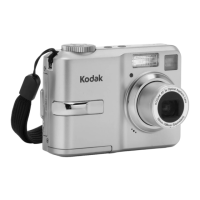
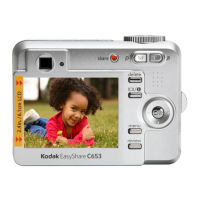
Kodak EasyShare C643 - User Manual

Kodak EasyShare C643
72 pages
Print Icon
To Next Page IconTo Next Page
Loading...
Kodak EasyShare C643/C603
zoom digital camera
User’s guide
www.kodak.com
For interactive tutorials, www.kodak.com/go/howto
For help with your camera, www.kodak.com/go/c643support or
www.kodak.com/go/c603support
Downloaded From camera-usermanual.com Kodak Manuals

Table of Contents

Other manuals for Kodak EasyShare C643

Questions and Answers

  • H
    Heather MillerSep 2, 2025
    Why smoke emits from Kodak EasyShare C643 when the strobe is actuated?
    • C
      Cody MorenoSep 2, 2025
      If smoke emits from your Kodak Digital Camera when the strobe is activated, check the connection of the red and black wires between the strobe AY and the power frame AY. Also, ensure that the strobe cover or strobe reflector AY does not have any debris.
  • R
    ryanbarajasSep 2, 2025
    What to do if the images are too dark on Kodak EasyShare C643?
    • L
      lbuckleySep 3, 2025
      If the images captured by your Kodak Digital Camera are too dark, you should install a new MCU board/lens AY.
  • J
    Jay DeanSep 3, 2025
    What to do if the images are too light on Kodak Digital Camera?
    • M
      Michael NicholsSep 3, 2025
      If the images captured by your Kodak Digital Camera are too light, you should install a new MCU board/lens AY.
  • J
    Jessica JonesSep 4, 2025
    What to do if the color of the image is not correct on Kodak Digital Camera?
    • I
      ijonesSep 4, 2025
      If the color of the image on your Kodak Digital Camera is not correct, you should install a new MCU board/lens AY.
  • M
    Melissa SuttonSep 4, 2025
    What to do if the images have pixels that are continually energized on Kodak EasyShare C643 Digital Camera?
    • D
      David HoSep 4, 2025
      If the images captured by your Kodak Digital Camera have pixels that are continually energized, you should install a new MCU board/lens AY.
  • A
    arielcampbellSep 5, 2025
    What to do if the captured image is other than the image displayed on the viewfinder AY on Kodak EasyShare C643?
    • J
      Joel BarnettSep 5, 2025
      If the captured image is different from what is displayed on the viewfinder AY of your Kodak Digital Camera, you should install a new MCU board/lens AY.
  • J
    James SandersSep 5, 2025
    Why monitor LCD does not energize on Kodak EasyShare C643 Digital Camera?
    • D
      denisecrawfordSep 5, 2025
      If the monitor LCD on your Kodak Digital Camera does not energize, check the connection of the red and black wires from the monitor LCD to the power board and frame AY. Also, inspect the condition of the solder that connects the power board and frame AY to the lens AY, viewfinder, and MCU board. Ensure the MCU board/lens AY and the monitor LCD are not damaged. If necessary, install a new monitor LCD or a new MCU board/lens AY.
  • S
    Sabrina SchneiderSep 6, 2025
    What to do if monitor LCD energizes, but the screen is blank on Kodak EasyShare C643 Digital Camera?
    • E
      Edward StokesSep 6, 2025
      If the monitor LCD on your Kodak Digital Camera energizes, but the screen is blank, check the FPC from the monitor LCD to connector J1 on the MCU board. If necessary, install a new monitor LCD or a new MCU board/lens AY.
  • R
    Robert Bauer Jr.Sep 7, 2025
    Why horizontal or vertical lines display on the monitor LCD of Kodak EasyShare C643 Digital Camera?
    • G
      Gordon MayerSep 7, 2025
      If horizontal or vertical lines are displaying on the monitor LCD of your Kodak Digital Camera, check the FPC from the monitor LCD to connector J1 on the MCU board and ensure the MCU board/lens AY is not damaged. If necessary, install a new monitor LCD or MCU board/lens AY.

Summary

Setting up your camera

Initial Setup Procedures

Steps for attaching strap, loading battery, powering on, and setting language/date/time.

Taking pictures and videos

Capturing Photos and Videos

Guide on how to take still pictures and record videos using the camera's functions.

Reviewing and Managing Media

Procedures for reviewing captured media, deleting, protecting, and using the flash.

Reviewing Pictures and Videos

How to navigate and view captured media, including playback and magnification.

Transferring and printing pictures

Doing more with your camera

Troubleshooting

Camera and System Issues

Solutions for common camera problems, card errors, and communication failures.

Appendix

Safety, Battery, and Warranty

Important safety instructions, battery life information, warranty coverage, and regulatory compliance.

Kodak EasyShare C643 Specifications

General IconGeneral
BrandKodak
ModelEasyShare C643
CategoryDigital Camera
LanguageEnglish

Related product manuals