
 To Next Page

P
parkerdianaSep 22, 2025
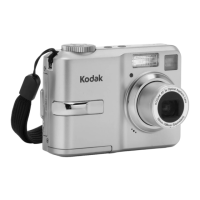
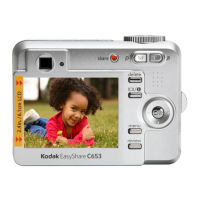
What to do if Kodak EasyShare C643 Digital Camera shows Camera error #XXXX?
- MMrs. Courtney AdamsSep 22, 2025
Turn the camera off, then back on.

What to do if Kodak EasyShare C643 Digital Camera shows Camera error #XXXX?
Turn the camera off, then back on.
What to do if Kodak EasyShare C643 says not enough space to copy files?
If your Kodak Digital Camera indicates 'not enough space to copy files', delete pictures from the image storage location you are copying to, or insert a new card.
What to do if Kodak EasyShare C643 Digital Camera says internal memory requires formatting?
If your Kodak Digital Camera indicates that the internal memory requires formatting, format the internal memory. Formatting deletes all pictures and videos.
Why does the pictures remaining number not decrease on Kodak Digital Camera?
The camera is operating normally. Continue taking pictures. You can also use the Refresh feature on your camera dock series 3 or printer dock series 3.
Why Kodak EasyShare C643 says no memory card?
If your Kodak Digital Camera displays 'no memory card', insert a card.
What to do if menu, flash, share, delete, review, 4-way, or OK buttons do not operate correctly on Kodak EasyShare C643 Digital Camera?
If one or more buttons (menu, flash, share, delete, review, 4-way, or OK) on your Kodak Digital Camera are not operating correctly, check for damage to the buttons and inside the back cover AY. If there's damage, install a new back cover AY or a new MCU board/lens AY.
How to connect Kodak EasyShare C643 Digital Camera to computer?
To establish communication between your Kodak Digital Camera and the computer, first turn on the camera. Then, install new batteries or charge rechargeable batteries. Connect the cable to both the camera and the computer port. Install or re-install the software. Also, try disconnecting the USB cable, closing all open applications, disconnecting the camera from the computer, and then reconnecting it.
What does it mean when Kodak Digital Camera says memory card requires formatting?
If your Kodak Digital Camera indicates that the memory card requires formatting, you can insert a new card or format the card.
What to do if images are not stored on the memory card of Kodak EasyShare C643?
If images are not being stored on the memory card of your Kodak Digital Camera, try using a new memory card. Check that the write protect switch on the SD card is not enabled and that the “IMAGE STORAGE” option is set to “AUTO”. Ensure the socket of the memory card on the MCU board/lens AY is not damaged. You can also format the memory card and try capturing an image again.
Why my Kodak EasyShare C643 Digital Camera does not recognize the memory card?
If your Kodak Digital Camera does not recognize the memory card, try using a new one. Check that the “IMAGE STORAGE” option is set to “AUTO” and ensure the socket of the memory card on the MCU board/lens AY is not damaged.
Steps for attaching strap, loading battery, powering on, and setting language/date/time.
Guide on how to take still pictures and record videos using the camera's functions.
Procedures for reviewing captured media, deleting, protecting, and using the flash.
How to navigate and view captured media, including playback and magnification.
Solutions for common camera problems, card errors, and communication failures.
Important safety instructions, battery life information, warranty coverage, and regulatory compliance.
 General
| Brand | Kodak |
|---|---|
| Model | EasyShare C643 |
| Category | Digital Camera |
| Language | English |