EasyManua.ls Logo

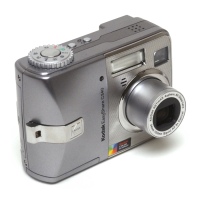
Kodak EasyShare C643 - User Manual

Kodak EasyShare C643
72 pages
Print Icon
To Next Page IconTo Next Page
Loading...
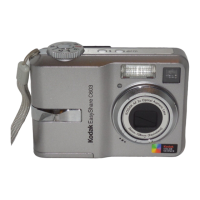
Kodak EasyShare C643/C603
zoom digital camera
User’s guide
www.kodak.com
For interactive tutorials, www.kodak.com/go/howto
For help with your camera, www.kodak.com/go/c643support or
www.kodak.com/go/c603support
Downloaded From camera-usermanual.com Kodak Manuals

Table of Contents

Other manuals for Kodak EasyShare C643

Questions and Answers

  • C
    chris50Aug 27, 2025
    Why my Kodak EasyShare C643 Digital Camera does not download images from the USB port?
    • E
      Erin RichardsonAug 27, 2025
      If your Kodak Digital Camera is not downloading images from the USB port, first connect the camera to the computer to check for communication. Then, check for any damage to the USB connector pins on J3 on the MCU board and the board-to-board connector J1 on the MCU board/lens AY to J3 on the power board. If necessary, install a new MCU board/lens AY.
  • X
    xreyesAug 27, 2025
    How to fix the image if it is not in focus on Kodak EasyShare C643 Digital Camera's monitor LCD?
    • T
      thomas16Aug 27, 2025
      If the image on the monitor LCD of your Kodak Digital Camera is not in focus, you should install a new monitor LCD.
  • B
    Brandon RichardsonAug 28, 2025
    How to fix a picture that is too dark on Kodak Digital Camera?
    • C
      Chris HendersonAug 28, 2025
      If your picture is too dark, try the following: Turn on the flash. Also, ensure that the subject is no more than 7.9 ft (2.4 m) away from the camera. Use Fill flash or adjust your position so that light is not behind the subject. Finally, increase Exposure Compensation.
  • L
    Larry MossAug 28, 2025
    How to make picture clearer on Kodak EasyShare C643 Digital Camera?
    • S
      Stacie AtkinsonAug 29, 2025
      To improve picture clarity on your Kodak Digital Camera, try cleaning the lens. Ensure there's at least 24 inches (0.6 m) between the camera and the subject. Also, place the camera on a flat, steady surface or use a tripod.
  • C
    Clifford WilliamsAug 29, 2025
    How to fix a picture that is too light on Kodak Digital Camera?
    • B
      Betty EvansAug 29, 2025
      If your picture is too light, make sure there is at least 24 in. (0.6 m) between the camera and the subject. You can also decrease Exposure Compensation.
  • R
    Rachel FlemingAug 30, 2025
    Why ready light does not turn on and Kodak EasyShare C643 Digital Camera does not work?
    • R
      rachelbradshawAug 30, 2025
      If the ready light doesn't turn on and the camera doesn't work, turn on the camera, install new batteries or charge rechargeable batteries, or turn the camera off and then back on.
  • G
    Gina NunezAug 30, 2025
    How to fix the shutter button if it does not operate correctly on Kodak EasyShare C643 Digital Camera?
    • C
      Cynthia GallegosAug 30, 2025
      If the shutter button on your Kodak Digital Camera is not working correctly, first check the connection of the shutter board to the MCU board/lens AY. If the connection is good, you may need to install a new shutter board or a new MCU board/lens AY.
  • Z
    Zachary MccoyAug 25, 2025
    Why my Kodak EasyShare C643 does not turn on?
    • S
      sandra73Aug 25, 2025
      If your Kodak Digital Camera is not turning on, you should first check the power source and the fuses F1 and F2 on the power board. If the fuses are open, replace them. Also, check the board-to-board connector JP1 on the MCU board/lens AY to J3 on the power board. Then, diagnose the module with the malfunction by disconnecting all modules from the mode dial board and connecting them one at a time until the fuse opens. If needed, install a new mode dial board, power board, or MCU board/lens AY.
  • H
    Holly AcevedoAug 31, 2025
    How to troubleshoot strobe if it does not energize on Kodak Digital Camera?
    • S
      Susan MurphyAug 31, 2025
      If the strobe on your Kodak Digital Camera isn't working, first ensure that the correct mode is selected. Measure the voltage of the strobe capacitor across both ends of the lamp; it should be greater than 280V. Also, check fuse F4 on the power board and make sure the coil and plate for the trigger are soldered correctly.
  • W
    William TateSep 1, 2025
    What to do if the images are black on Kodak Digital Camera?
    • R
      Robert MitchellSep 1, 2025
      If the images captured by your Kodak Digital Camera are black, you should check the board-to-board connector J1 on the MCU board/lens AY to J3 on the power board and the FPC. Also, check for any sound from the shutter. If problems persist, install a new MCU board/lens AY.

Summary

Setting up your camera

Initial Setup Procedures

Steps for attaching strap, loading battery, powering on, and setting language/date/time.

Taking pictures and videos

Capturing Photos and Videos

Guide on how to take still pictures and record videos using the camera's functions.

Reviewing and Managing Media

Procedures for reviewing captured media, deleting, protecting, and using the flash.

Reviewing Pictures and Videos

How to navigate and view captured media, including playback and magnification.

Transferring and printing pictures

Doing more with your camera

Troubleshooting

Camera and System Issues

Solutions for common camera problems, card errors, and communication failures.

Appendix

Safety, Battery, and Warranty

Important safety instructions, battery life information, warranty coverage, and regulatory compliance.

Kodak EasyShare C643 Specifications

General IconGeneral
BrandKodak
ModelEasyShare C643
CategoryDigital Camera
LanguageEnglish

Related product manuals