Doing more with your camera
12 www.kodak.com/go/easysharecenter
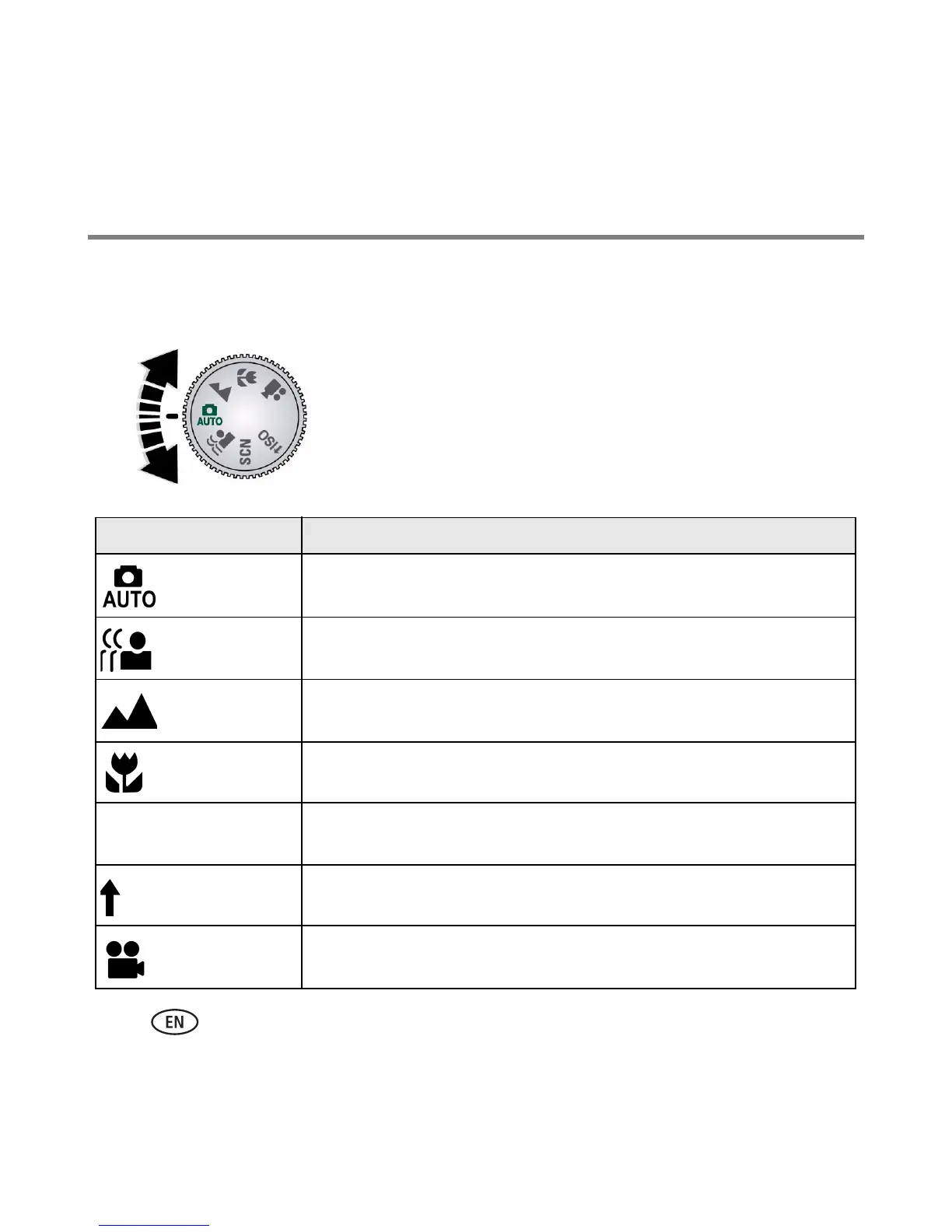
Using different picture-taking modes
Use this mode For
Auto General picture taking—offers an excellent balance of image quality
and ease of use.
Blur
Reduction
Minimizing the effects of camera shake and subject movement.
Landscape Distant scenery at night. Flash does not fire. Place the camera on a
flat, steady surface or use a tripod.
Close-up Close range. Use available light instead of flash if possible.
Scene Point-and-shoot simplicity when taking pictures under special
conditions. (See page 13.)
High ISO People in low-light scenes indoors using a higher ISO.
Video Capturing video with sound. (See page 4.)
Choose the mode that best suits
your subjects and surroundings.
SCN
ISO


 To Next Page
 Loading...