EasyManua.ls Logo

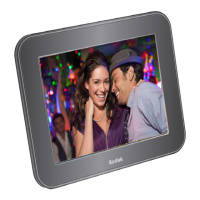
Kodak RDPF-700W - User Manual

Kodak RDPF-700W
27 pages
Print Icon
To Next Page IconTo Next Page
Loading...
1

Questions and Answers

  • A
    Aaron EllisJul 29, 2025
    How to troubleshoot Kodak RDPF-700W when it has no power?
    • A
      Alex WeeksJul 29, 2025
      If your Kodak Digital Photo Frame has no power, make sure the power connector is fully inserted into the DC IN Jack. Insert the power connector completely into the DC IN Jack.
  • A
    Adrian PriceAug 3, 2025
    What to do if Kodak Digital Photo Frame screen freezes?
    • A
      Ashley GreenAug 3, 2025
      If the screen on your Kodak Digital Photo Frame freezes, switch it off and wait a few minutes before turning it on again.
  • M
    Michael MossAug 10, 2025
    Why Kodak Digital Photo Frame cannot recognize the memory device inserted?
    • L
      lpooleAug 10, 2025
      If your Kodak Digital Photo Frame isn't recognizing the inserted memory device, there might be a few reasons. First, ensure the memory card or USB device is correctly inserted. Second, the memory device might be damaged, so try a different one. Third, confirm you're using a compatible memory card type, like SD or MMC. Fourth, if it's a large capacity memory device, give it some time to read. Finally, the USB drive might be formatted with an incompatible file system; ensure it's formatted as FAT32.
  • B
    Brian KempAug 15, 2025
    What to do if Kodak RDPF-700W Digital Photo Frame is not able to read the card or USB device?
    • K
      Kyle MillerAug 15, 2025
      If your Kodak Digital Photo Frame isn't reading a memory card or USB device, first, ensure you're using a compatible device. Second, make sure the memory card or USB device is fully inserted. Third, the memory card or USB device might be damaged, so try another one. Ensure that the memory card or USB device is inserted completely.
  • J
    James HarrisAug 22, 2025
    How to fix incorrect characters on Kodak RDPF-700W Digital Photo Frame display?
    • K
      Kristina ColonAug 22, 2025
      To correct the characters on your Kodak Digital Photo Frame display, make sure you have selected the correct language in the settings.

Summary

Important Safety Precautions

Safety Instructions

Provides essential safety guidelines for using the digital photo frame to prevent hazards.

Care and Maintenance

Product Features

Package Contents

Rear Panel View

Getting Started

Wall Mounting

Connecting the Power Supply

Connecting a USB Drive

Inserting a Memory Card

Display Source

Main Menu

Photo

Working with Photos

Calendar

File

Settings

Photo Setup

Configuration options for photo display modes, ratios, and slideshow settings.

Calendar Setup

Options for setting the date, time, and clock mode for the calendar feature.

System Setup

System configuration including language, brightness, contrast, and power settings.

Specifications

Troubleshooting

Kodak RDPF-700W Specifications

General IconGeneral
Display Size7 inches
Resolution800 x 480 pixels
Aspect Ratio16:9
USB PortYes
Image FormatsJPEG
Power SourceAC Adapter
Memory Card SupportSD, MMC, MS
Video FormatsMPEG-1, MPEG-4

Related product manuals