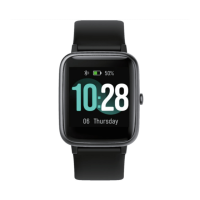
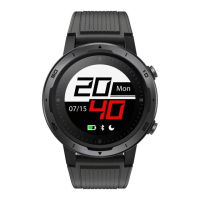
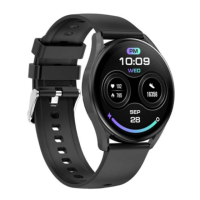
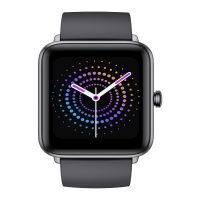
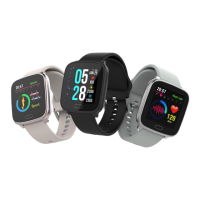
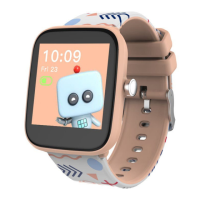
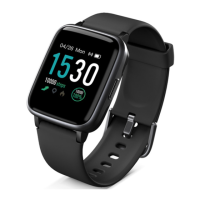
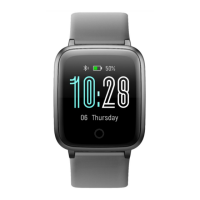
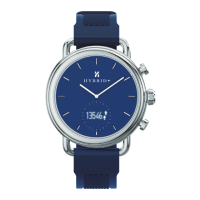
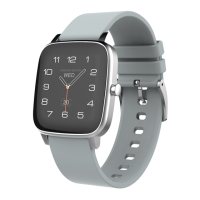
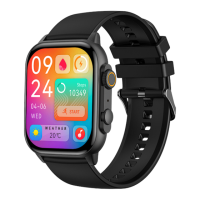
This document is a user guide for the Kogan Active 3 Pro Smart Watch, model numbers KAAP3PWTBLA, KAAP3PWTNVA, KAAP3PWTRGA, KAAP3PWTCGA.
Function Description
The Kogan Active 3 Pro Smart Watch is a wearable device designed to track various health and activity metrics, provide notifications, and offer convenient access to phone functions. It features a touchscreen interface with swipe gestures for navigation and a crown and exercise button for additional control.
Core Functions:
- Time and Date Display: Shows current time and date.
- Activity Tracking: Monitors daily calories burned, distance covered, and steps taken. Users can set daily goals and receive notifications upon achievement.
- Sports Modes: Dedicated sports menu to track specific activities like running, walking, and climbing. It records time, distance, calories, and heart rate during workouts.
- Heart Rate Monitoring: Measures real-time heart rate, displaying current, previous, resting, and average heart rates. The optimal placement for measurement is just above the wrist joint.
- Blood Oxygen Monitoring (SpO2): Measures real-time blood oxygen value, with the best placement being just above the wrist joint.
- Sleep Tracking: Monitors sleep duration and quality, including deep sleep and light sleep, viewable on the app for daily, weekly, or monthly trends.
- Breathing Training: Guides users through breathing exercises by setting time and rhythm.
- Notifications: Receives notifications from SMS, QQ, WeChat, and other apps. Note that notifications are unavailable on iOS 12 and below.
- Phone Functions: Allows viewing call history and making calls directly from the watch. Users can add contacts via the app.
- Voice Assistant: Activates a voice assistant to respond to requests. Requires the watch to be connected to the app on a phone with Bluetooth 3.0 simultaneously.
- Alarm Clock: Users can add, customise, and delete multiple alarms.
- Stopwatch: Provides start and end functionality for timing events.
- Music Control: Controls phone's music player functions including play/pause, next/previous track, and volume adjustment.
- Calculator: Performs basic numeric calculations.
- Weather Display: Shows current weather temperature when connected to the app.
- Calendar: Displays the calendar.
- Camera Remote: Allows taking photos on the watch by accessing the camera function through the app.
Navigation and Controls:
- Swipe Up: Accesses the control panel.
- Swipe Down: Views notifications.
- Swipe Right: Opens the sidebar.
- Swipe Left: Accesses shortcuts.
- Crown (Rotate): Changes watch faces, scrolls up/down, and zooms in/out of the main menu.
- Crown (Double Press): Switches the main menu layout.
- Crown (Short Press): Wakes up the screen when off, switches between watch face and main menu.
- Crown (Long Press): Views recent apps.
- Exercise Button (Short Press): Enters the sports menu.
Important Technical Specifications
- Waterproof Rating: IP65. Avoid prolonged immersion in water.
- Bluetooth Connectivity: Supports Bluetooth 5.0+3.0 dual Bluetooth for seamless pairing with smartphones.
- App Compatibility: Requires the CO FIT app, compatible with iOS 11.0 and Android 5.0 and above.
- Display: Touchscreen interface.
- Sensors: Includes sensors for heart rate, blood oxygen, and activity tracking (steps, distance, calories).
Usage Features
Power Management:
- Power Off: Long press the exercise button in the main menu and select 'Power Off', or navigate to Settings > Power off.
- Power On: Press the crown.
App Connectivity (CO FIT App):
- Download: Available on iOS App Store and Google Play Store, or via QR code.
- Pairing:
- Ensure Bluetooth is enabled on the phone.
- Open and register/log in to the CO FIT app.
- Go to Device → Add new device.
- Select ‘Active 3 Pro’. For iOS, tap 'Pair'.
- A green tick on the watch confirms successful pairing.
- Bluetooth 3.0 Connection:
- iPhone: Supports Bluetooth 5.0+3.0 dual Bluetooth one-button link (follow system prompts).
- Android: System will pop up a Bluetooth pairing request. Check prompt permissions and click "pairing". If no prompt, click "unbind" in "call service pairing option" in Bluetooth pairing settings and follow prompts.
- Subsequent connections create a memory link for Bluetooth 3.0. If automatic connection fails, manually search for "Active 3 Pro" on the mobile device.
- Sync Data: Open the app to synchronise data (calories, heart rate, sleep). Swipe down on the status screen in the app to refresh and synchronise data.
- Auto Data Sync: Enable 'Auto data sync' in Me > Settings to automatically synchronise data (increases power consumption).
Personalisation:
- Daily Activity Goal: Set via the 'Me' section in the app.
- Apple Health Integration: Enable 'Apple Health' in 'Settings' (under 'Me') to sync data.
- Watch Face Gallery: Customise watch faces, including adding photos from the phone library (via Device > Custom).
- Notifications: Select which apps send notifications to the watch (via Device > Notification).
- Vibrations: Adjust vibration settings (via Device > Vibration).
- Backlight: Adjust backlight duration (via Device > Backlight).
- Raise to Wake: Enable/disable the feature where raising the wrist wakes the screen (via Device > Raise to Wake).
- Sedentary Reminder: Set reminders for prolonged inactivity (via Device > Sedentary Reminder).
- Measurement Unit: Configure preferred units (via Device > Measurement Unit).
- Date Format: Select desired date format (via Device > Date Format).
- Period Tracker: Track menstrual cycles (via Device > Period Tracker).
- Anti-Lost Reminder: Receive alerts if the watch disconnects from the phone (via Device > Anti-Lost Reminder).
- Do Not Disturb: Silence notifications during specific times (via Device > Do Not Disturb).
- Power Saving Mode: Optimise battery usage (via Device > Power saving mode).
- Dial Switch: Change watch faces (via Settings > Dial switch).
- Currency: Set currency display (via Settings > Currency).
- Brightness: Adjust screen brightness (via Settings > Brightness).
- Language: Change watch language (via Settings > Language).
- Password Lock: Set a password for the watch (via Settings > Password Lock).
Maintenance Features
Troubleshooting:
- Short Battery Life: Decrease screen brightness.
- Data Not Synchronising: Ensure phone's Bluetooth is open, and reboot the watch (Settings > Reboot).
- Notifications Not Appearing:
- Enable notifications for the CO FIT app on the smartphone.
- Disable "Do not disturb" mode on the phone.
General Care:
- Cleaning: Ensure the skin the watch comes in contact with is clean.
- Strap Adjustment: Avoid wearing the watch strap too tightly.
- Environmental Protection: Avoid strong magnetic fields, direct light, and high-temperature environments.
- Damage: Do not disassemble, repair, or modify the watch. If damaged, stop use and contact help.Kogan.com.
- Force: Do not use excessive force against the watch.
- Medical Use: Do not use for disease diagnosis, treatment, or prevention.
- Children: Children must be supervised by an adult when using the watch.


 To Next Page
 General