Need help?
Do you have a question about the Kogan ACTIVE+ LITE SMART WATCH and is the answer not in the manual?
Warning against disassembling, damaging, or using sharp objects to remove the built-in battery.
Consult doctor for medical conditions; heart rate sensor data is for entertainment, not medical diagnosis.
Key points for device care, usage, and limitations, including data syncing and water resistance.
Device turns on automatically after charging; initial charging and activation are required.
Select product model from app and tap "Confirm Binding" to pair the watch with the app.
Steps to resolve issues with finding the watch in the app search.
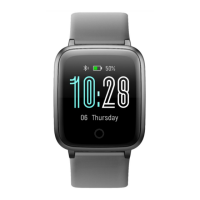
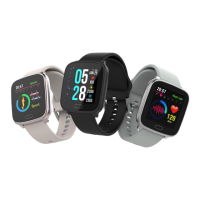
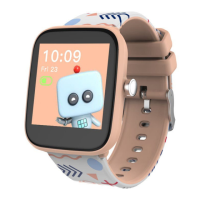
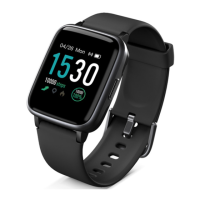
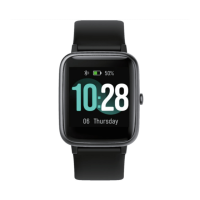
The Kogan Active+ Lite Smart Watch is a versatile wearable device designed to track daily activities, monitor health metrics, and provide convenient notifications. It is available in various models including KALITEWTCPA, KALITEWTGRA, KALITEWTCBA, and KALITEWTCGA.
The smart watch serves as a comprehensive activity tracker, recording steps, sleep patterns, distance covered, heart rate, and calories burned. While these data points are intended to provide insights into daily activities, it's important to note that they may not be completely accurate and are designed for entertainment and fitness purposes, not for medical diagnosis, monitoring, treatment, or prevention of diseases. The heart rate data, in particular, is for reference only.
Beyond activity tracking, the watch offers several smart functions. It can display notifications from a connected mobile phone, including messages and call alerts. It features a customizable main interface, allowing users to select from alternate watch faces and background customization options available through the companion app. The watch also includes a "Function List" which provides quick access to various modes such as Sport, Heart Rate, Relax, Alarm, Music Controller, Timer, and Sports Record.
The "Sport" mode allows users to select different activity types and initiate a countdown timer to record their exercise. During a workout, the right button can be used to pause or resume the timer. Holding the right button stops the timer and exits the sport mode. The "Heart Rate" function enables on-demand heart rate checks. The "Relax" mode offers breathing regulation and relaxation exercises. An "Alarm" function allows users to view, turn off, or turn on alarms that have been set in the app. The "Music Controller" enables playback control of music on a connected mobile phone, though it does not support local music storage. A "Timer" function provides both timing and countdown capabilities. Finally, the "Sports Record" feature keeps a record of recent sports activities.
For women's health tracking, the watch can record menstrual changes, track individual menstrual cycles, and predict ovulation. This feature needs to be enabled within the companion app.
To begin using the smart watch, it must first be charged and activated. The device powers on automatically once charging begins. It is crucial to use the original power adapter for charging.
The watch pairs with a mobile phone via Bluetooth using the "VeryFitPro" app. Users can download the app by scanning a QR code or searching for "VeryFitPro" in their device's app store. The app requires iOS 8.0 or above, Android 4.4 or above, and Bluetooth 4.2. During pairing, the app will prompt users to enable GPS and Bluetooth and grant access to GPS on their mobile phone. It is important to pair the watch through the VeryFitPro app, not directly through the phone's Bluetooth settings, to ensure correct operation.
Once paired, data collected by the watch can be synced to the app by swiping down on the app's home screen. Data synchronization should occur at least once every 7 days to prevent data loss, as the watch retains data for this period.
For optimal heart rate measurement, the watch should be worn a finger's distance from the wrist, with the wristband adjusted to a comfortable tightness. Wearing the watch too loosely can affect the accuracy of heart rate data.
The watch interface can be navigated by swiping on the screen to access different functions and information, such as notifications, status, and data summaries. Pressing and holding on the main dial allows users to cycle through alternate watch faces.
Proper maintenance is essential to ensure the longevity and functionality of the Kogan Active+ Lite Smart Watch.
The device should not be disassembled, bored, or have its battery damaged. The built-in batteries are non-replaceable, and sharp objects should not be used to remove them. Individuals with pacemakers or other implanted electronic devices should consult their doctor before using the heart rate monitoring strap. If sensitive to blinking lights, such as the watch's optical heart rate sensor, a physician should be consulted.
When disposing of the device, it should not be mixed with general household waste. Instead, it should be recycled responsibly to promote the sustainable reuse of material resources and prevent harm to the environment or human health from uncontrolled waste disposal.
 General
| Resolution | 240 x 240 pixels |
|---|---|
| Battery Life | Up to 7 days |
| Water Resistance | IP68 |
| Heart Rate Monitor | Yes |
| Connectivity | Bluetooth 4.0 |
| Charging Time | 2 hours |
| Sensors | Heart rate sensor, Accelerometer |
| Strap Material | Silicone |
| Display | 1.3 inch TFT |
| Compatibility | iOS 9.0 or above |
| Notifications | Call, SMS |
| Weight | 38g |
| Colors | Black, Pink |

 To Next Page