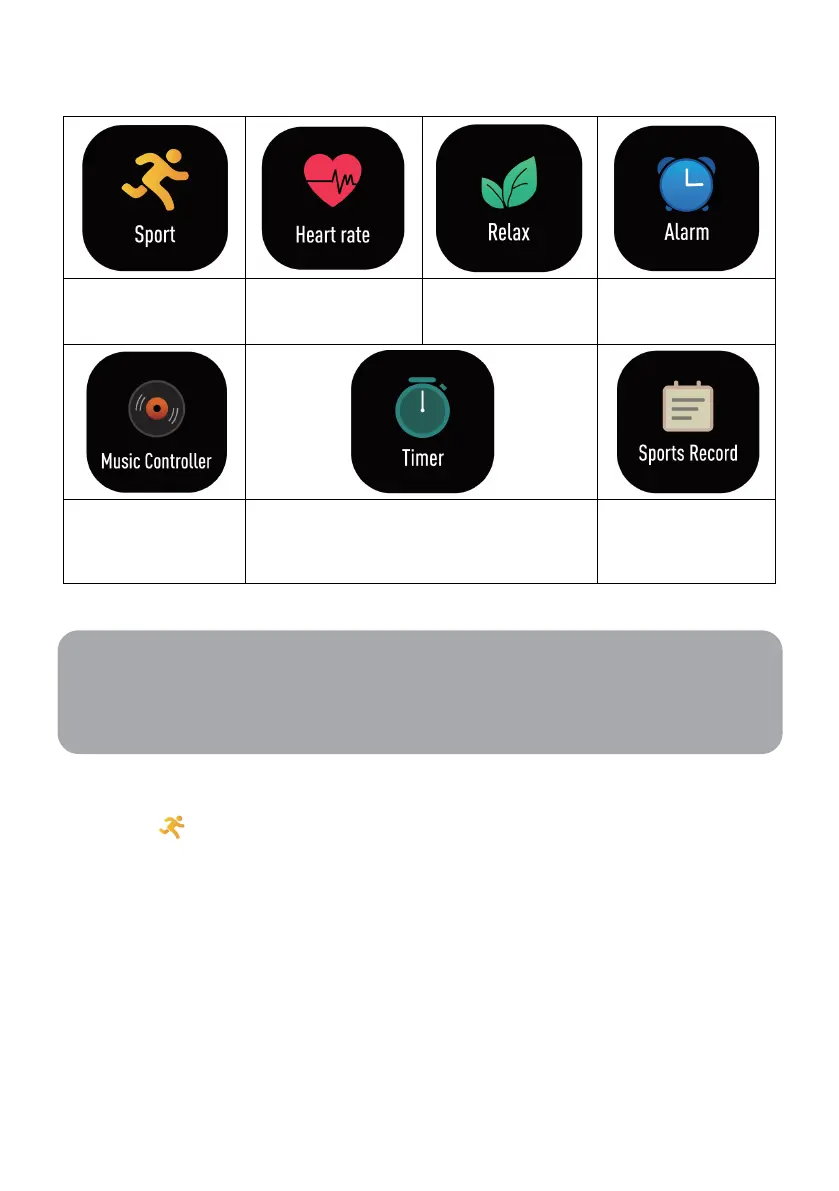
Icon functions
Select sport modes
for capturing data
Check heart rate
and relaxation
on the alarm clock
playback on mobile
phone
Have the timing and countdown function Record recent sports
Sport mode
To record sport activity:
1. Click the sports icon and select activity type and the countdown timer will begin.
2. Press the right button to pause/resume timer.
3. Press and hold the right button to stop the timer and press the end button to exit
sport mode.
Note:
For more functions (sleeping) and operation, please check the VeryFitPro software of
the mobile phone. Try to ensure that the box fits appropriately.


 To Next Page