Notes
• On iOS only, proceed to the phone’s regular Bluetooth settings and search and
pair to the watch.
• During pairing, VeryFitPro will prompt you to enable GPS and Bluetooth and
authorize VeryFitPro to get access to the GPS on your mobile phone.
Syncing Data
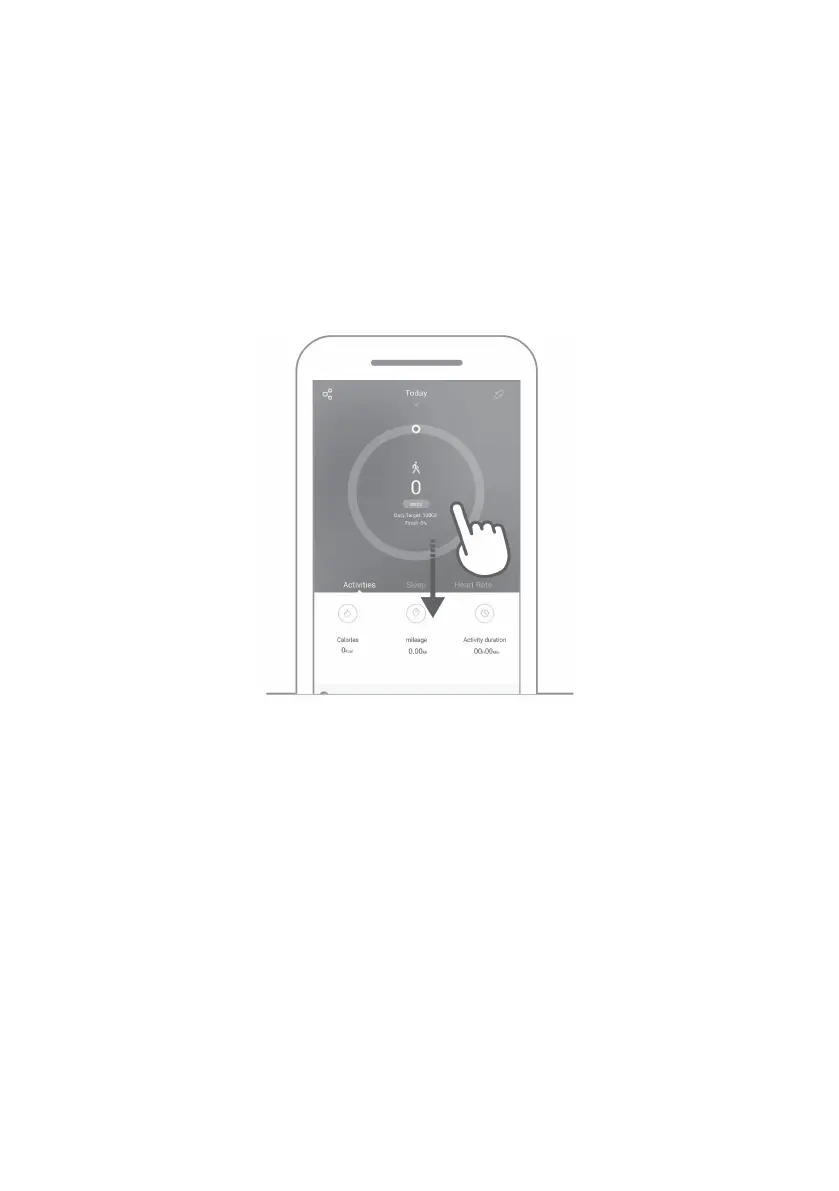
The watch will collect various data during use. To sync data, connect the watch with
Bluetooth and open the app: swipe down and the sync prompt will appear.
Notes
• Sync data at least once within 7 days to avoid data loss.


 To Next Page