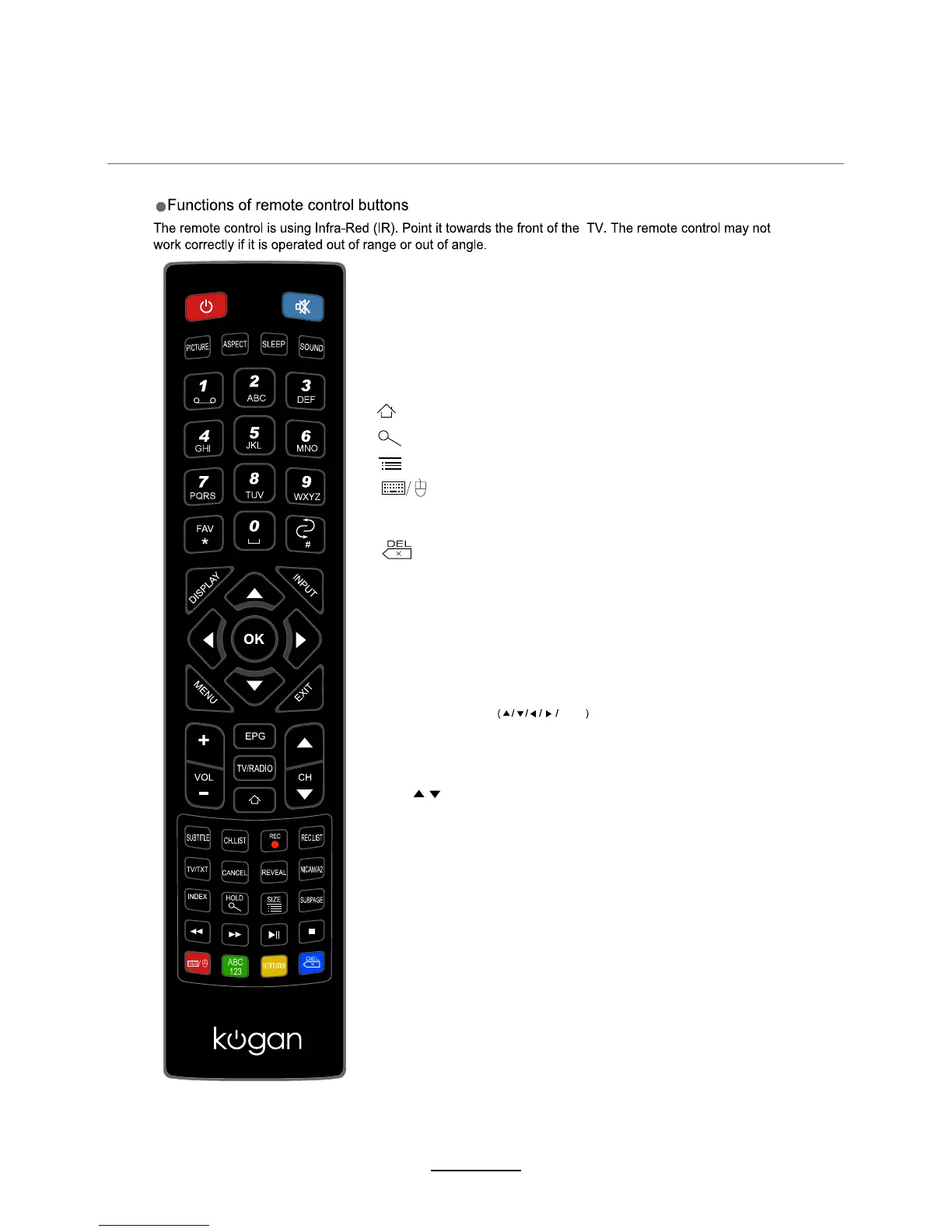
:
Home button
Buttons for Android
Buttons for TV
123/ABC: No Function
NOTIFICATION:
Display the Notification page.
: Switch to keypad/mouse or remote control.
:
Delete
:
:
Input web address
Call out menu
INPUT: Press to display the input source menu.
MENU: System setup menu.
EXIT: Exit the OSD menu.
DISPLAY: Press to display the current mode’s information.
Allows you to navigate the on-screen menus and adjust the
system settings to your preference.
CURSOR KEYS OK
EPG: To show the Electronic Program Guide during no-menu
state only in DTV mode.
TV/RADIO: Switch to TV/RADIO.
CH / : Scan through channels.
VOL+/-: Adjust the volume.
5
Remote Control















 To Next Page