EasyManua.ls Logo

Kohler DTV+ - User Manual

Kohler DTV+
12 pages
Print Icon
To Next Page IconTo Next Page
Loading...
DTV+ Quick Start
The DTV+ Quick Start software has been introduced to simplify the initial setup of the digital shower valves. This allows the
installer to quickly complete the basic valve setup and system configuration and testing.
Important Notes:
1. Quick Start can be used for any custom shower design or DTV+ Spa configuration installation.
2. For Spa configurations (configurations A to E), the valve outlets must be connected to the terminal fittings exactly as
indicated in the installation instructions. (See Attached Plumbing Layouts for Each Configuration)
3. Quick Start will only configure the shower valve outlet setup. All other settings must be completed through the embedded
web pages.
4. In Spa configurations, certain valve combinations do not use all available valve outlets (these can be used for additional
applications outside the Spa experiences). These outlets must be configured via the embedded web pages.
5. After Quick Start is completed, the digital valves will be configured and the system can be operated to complete testing. If
corrections are required, Quick Start can be accessed via the settings icon.
Guide to Using DTV+ Quick Start

Other manuals for Kohler DTV+

Question and Answer IconNeed help?

Do you have a question about the Kohler DTV+ and is the answer not in the manual?

Summary

DTV+ Quick Start Guide

Introduction to Quick Start

Overview of the DTV+ Quick Start software's purpose for simplifying digital shower valve setup and testing.

Important Notes for Quick Start

Key considerations for custom shower design, spa configurations, and post-setup steps.

DTV+ Quick Start Capabilities

Features Configurable with Quick Start

Lists features that can be set up using Quick Start, including custom and spa configurations.

Features Not Configurable with Quick Start

Lists features that cannot be configured via Quick Start, requiring other methods.

Custom Configuration Plumbing Layout

Spa Configuration Plumbing Layouts

Spa Configuration A Plumbing Layouts

Diagrams showing plumbing configurations for Spa Configuration A.

Spa Configuration B Plumbing Layouts

Diagrams illustrating plumbing configurations for Spa Configuration B.

Spa Configuration C Plumbing Layout

Diagram showing the plumbing configuration for Spa Configuration C.

Spa Configuration D Plumbing Layout

Diagrams illustrating plumbing configurations for Spa Configuration D.

Spa Configuration E Plumbing Layout

Diagram showing the plumbing configuration for Spa Configuration E.

DTV+ Quick Start Software Versions

Overview

The document describes the DTV+ Quick Start software, designed to simplify the initial setup and configuration of digital shower valves. This software allows installers to quickly complete basic valve setup, system configuration, and testing for Kohler DTV+ digital showering systems.

Function Description:

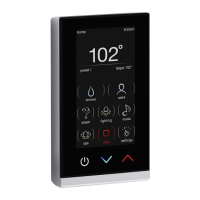
The DTV+ Quick Start software streamlines the installation process for Kohler DTV+ digital shower valves. It enables installers to configure the shower valve outlet setup for both custom shower designs and DTV+ Spa configurations (A to E). The software guides the user through identifying and assigning outlets, selecting appropriate descriptions for each, and activating desired features like spa or massage. While Quick Start handles the basic valve setup and system configuration, more advanced settings, such as lighting, music, steam, default temperatures, and user preset naming, must be configured through the embedded web pages of the DTV+ interface. The software is designed to ensure that the digital valves are correctly configured and the system is operational for testing after the Quick Start process is completed. If any corrections are needed, Quick Start can be re-accessed via the settings icon on the DTV+ interface.

Important Technical Specifications:

The document specifies the firmware and graphics files that represent the latest DTV+ Quick Start Software. These can be found by accessing the DTV+ Interface and navigating to System > About.

  • FIRMWARE: 0.0.3.60
  • GRAPHICS: 0.0.7.27

For Spa Configuration E, a specific system controller is required:

  • Configuration E Requirement: 99695-E-NA System Controller

Usage Features:

What Can Be Set-Up with Quick Start:

  • Custom Shower Set Up: Allows configuration for any custom shower design.
  • Spa Configurations A-E: Supports the setup of predefined DTV+ Spa configurations.
    • Configuration E specifically requires the 99695-E-NA System Controller.
  • Enable Settings: Activates basic features.
    • Shower
    • Steam
    • Massage

What Can't Be Set-Up with Quick Start (Requires Embedded Web Pages):

  • Lighting
  • Music
  • Steam (basic enablement is in Quick Start, but detailed settings are via web pages)
  • Default Temperatures
  • User Presets Naming

Step-by-Step Usage Example (Custom Configuration with Six Port Valve):

  1. Press Power Icon: Initiate the DTV+ interface.
  2. Start Quick Start: Select "Yes" when prompted "Do you want to configure your shower now?".
  3. Choose Configuration: Select "custom" from the configuration options (A, C, D, custom) and then "Next".
  4. Identify Outlets (Optional): The system asks, "Would you like to run water to identify outlets?". Selecting "Yes" will run water for 5 seconds to help identify each outlet.
  5. Select Valve Outlet 1: Select the first valve outlet (e.g., "1") and then "Next".
  6. Assign Outlet Description: Choose the appropriate description for the outlet (e.g., "showerhead," "rain can," "handshower," "body spray," "real rain," "none") and select "Ok".
  7. Repeat for Outlets 2-4: The outlet will be populated with an icon. Repeat the identification and assignment process for outlets 2 through 4.
  8. Move to Second Page (if applicable): If there are more than four outlets (e.g., a six-port valve), press the arrow icon to move to the second page of outlets.
  9. Complete Remaining Outlets: Continue the selection sequence for the remaining outlets.
  10. Unused Outlets: For any unused valve outlets, select "none" as the description.
  11. Activate Features: Select desired features to activate (e.g., "massage") and then "Next". A warning about reading the owner's manual for associated risks may appear.
  12. Quick Start Completion: A "Congratulations" message indicates that DTV+ is ready to use. Press "Ok" to return to the home screen.
  13. Accessing Quick Start for Corrections: From the home screen, select "Settings," then "System," and finally "Quick Start" to view or edit initial settings.

Step-by-Step Usage Example (Spa Configuration A – With Two Six Port Valves):

  1. Press Power Icon: Initiate the DTV+ interface.
  2. Start Quick Start: Select "Yes" when prompted "Do you want to configure your shower now?".
  3. Choose Configuration: Select "A" from the configuration options (A, B, C, D, custom) and then "Next".
  4. Confirm Valve Configuration (for multiple identical valves): If two valves are the same, the system will prompt to "Please press rain can to confirm proper valve configuration." Press the rain can icon and then "Next."
  5. Verify Rain Can: The system asks, "Did rain can turn on?".
    • If "Yes," proceed.
    • If "No," the system swaps valves and repeats the question. Select "Next."
  6. Activate Features: Select desired features to activate (e.g., "spa," "massage") and then "Next". A warning about reading the owner's manual for associated risks may appear.
  7. Quick Start Completion: A "Congratulations" message indicates that DTV+ is ready to use. Press "Ok" to return to the home screen.
  8. Accessing Quick Start for Corrections: From the home screen, select "Settings," then "System," and finally "Quick Start" to view or edit initial settings.

Plumbing Layouts:

The document includes detailed plumbing layouts for various configurations, illustrating how outlets should be connected to terminal fittings.

  • Custom Configuration – Plumbing Layout:

    • Any plumbing configuration other than a SPA configuration (A – E).
    • May have one or two valves (any combination).
    • Each outlet must be individually identified and selected.
    • Example shows a 6-Port Valve connected to a showerhead and multiple body sprays.
  • SPA Configuration A – Plumbing Layouts (1 and 2):

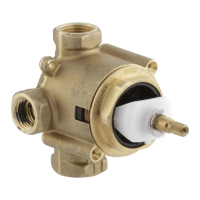
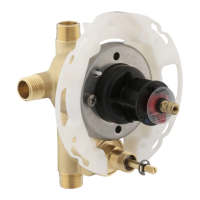
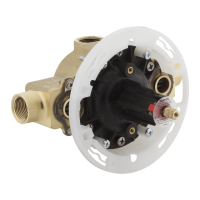
    • Illustrates two different plumbing layouts for Spa Configuration A, involving a 3-Port Valve (Zone 1) and a 6-Port Valve (Zone 2).
    • Shows connections to various shower components labeled A through K.
  • SPA Configuration B – Plumbing Layouts (1, 2, and 3):

    • Illustrates three different plumbing layouts for Spa Configuration B, involving combinations of 3-Port and 6-Port Valves (Zones 1 and 2).
    • Shows connections to various shower components labeled A through J.
  • SPA Configuration C – Plumbing Layout:

    • Illustrates the plumbing layout for Spa Configuration C, involving a 6-Port Valve.
    • Shows connections to various shower components labeled A through H.
  • SPA Configuration D – Plumbing Layout:

    • Illustrates the plumbing layout for Spa Configuration D, involving both 3-Port and 6-Port Valves.
    • Shows connections to shower components labeled A, B, and C.
  • SPA Configuration E – Plumbing Layout:

    • Illustrates the plumbing layout for Spa Configuration E, involving two 3-Port Valves (Zone 1 and Zone 2).
    • Shows connections to various shower components labeled A through I.

Maintenance Features:

  • Corrections: If corrections are required after the initial Quick Start setup, the Quick Start menu can be accessed via the settings icon on the DTV+ interface. This allows for re-editing of the initial settings.
  • Firmware and Graphics Updates: The document provides the current firmware and graphics versions, implying that these can be updated to ensure optimal performance and access to the latest features. Users can check these versions by navigating to System > About on the DTV+ Interface.

Kohler DTV+ Specifications

General IconGeneral
BrandKohler
ModelDTV+
CategoryControl Unit
LanguageEnglish

Related product manuals