Need help?
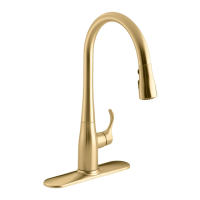
Do you have a question about the Kohler K-22036 and is the answer not in the manual?
Follow essential electrical safety measures, including GFCI protection and proper grounding for safe operation.
Read all instructions before installation; keep magnetic items away from the spout.
Store chemicals away from product; rinse cleaning rags with fresh water before storage.
Ensure unswitched outlet, follow codes, and turn off water supply before starting installation.
Orient handle correctly, thread screws 1/4" into ring, use escutcheon.
Insert faucet through mounting surface with handle on the right.
Slide washer/ring, thread ring onto shank, align screws, and tighten securely.
Connect check valves, supply hoses, flush lines, and attach outlet hose to solenoid.
Apply grease, connect wires (handle, sensor, power, solenoid), plug into outlet.
Mount bracket, position solenoid and cover, secure with screws.
Position weight, secure tie, check hose operation, test leaks, verify function.
Operate faucet using handle for flow/temp and wave sensor for ON/OFF control.
Understand LED indicators and features like automatic shut-off and sensor override.
Adjust valve setscrew to correct LED behavior, handle return, and water shut-off.
Clean sprayhead and solenoid inlet screens for optimal performance.
Use mild detergents, avoid abrasives, and test cleaners on inconspicuous areas.
Addresses issues like no water, low flow, poor spray pattern, and dripping.
Solves solenoid leaks, activation issues, and handle LED problems.
Addresses intermittent sensor operation and incorrect LED status.
 General
| Brand | Kohler |
|---|---|
| Model | K-22036 |
| Category | Kitchen & Bath Fixtures |
| Language | English |


 To Next Page