11-8
Song Play operating mode
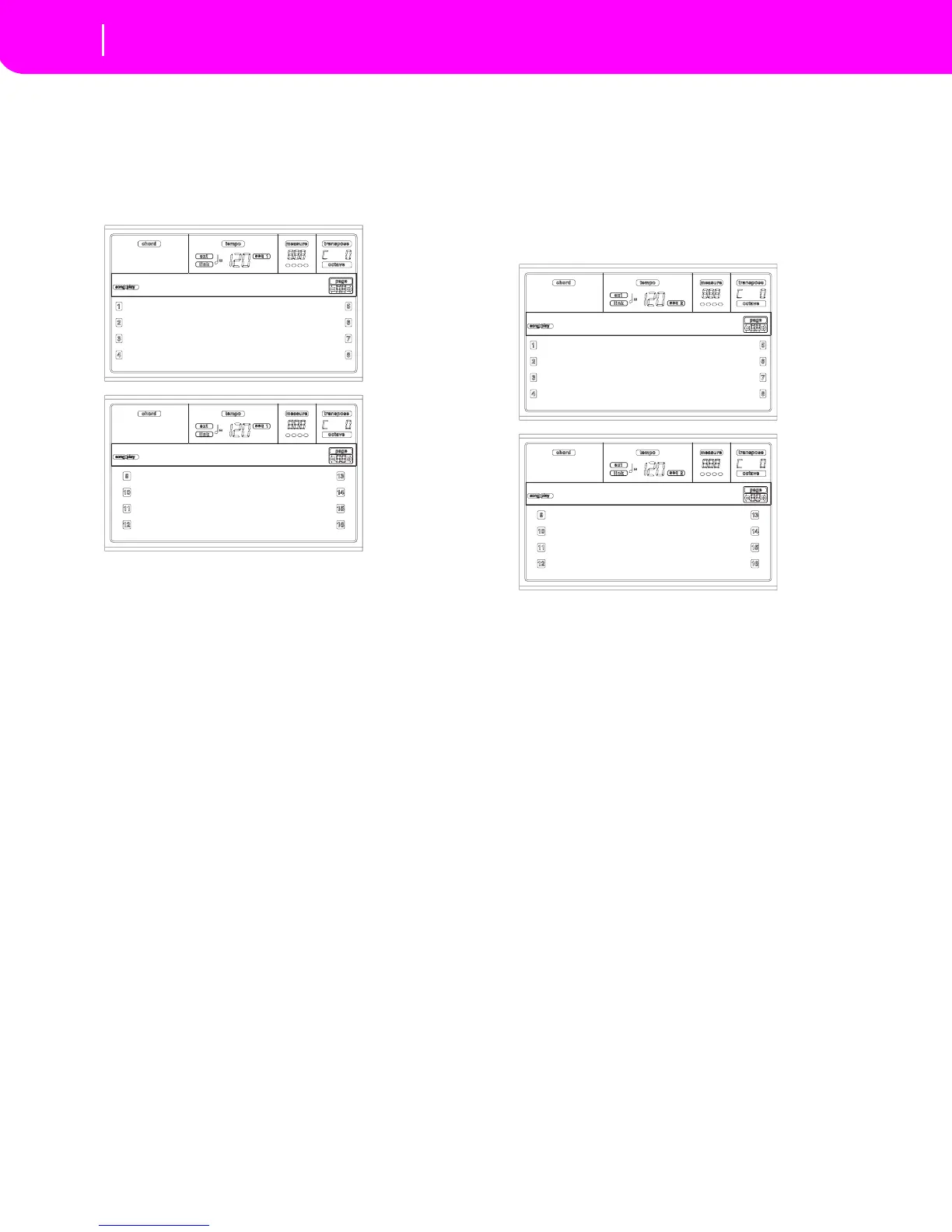
Page 3 - Mixer: FX send A/B
PAGE 3 - MIXER: FX SEND A/B
This page lets you set the level of the track’s direct (unef-
fected) signal going to the A and B Internal FX processors
(usually assigned to Sequencer 1).
Use the TRACK SELECT button to switch from tracks 1-8 to
tracks 9-16.
Note: When playing a Song that makes use of all four effects (A-
D), you can’t edit any of the effect parameters. These parame-
ters appear greyed out in the display.
Note: When you stop the Song, or select a different Song, the
default effects are selected again. You can, however, stop the
Song, change the effects, then start the Song again. Edit the Song
in Song mode to permanently change the effects.
Here is the edit procedure:
1. Use the VOLUME/VALUE (A-H) buttons to select a
track.
2. Use the F1-F4 buttons to select a parameter for that
track.
3. Use the TEMPO/VALUE controls to change the parame-
ter’s value.
Parameters
000 No effect. Only the direct (uneffected) signal
goes to the outputs.
127 100% effect. The direct (uneffected) and
effected signals go to the outputs with the same
level.
PAGE 3 - MIXER: FX SEND C/D
This page lets you set the level of the track’s direct (unef-
fected) signal going to the C and D Internal FX processors.
Note: You can access this page only while editing the Sequencer
2, and the “S2 FX Mode” parameter is set to “CD Mode” (see
page 11-12).
Use the TRACK SELECT button to switch from tracks 1-8 to
tracks 9-16.
Here is the edit procedure:
1. Use the VOLUME/VALUE (A-H) buttons to select a
track.
2. Use the F1-F4 buttons to select a parameter for that
track.
3. Use the TEMPO/VALUE controls to change the parame-
ter’s value.
Parameters
000 No effect. Only the direct (uneffected) signal
goes to the outputs.
127 100% effect. The direct (uneffected) and
effected signals go to the outputs with the same
level.
PAGE 4 - FX: A/B SELECT
This page lets you select the A and B effects. Usually, the A
effect is a reverb, while the B effect is a modulating effect.
Effects A and B are usually reserved for Sequencer 1. You can,
however, create Songs by using all four effects in Song mode.
Depending on the status of the “S2 FX Mode” parameter, this
A:100 B:050 A:100 B:050
A:127 B:020 A:100 B:050
A:110 B:050 A:100 B:050
A:100 B:050 A:100 B:050
Mixer:FXSend
A:100 B:050 A:100 B:050
A:127 B:020 A:100 B:050
A:110 B:050 A:100 B:050
A:100 B:050 A:100 B:050
Mixer:FXSend
C:100 D:050 C:100 D:050
C:127 D:020 C:100 D:050
C:110 D:050 C:100 D:050
C:100 D:050 C:100 D:050
Mixer:FXSend
C:100 D:050 C:100 D:050
C:127 D:020 C:100 D:050
C:110 D:050 C:100 D:050
C:100 D:050 C:100 D:050
Mixer:FXSend



 To Next Page