HOW TO DISABLE/ENABLE THE CD AUTO PLAY FUNCTION ?
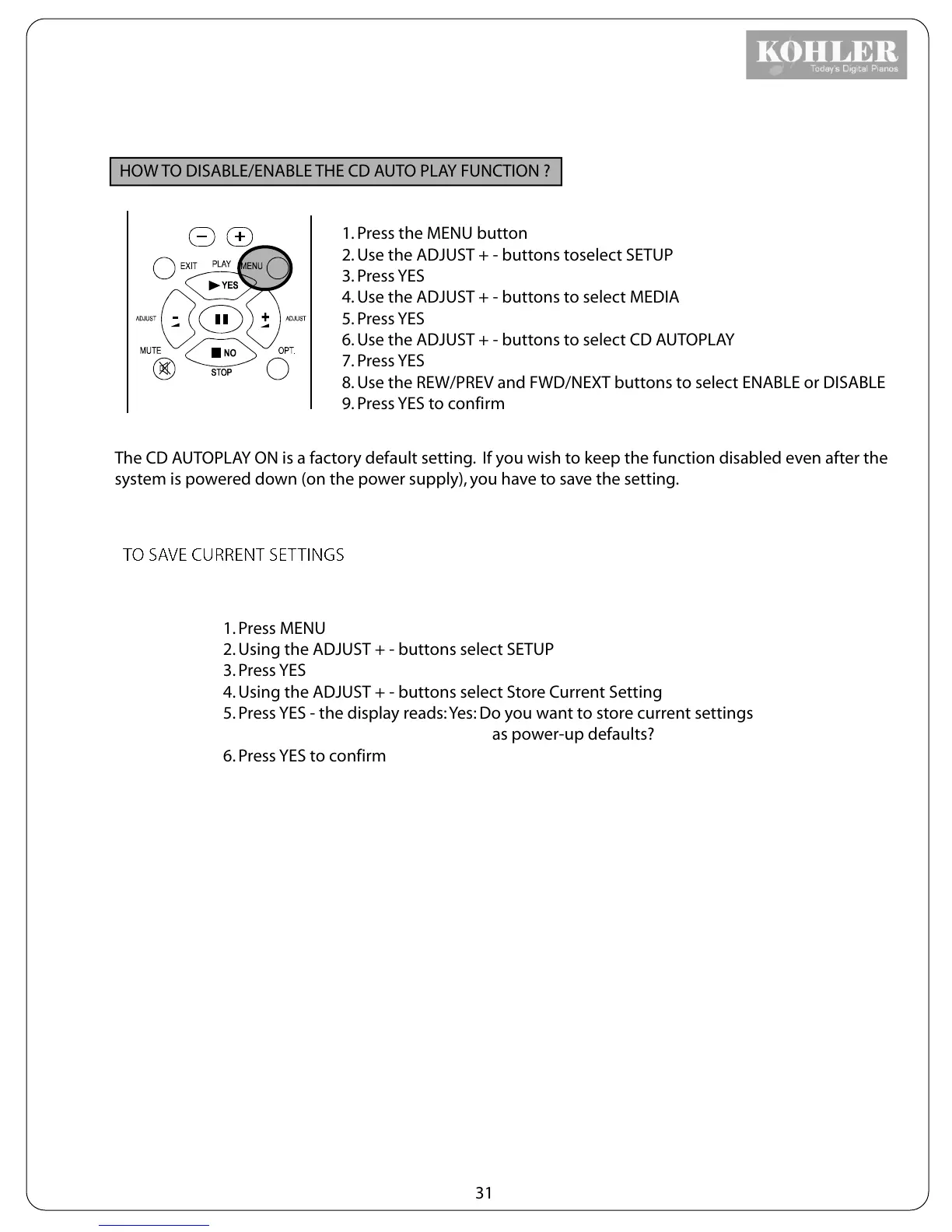
1. Press the MENU button
2. Use the ADJUST + - buttons toselect SETUP
3. Press YES
4. Use the ADJUST + - buttons to select MEDIA
5. Press YES
6. Use the ADJUST + - buttons to select CD AUTOPLAY
7. Press YES
8. Use the REW/PREV and FWD/NEXT buttons to select ENABLE or DISABLE
9. Press YES to confirm
The CD AUTOPLAY ON is a factory default setting. If you wish to keep the function disabled even after the
system is powered down (on the power supply), you have to save the setting.
1. Press MENU
2. Using the ADJUST + - buttons select SETUP
3. Press YES
4. Using the ADJUST + - buttons select Store Current Setting
5. Press YES - the display reads: Yes: Do you want to store current settings
as power-up defaults?
6. Press YES to confirm
31
TO SAVE CURRENT SETTINGS



 To Next Page