In order to start operating your Kohler KD-7, first:
Make sure that the power cord is connected to a wall outlet (110V)
Turn on the power supply mounted under the piano
Performance will now go through a 60 second “self check” process.
Now we are ready to use all the features of the Kohler player system.
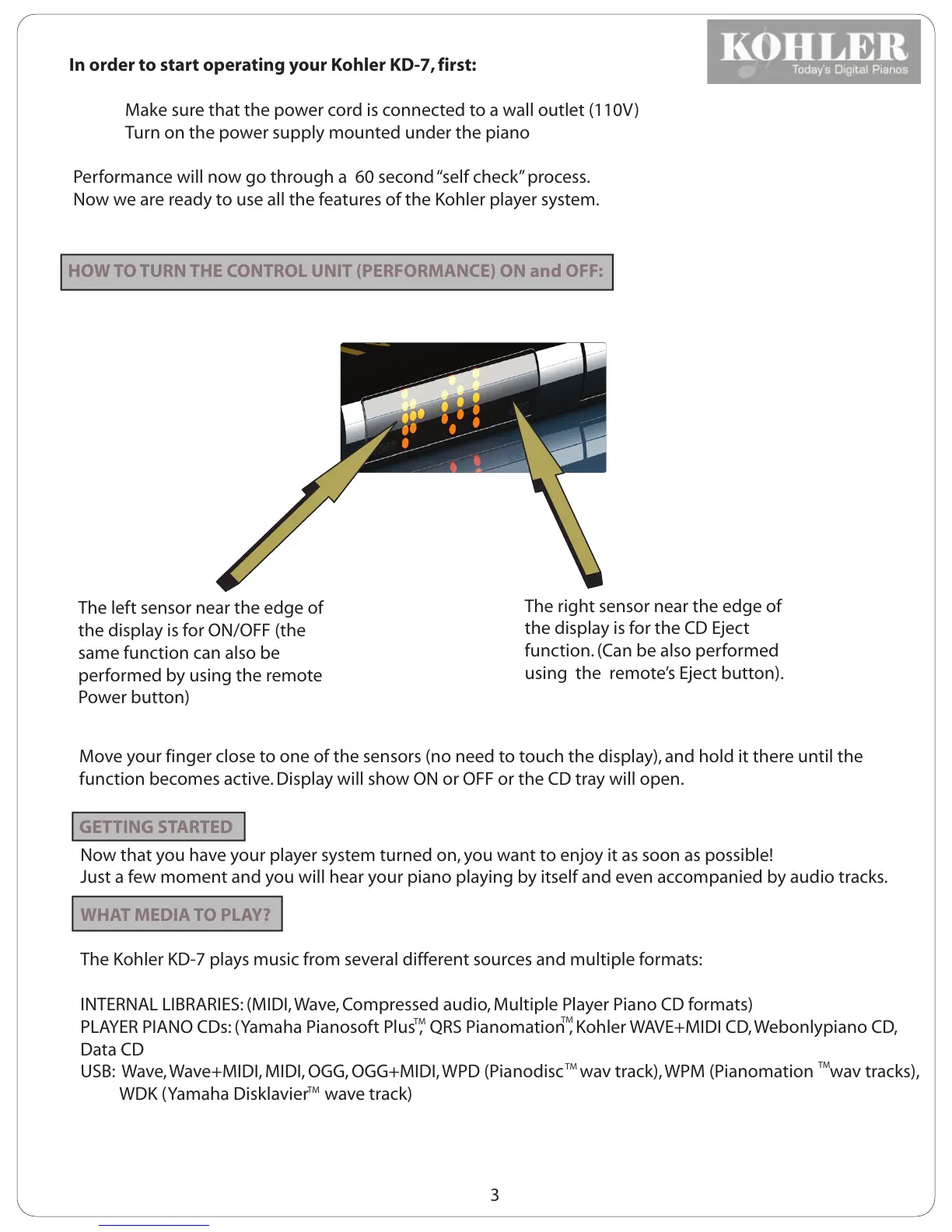
HOW TO TURN THE CONTROL UNIT (PERFORMANCE) ON and OFF:
The left sensor near the edge of
the display is for ON/OFF (the
same function can also be
performed by using the remote
Power button)
The right sensor near the edge of
the display is for the CD Eject
function. (Can be also performed
using the remote’s Eject button).
Move your finger close to one of the sensors (no need to touch the display), and hold it there until the
function becomes active. Display will show ON or OFF or the CD tray will open.
GETTING STARTED
Now that you have your player system turned on, you want to enjoy it as soon as possible!
Just a few moment and you will hear your piano playing by itself and even accompanied by audio tracks.
WHAT MEDIA TO PLAY?
The Kohler KD-7 plays music from several different sources and multiple formats:
INTERNAL LIBRARIES: (MIDI, Wave, Compressed audio, Multiple Player Piano CD formats)
PLAYER PIANO CDs: (Yamaha Pianosoft Plus , QRS Pianomation , Kohler WAVE+MIDI CD, Webonlypiano CD,
Data CD
USB: Wave, Wave+MIDI, MIDI, OGG, OGG+MIDI, WPD (Pianodisc wav track), WPM (Pianomation wav tracks),
WDK (Yamaha Disklavier wave track)
3
TM
TM
TM
TM
TM



 To Next Page