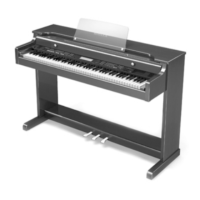
MENU-PIANO-EXPRESSION
Soft - when selecting Soft piano playback Expression, piano automation will play most of notes with smaller
expression levels.
Medium - when selecting Medium piano playback Expression, piano automation will be playing the songs with
original note velocities.
Deep - When selecting Deep piano playback Expression, piano automation will play the songs with increased
notes velocity levels. Piano and mezzoforte notes will be played quieter.
MENU-PLAYBACK-MODES
Normal Sequence - When selecting Normal Sequence, songs will be played in normal order from track 1 to 999.
Random Sequence - When selecting Random Sequence, songs will be played in random order.
Repeat Off - When selecting Repeat Off, no song will be repeated.
Repeat Song - When selecting Repeat Song, current song will be repeated.
Repeat Album - When selecting Repeat Album, all songs within current album will be repeated.
MENU-OPTIONS
Copy song - When selecting Copy song function, you can copy the currently selected song to other selected album.
System will ask you for target album. While selecting of target album, you can also create a new one.
Rename song - When selecting Rename song function, you can change the name of the selected song.
Delete song - When selecting Delete song function, you can delete the current song. You will be asked to confirm
this operation because after the song is deleted, there is no way to recover it or undo the delete.
Add to Playlist - Add song to user created playlist. You can play your playlist after selecting Playlist source from the
Source menu.
Copy album - When selecting Copy album function, you can copy all songs from the selected album to any
other selected album. The system will ask You for a target. The system will create a new one.
Rename album - when selecting Rename album function, you can change the name of the selected album.
Delete album - When selecting Delete album function, you can delete the selected album together with all the
songs stored ib it. You will be asked to confirm this operation because after the album is deleted, there is no way to
recover any of ther songs from the deleted album.
Add to library - When selecting Add to library function, you can add the current album to a destination group.
Change position - Change Song position (order) in the current album.
Sync with - when selecting Sync with function, you can synchronize current selected MIDI song with the selected
CD Audio track. Note: Song, to be synchronized to CD has to be MIDI format.
Remove Sync - When selecting Remove Sync function, you can remove the synchronization of the currently
selected song with synchronized MIDI file.
Unlock album - When selecting Unlock album, you can enter unlock key for this album.
MENU-SETUP
Store Current Settings - When selecting Store Current Settings, you can store all current settings like defaults.
After device power-up the system will have the current audio volumes, current selected album will be set, current
playbackmode will be set and some others.
Service - When selecting Service, ou can access the service functions such as Setup of ECR.
Display Setup - When selecting Display Setup, you can enter all the display setup functions.
Network Setup - When selecting Network Setup, you can setup WiFi networks if WiFi access device is connected.
41


 To Next Page
 Loading...