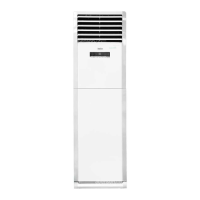
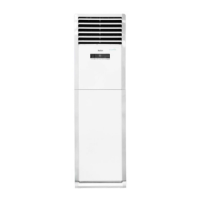
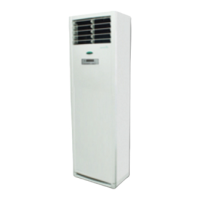
This document is a user manual for the Kolin KLM-IF70-3D3M floor-mounted inverter air conditioner. It provides comprehensive information on the device's operation, maintenance, and troubleshooting.
Function Description
The Kolin KLM-IF70-3D3M is a floor-mounted inverter air conditioner designed to provide cooling, heating, dehumidifying, and fan-only operation. It features an inverter technology for energy efficiency and precise temperature control. The unit can be operated via a control panel on the indoor unit or a remote controller (not included in this manual but referenced for some operations).
The air conditioner offers several operating modes:
- Auto Mode: Automatically selects the operation mode (Cool, Dry, Heat, or Fan Only) by sensing the difference between the actual ambient room temperature and the set temperature. The fan speed is automatically controlled in this mode.
- Cool Mode: Provides cooling effects within a temperature range of 17°C to 30°C.
- Dry Mode: Dehumidifies the surroundings at a low fan speed, also within a temperature range of 17°C to 30°C. Fan speed cannot be adjusted in Dry mode.
- Heat Mode (for cooling & heating models only): Permits heating operation within a temperature setting range of 17°C to 30°C.
- Fan Only Mode: Allows fan operation without cooling or heating. In this mode, the setting temperature is not displayed, and the set temperature cannot be adjusted.
The unit also includes several auxiliary functions:
- Swing Operation: Controls the horizontal airflow direction (left/right) automatically.
- Sleep Operation: An energy-saving mode that automatically increases (for cooling) or decreases (for heating) the set temperature by 1°C per hour. The set temperature will stabilize after 2 hours.
- Turbo Operation: Provides faster and stronger heating or cooling.
- Timer ON/OFF: Allows users to set a specific time for the unit to turn on or off. The timer can be adjusted in 30-minute increments.
- Lock Operation: Locks the current settings to prevent accidental changes.
Important Technical Specifications
While specific power consumption or capacity figures are not detailed in this manual, the inverter technology implies energy efficiency. The temperature setting range for Cool, Dry, and Heat modes is 17°C to 30°C.
Usage Features
The air conditioner is designed for user-friendly operation with a control panel on the indoor unit.
Control Panel Indicators:
- Room Temp/Set Temp/Set Timer display: Shows the current room temperature, set temperature, or timer settings.
- Auto operation display: Illuminates when in Auto mode.
- Cooling operation display: Illuminates when in Cool mode.
- Dry operation display: Illuminates when in Dry mode.
- Heating operation display: Illuminates when in Heat mode.
- Fan operation display: Illuminates when in Fan Only mode.
- Swing operation display: Illuminates when the swing function is active.
- Sleep operation display: Illuminates when in Sleep mode.
- Turbo operation display: Illuminates when in Turbo mode.
- On timer operation display: Illuminates when the ON timer is set.
- Off timer operation display: Illuminates when the OFF timer is set.
- Lock operation display: Illuminates when the unit is locked.
- Fan speed display: Indicates the selected fan speed (Low, High, Auto).
- TEST RUN: Illuminates during a test run.
- ON/OFF button: Starts or stops the unit.
- MODE button: Cycles through Auto, Cool, Dry, Heat (for cooling & heating models only), and Fan Only modes.
- FAN SPEED button: Selects fan speed (Low, High, Auto). The display indicates the selected speed with 1 to 3 zones illuminated for Low, 1 to 2 zones for Auto, and 1 to 3 zones for High.
- ADJUST buttons (Up/Down arrows): Adjusts temperature, timer settings, and selects auxiliary functions.
- AUXILIARY FUNCTION button: Used in conjunction with the ADJUST buttons to select auxiliary functions like Swing, Sleep, Turbo, Timer ON/OFF, and Lock.
Airflow Direction Control:
- Horizontal Airflow Direction (AUTO): Adjustable via the AUXILIARY FUNCTION button and ADJUST arrows on the control panel (or remote control). This allows the louvers to swing left and right.
- Vertical Airflow Direction (MANUAL): The up/down airflow can be adjusted by manually moving the horizontal louvers.
Operation Tips:
- Protection of the air conditioner: The compressor has a 3-minute restart delay. The unit also features an anti-cold air function (heating models only) and defrosting.
- White mist coming out from the indoor unit: This is normal and can occur due to a large temperature difference between the air inlet and outlet in COOL mode or due to moisture generated from defrosting in HEAT mode.
- Low noise in the air conditioner: Normal operating sounds include the sound of refrigerant flowing, a "squeak" sound from expansion/contraction of plastic parts, and a slight noise from the louver.
- Dust is blown out from the indoor unit: This is normal when the unit is first used.
- Peculiar smell comes out from the indoor unit: This can be caused by the indoor unit giving off smells permeated from building material, furniture, or smoke.
- The air conditioner turns to Fan Mode from COOL or HEAT: This happens when the room temperature reaches the set temperature, and the compressor stops automatically.
- Dripping water: May occur if the relative humidity is high (above 80%). Adjust the horizontal louver to the maximum air outlet position and select HIGH fan speed to prevent this.
- Heating mode (For cooling and heating models only): The air conditioner draws heat from the outdoor unit and releases it indoors. Performance decreases as outdoor temperature drops.
- Auto-restart function: If power fails, the unit will automatically restart with previous settings once power is restored.
- Lightning or a car wireless telephone operating nearby: May cause the unit to malfunction. Disconnect power and then reconnect to restart.
Maintenance Features
Regular cleaning and maintenance are crucial for optimal performance and longevity of the air conditioner.
Cleaning the indoor unit:
- Turn off the unit and disconnect power before cleaning.
- Wipe the indoor unit and remote controller with a dry cloth.
- A cloth dampened with cold water may be used on the indoor unit if it is very dirty.
- Do not splash water on the unit.
- CAUTION: Do not use chemical-treated duster, benzene, thinner, polishing powder, or similar solvents. These can damage the plastic surface.
Cleaning the air outlet and louvers:
- After using for a period, the air outlet and louvers will become dirty. It is recommended to dip a soft cloth into warm water or a mild kitchen cleanser, wring it out, then wipe any soiling from the unit. Wipe with a dry cloth afterward.
Cleaning the Lower Front Panel and Air Filter:
- The air filter should be checked and cleaned about every 2 weeks to maintain optimal performance.
- Procedure:
- Locate the air filter under the lower front panel.
- Find and loosen the screw cover on both sides of the panel, then remove the screws using a screwdriver.
- Hold both sides of the panel and pull it downwards, then take it down.
- Take hold of the air filter holder and pull it up, and then take it out.
- The lower front panel can be wiped with water or a cloth dipped in water. Wash it with water and dry it in a cool place.
- Use a vacuum cleaner to remove dust or wash the air filter with water, and dry it in the sun.
- Installation process of the air filter and lower front panel is the reverse of the removal process.
- CAUTION: Ensure nothing has been forgotten or fallen into the fan before installing the lower front panel. Restart the unit after the front panel and air filter are correctly installed.
Troubleshooting Tips:
The manual provides a comprehensive troubleshooting guide for common problems and error codes.
- Common problems: Includes issues like the air conditioner not operating, not cooling/heating well, and solutions such as checking power, cleaning filters, closing windows, or adjusting temperature settings.
- Error codes: A table lists display codes (E1, E2, E3, E4, E7, E8, Ed, P0, P1, P8) and their corresponding problems (e.g., communication malfunction, sensor errors, EEPROM malfunction, fan motor speed issues, low temperature protection, anti-cold air/defrosting, current overload, outdoor protection). For most error codes, the recommended action is to contact service personnel. For some, like Ed and P0, it suggests turning off the unit, cleaning the air filter, and restarting.
Safety Precautions:
The manual emphasizes several safety precautions, including:
- Contacting authorized service technicians for repair or maintenance.
- Contacting the installer for installation.
- The unit is not intended for use by young children or invalids without supervision.
- Young children should be supervised to ensure they do not play with the air conditioner.
- Power cord replacement and installation work must be performed by authorized personnel and in accordance with national wiring standards.
- Warnings against improper power connections, modifying power cords, operating with wet hands, drinking water drained from the unit, and disassembling or modifying the unit.
- Cautions against touching metal parts, water entry, placing pets near the unit, blocking air outlets, using strong detergents, and improper handling of the unit.
The product should not be disposed of as unsorted municipal waste. It must be collected separately for special treatment. Options for disposal include municipal collection systems, retailer take-back when buying a new product, manufacturer take-back, or selling to scrap metal dealers. Improper disposal can endanger health and the environment.

 Need help?
 General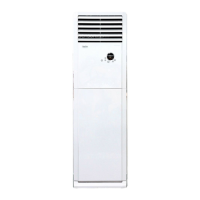


 To Next Page