KC3 PV Charge Controller Instruction Manual
6
“Over load” LED flashes when total current exceeds the rated one.
Load Protection activated 60 seconds after the current is 1.2 times more than rate one.
Load Protection activated at once when the current 1.5 times more than rate one.
When protection activated, all the loads will be disconnected, then “Over load” LED stops
flashing but keeps on.
After the malfunction removed, press any button to return to work.
5.Operation Instructions
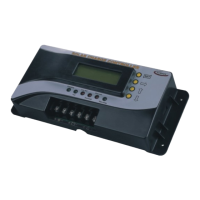
LCD, 4 buttons, 6 LEDs are fixed on KC3.
1). Working Status, all the working data shown on the LCD
2). Setting Status, adjust the data shown on the LCD.
Working Status is the default mode when electrified
■ Data on LCD under Working Status
All the data: Working Mode, Switch Status, Input DC Voltage of Solar Modules, Input DC Current
of Solar Modules, Input Power of Solar Modules, Battery Voltage, Loads Current, Current Time,
Battery Temperature, are all shown on LCD, moving in cycles.
Table 1. Data on LCD under Working Status
No Display Meaning Unit Format Remark
1 “MODE+STATUS”
Working Mode and
Switch Status of load
4 modes & 2 status
2 Vpv Input Voltage of Solar Modules V XX.X
3 Ipv Input Current of Solar Modules A XX.X
4 Ppv Input Power of Solar Modules W XXX
5 Vbat Battery Voltage V XX.X
6 Iw Loads Current A XX.X Current of total loads
7 Pw Loads Power W XX Power of total loads
8 Tbat Battery Temperature ℃ XX
9 TIME Current Time HH:MM:SS
Diagram 3 First roll (page) shown on LCD
1. LD....PV....OFF
2. Vpv.........XX.X
3. Ipv......... XX.X
4. Ppv.........XXX


 To Next Page