EXPLANATION OF COMPONENTS OPERATION
3-50
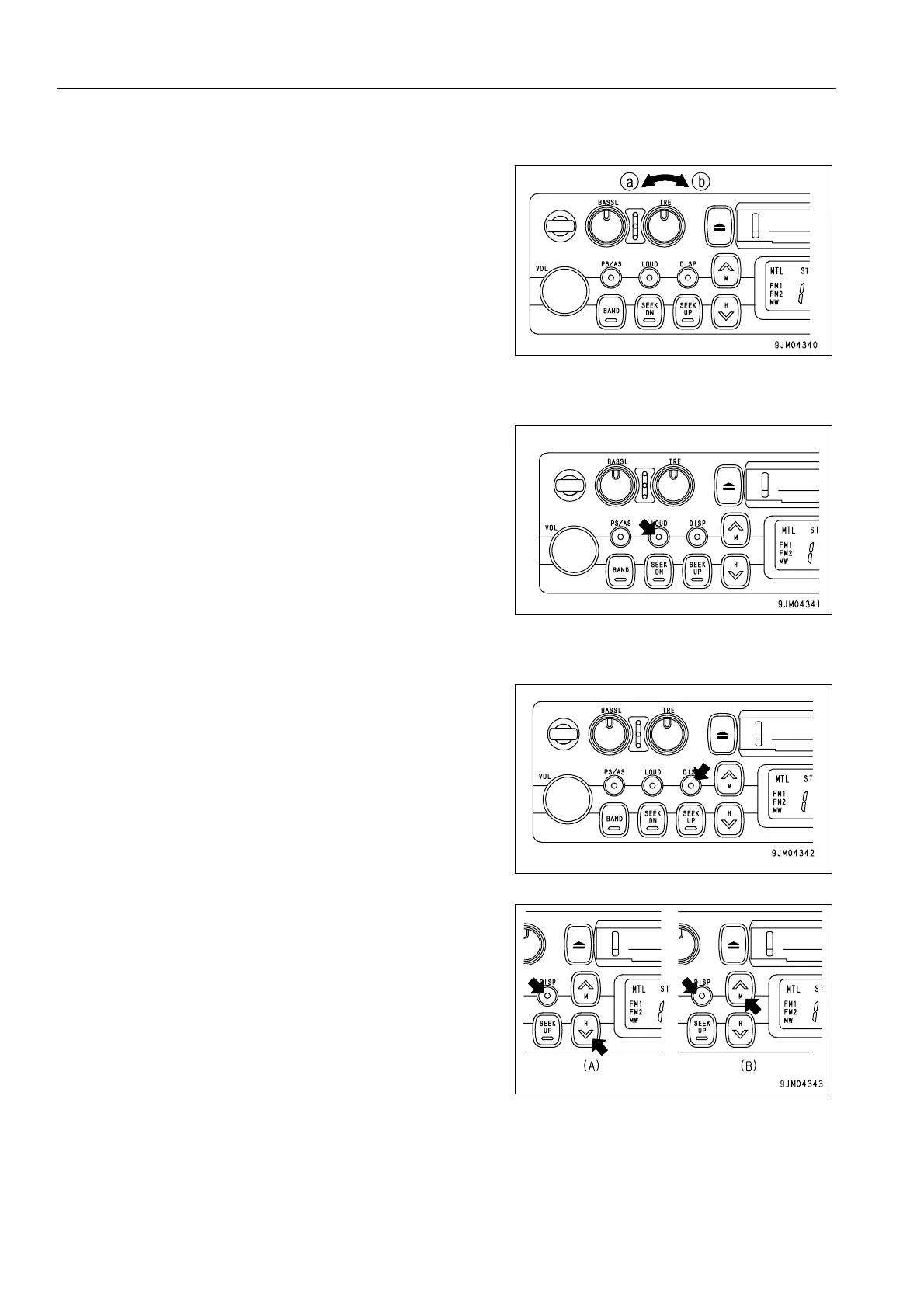
TREBLE CONTROL KNOB
Turn this button (4) to the left to reduce the low tones; turn it to
the right to emphasize the high tones.
Direction (a): High tone reduced
Direction (b): High tone emphasized
LOUDNESS BUTTON
This button (5) is used when playing at low volume. It makes it
possible to hear more easily by emphasizing the low tone when
the low tones are weak.
Push button: Actuated (ON)
Push button again: Canceled (OFF)
TIME/RADIO DISPLAY SELECTOR BUTTON
This button (6) is used to switch between the “Radio/tape dis-
play“ and the “Time display“.
q Correcting the time
Press the button to set the time display.
(A) Correcting hour:
Keep the DISP button pressed and press the bottom (H) of
the TUNING button to correct the hour.
(B) Correcting minute:
Keep the DISP button pressed and press the top (M) of the
TUNING button to correct the minute.






 To Next Page