Innovative technology only for a better vision world
Hunan Bowan Technology Co.,Ltd. www.kommander.com.cn/en/
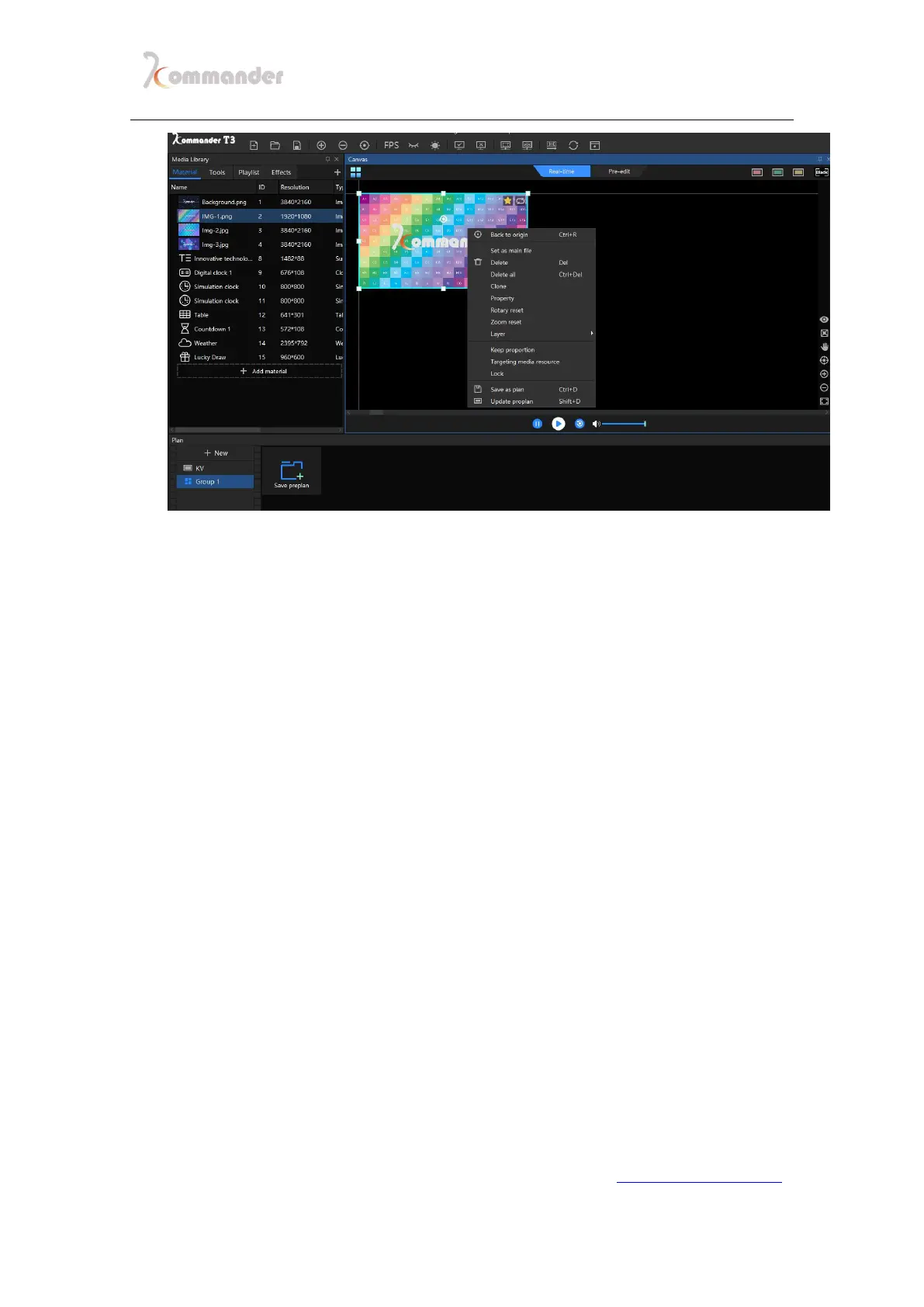
1. Back of origin of canvas: the origin of canvas is set (0,0) by
coordinate,when the user cannot find where they are ,it will take you the
origin of canvas by clicking Ctrl +R
2. Set as main file: to have a bigger playback bar for easier correction
3. Delete: Delete the chosen file
4. Delete all: delete all the materials on canvas, other than the locked ones
5. Clone: The cloned picture is fully synchronized. If you justify one of the
progress, the other is adjusted. Non-cloned pictures always have
millisecond-level playback differences, which are optional when users
want full synchronization.
6. Property: to view file’s info
7. Reset rotation: picture after spun, click this button to reverse the rotation
8. Reset zoom: by clicking this button to set all back to its original size
9. Layers: There are layer priorities, you can change priority through this
button
10. Mute: check to disable the audio output of the material. Only one audio
output is allowed for all the materials on the canvas. The default is the
first audio material added. If you uncheck it, the previous output audio
material is automatically disabled.
11.Keep proportion: When the ratio of the material and the screen is
different, the maintaining ratio will be output according to the original
ratio of the material.
12.Locate media resource: locate media resource in the media lib


 To Next Page