REPLACING THE OVEN LAMP
WARNING!
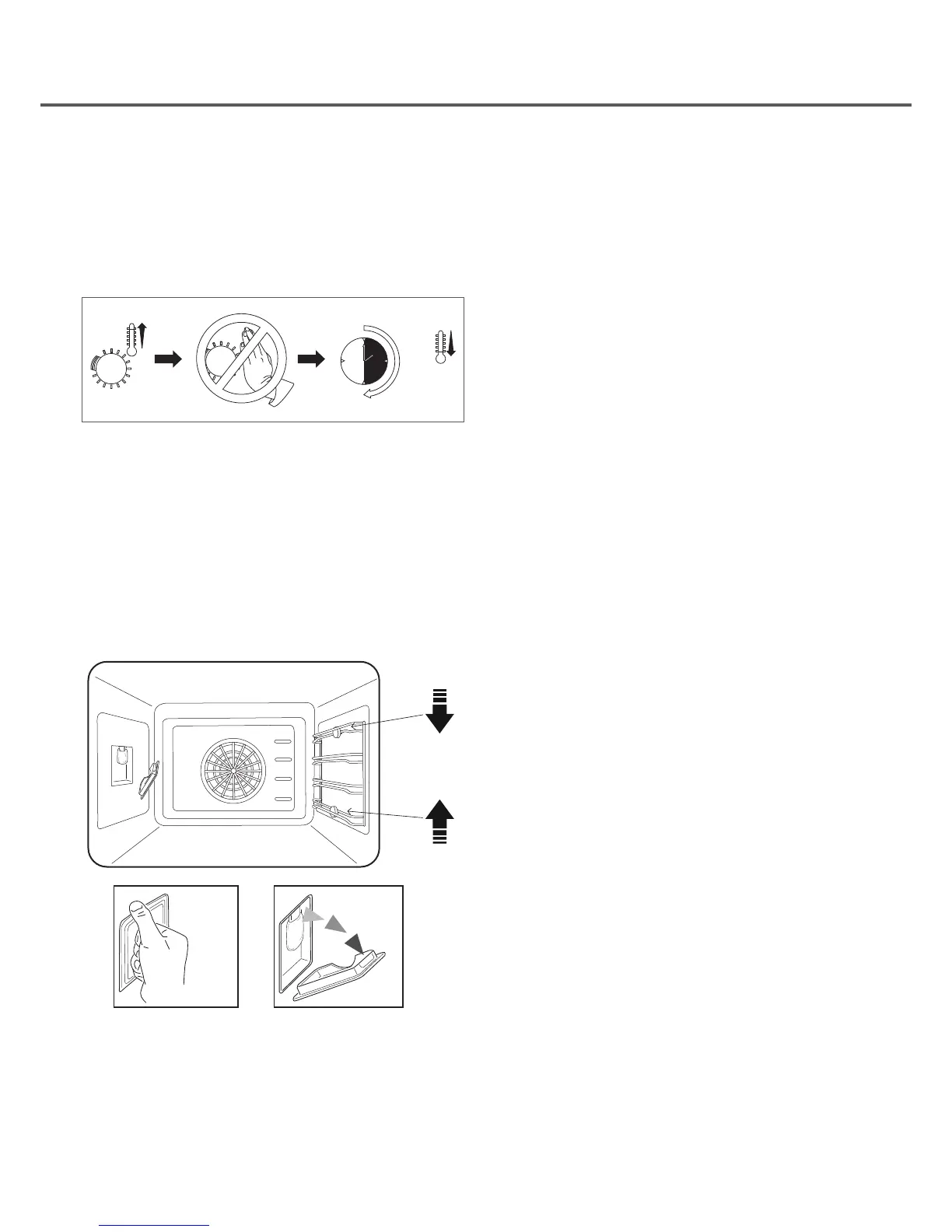
Disconnect the appliance from the electricity supply, open
the oven door remove the oven shelves. During use the
appliance becomes hot. Care should be taken to avoid
touching heating elements inside the oven.
90’
A
B
Remove all internal shelves and shelf support guides from
the oven cavity, by applying downward pressure to Point A
and upward pressure to point B to release and guides.
To remove the glass cover, position thumb at top of glass
panel and exert a small amount of downward pressure and
the glass panel will pop off, ensure you use two hands for
this process to enable you to hold the piece of glass when
it is released.
Unscrew the old light bulb and dispose of it safely and
ecologically, change it for one as specied in the “Technical
data” and replace the cover.


 To Next Page