BESKRIVELSE • TILKOBLING • LINJEVELGEREN
CONNECTING AND INSTALLING
THE UNIT
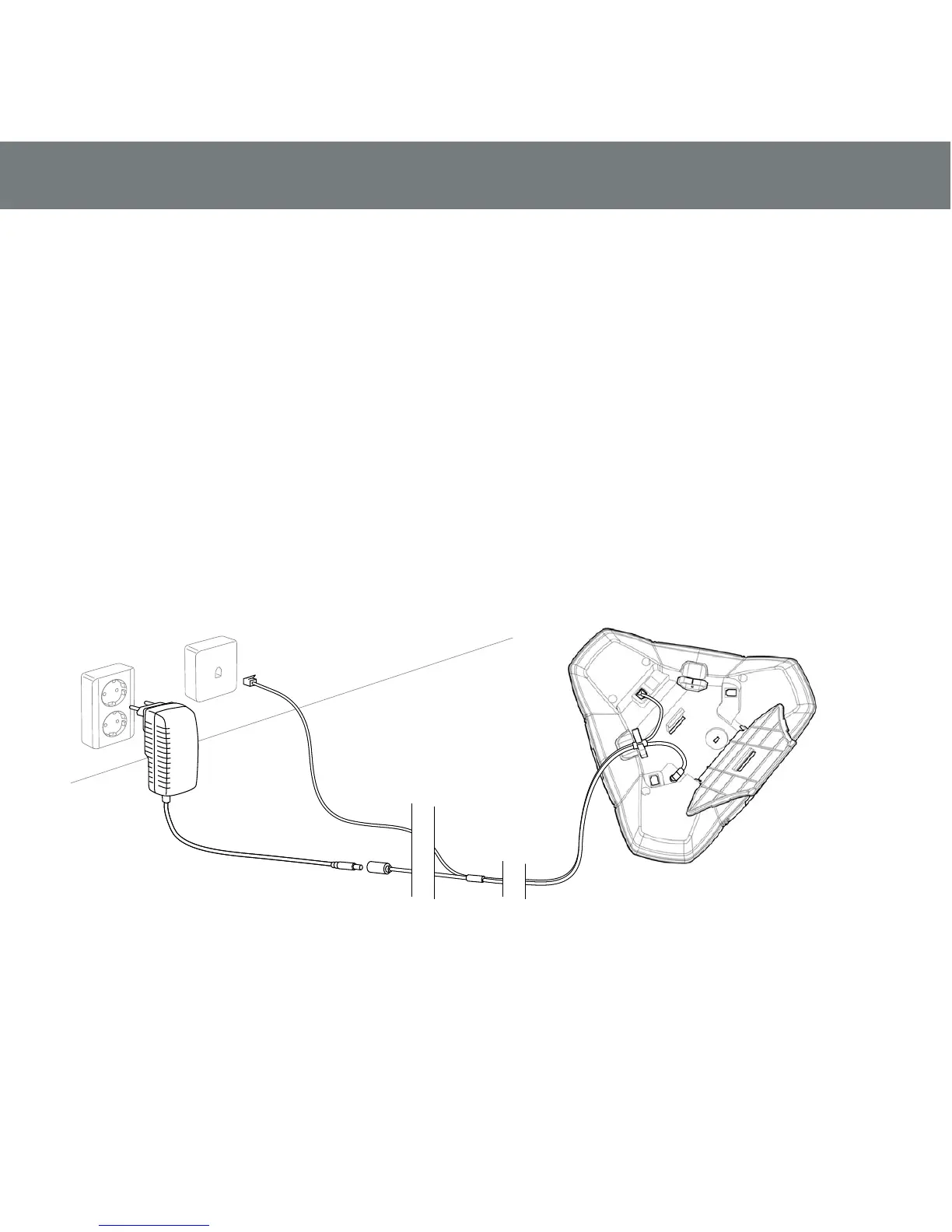
Connect the Konftel 250 to an analogue
line as illustrated.
Plug into the mains using the power
adapter as illustrated.
Place the conference phone in the mid-
dle of the table.
GETTING STARTED
SELECT REGION AND LANGUAGE
The rst time the Konftel 250 is started,
you will be required to select the region in
which you are located. The Konftel 250
then automatically congures to the telecom
network for that region.
Select the region in which you are loca-
ted. Click OK to conrm your selection.
Select the language you want. Click OK
to conrm your selection.
Select MENU > SETTINGS if you want
to set the date and time or make other
adjustments.



 To Next Page