7
TROUBLESHOOTING
How do I fix a jittery image?
Check that the camera is connected properly.
Check that the camera is placed on a stable surface, attached firmly on top of the
monitor, or firmly attached to a tripod.
Check to see if there are any vibrating machinery or objects located near the
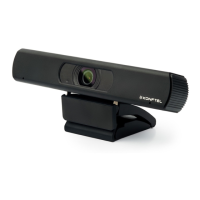
Konftel Cam10 camera and if there are, remove those.
How do I know if my video client is using my Konftel Cam10?
All video clients have the option to set the audio and video device.
• Review the audio selection to ensure the Konftel Cam10 microphone is selected.
• Review the video selection to ensure the Konftel Cam10 camera is selected.
How do I Pan, Tilt, and Zoom (PTZ) while streaming?
The ability to take advantage of the PTZ feature is controlled either by downloadable
software, or if available, through your application’s webcam settings or property page.
To control PTZ through application webcam settings or property page:
Access to the webcam properties is usually available from your selected video client
Select webcam properties and review the options available.
• Use the buttons and/or slider to increase zoom.
• Use the buttons and/or slider provided to pan left or right, or to tilt up or down.
How come I cannot achieve 1080p with my video calling application?
There are various constraints on the system that could impede the ability to attain
a 1080p video calling session. They center around processing power (i.e. CPU speed)
and available network bandwidth.
Review the requirements of the video calling application for information about the
required system performance and the necessary bandwidth.



 To Next Page